35
VQT2N56
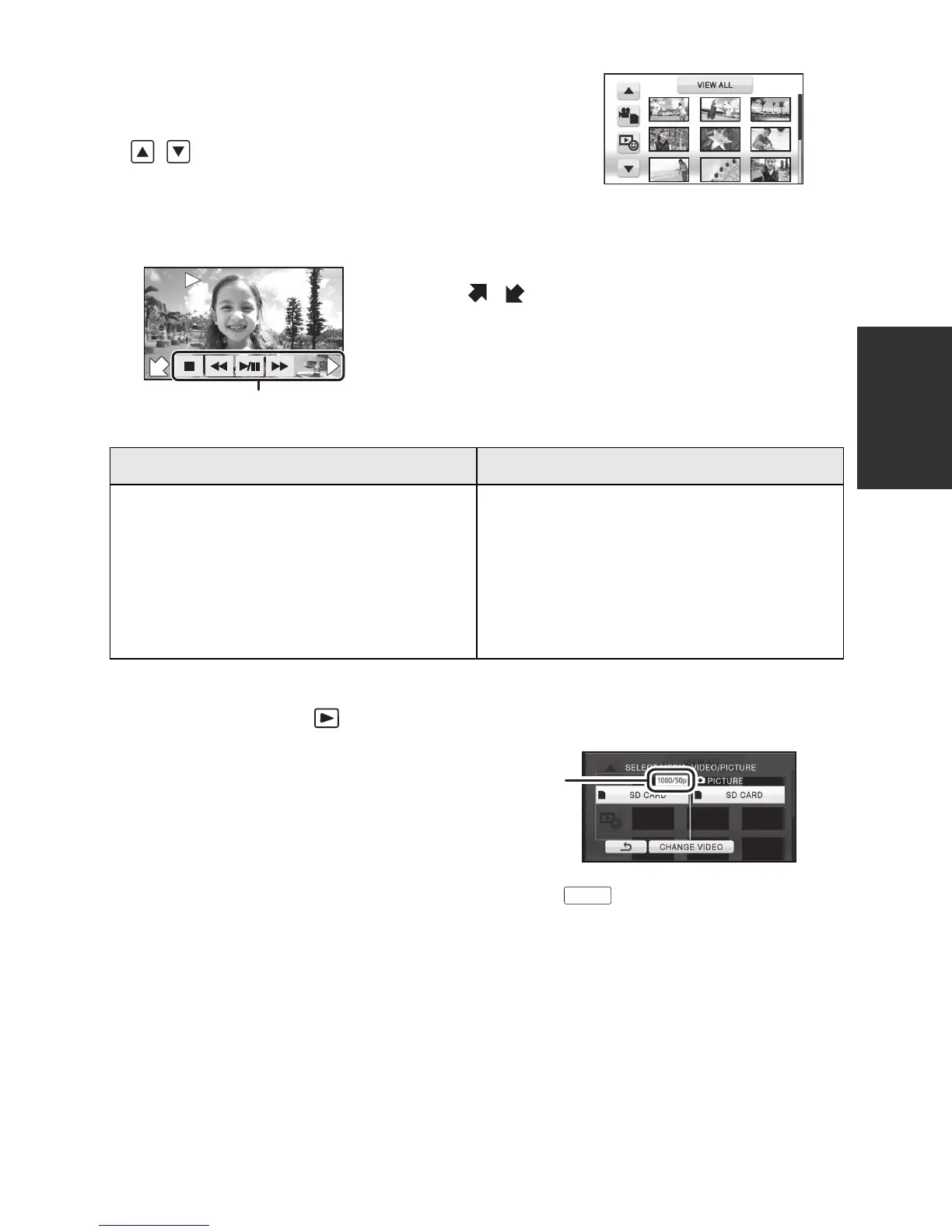
4 Touch the scene or the still picture to be
played back.
≥ Next (previous) page can be displayed by touching
/.
5 Select the playback operation by
touching the operation icon.
∫ Play back 1080/50p recorded scenes (l 52)
≥ Change the mode to and touch the play mode select icon.
Touch [CHANGE VIDEO].
≥ The motion picture media switches between
normal and 1080/50p recorded scenes each
time [CHANGE VIDEO] is touched.
A Operation icon
≥ Touch
/ to display/not-display the operation
icon.
Motion picture playback Still picture playback
1/;: Playback/Pause
6: Rewind playback
5: Fast forward playback
∫: Stops the playback and shows
the thumbnails.
1: Displays the direct playback
bar. (l 80)
1/;: Slide show (playback of the still
pictures in numerical order)
start/pause.
2;: Plays back the previous picture.
;1: Plays back the next picture.
∫: Stops the playback and shows
the thumbnails.
F
0h00m00s0h00m00s0h00m00s
F
F
1080/50p








 To Next Page