EasyManua.ls Logo

Panasonic HDC-HS900 - User Manual

Panasonic HDC-HS900
168 pages
Print Icon
To Next Page IconTo Next Page
Loading...
Operating Instructions
High Definition Video Camera
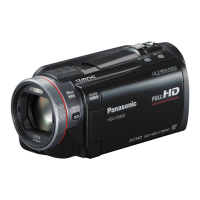
Model No. HDC-SD900
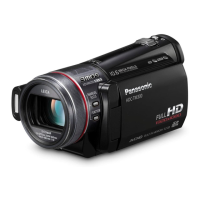
HDC-TM900
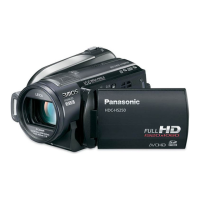
HDC-HS900
Before use, please read these instructions completely.
VQT3K80
until
2010/12/27
Model number suffix “EB” denotes UK model.
HDC-SD900&TM900&HS900EB-VQT3K80_eng.book 1 ペー 010年12月29日 水曜日 午後2時50

Table of Contents

Other manuals for Panasonic HDC-HS900

Questions and Answers

  • J
    Joseph GeorgeSep 23, 2025
    When this unit is connected to a TV in still picture recording mode, the picture on the TV may appear grainy.
    • Z
      zvaldezSep 23, 2025
      This is not a malfunction and does not affect the still pictures being recorded or played back.
  • J
    Jason FosterAug 23, 2025
    What to do if my Panasonic Camcorder turns off automatically?
    • T
      Tyler KrauseAug 23, 2025
      Your Panasonic Camcorder might be turning off automatically because of the VIERA Link feature. If you're not using VIERA Link, disable it in the settings by setting [VIERA Link] to [OFF]. Also, if the unit turns off when a USB Connection Cable is removed while connected to a DVD burner, this is expected behavior.
  • B
    Brittany BlackwellAug 25, 2025
    What to do if SD card is not recognised by Panasonic Camcorder?
    • M
      Melanie CastroAug 26, 2025
      If your Panasonic Camcorder does not recognize the SD card, it might be because the SD card was formatted on a PC. Use the camcorder to format the SD card.
  • L
    Lori JohnsonAug 27, 2025
    Why does my Panasonic HDC-HS900 show grainy picture on TV?
    • T
      Tina McdanielAug 27, 2025
      If the picture on your TV appears grainy when your Panasonic Camcorder is connected in still picture recording mode, this is normal and does not affect the quality of the recorded or played back still pictures.
  • A
    Antonio LivingstonAug 27, 2025
    How to fix Panasonic HDC-HS900 Camcorder if it cannot be operated?
    • S
      smithjamieAug 28, 2025
      If your Panasonic Camcorder is on but not operating, remove the battery or AC adapter, wait about a minute, and then reconnect it. Wait another minute before turning the unit back on. If normal operation isn't restored, detach the power and consult the dealer from whom you purchased the unit.
  • C
    Chelsea ParkerSep 17, 2025
    How to import AVCHD scenes with iMovie’11 on Panasonic HDC-HS900 Camcorder?
    • R
      Robert SnyderSep 17, 2025
      You may not be able to import AVCHD scenes with iMovie’11 when both AVCHD scenes and iFrame scenes are recorded on a media (an SD card, built-in memory or HDD). In such a case, first copy all the iFrame scenes data to iMovie’11, delete all the iFrame scenes data on the media, and then import the AVCHD scenes with iMovie’11.
  • B
    Bill McphersonSep 14, 2025
    What to do if Panasonic HDC-HS900 Camcorder cannot play back scenes?
    • A
      ashleylopezSep 14, 2025
      Any scenes/still pictures where the thumbnails are displayed as cannot be played back.
  • N
    Nancy HughesSep 15, 2025
    How to safely disconnect Panasonic Camcorder USB cable?
    • L
      Lawrence ChambersSep 16, 2025
      To safely disconnect the USB cable from your Panasonic Camcorder, double-click the icon in the task tray and follow the on-screen instructions.
  • G
    garciamichelleSep 6, 2025
    How to fix Panasonic HDC-HS900 remote control?
    • J
      Jose MasonSep 6, 2025
      If your Panasonic Camcorder's remote control isn't working: Ensure that [REMOTE CONTROL] in the [SETUP] menu is set to [ON]. If it is already on, the remote control battery may be depleted. Replace it with a new button-type battery.
  • J
    Jaime LopezSep 3, 2025
    How to fix Panasonic Camcorder if SD card is not recognised in another device?
    • A
      Andrew FisherSep 3, 2025
      If an SD card from your Panasonic Camcorder isn't recognized in another device, verify that the device supports the capacity or type of SD card you're using (SD Memory Card, SDHC Memory Card, or SDXC Memory Card).

Summary

Information for Your Safety

AC Mains Lead Safety

Safety precautions for the AC power cord, plug, and fuse.

Battery Safety and Handling

Warnings and precautions related to battery usage, storage, and disposal.

General Safety Warnings

General warnings regarding ventilation, handling, and disposal of electronics.

Preparation and Basic Operations

Power Supply and Charging

Information on compatible batteries, installation, and charging procedures.

Recording Media and Initial Setup

Details SD card usage, power controls, touch interface, and date/time settings.

Troubleshooting and Cautions

Troubleshooting and Error Messages

Common problems, error messages, and solutions for the unit.

Panasonic HDC-HS900 Specifications

General IconGeneral
Filter size46 mm
Digital zoom700 x
Optical zoom12 x
Image stabilizerYes
Focal length range35 - 700 mm
Sensor typeCMOS
Total megapixels3.05 MP
Optical sensor size1/4.1 \
Effective megapixels (movie)2.53 MP
InterfaceUSB 2.0
Video out1
Viewfinder resolution123000 pixels
Viewfinder screen size0.27 \
Display diagonal3.5 \
Maximum video resolution1920 x 1080 pixels
Image formats supportedJPG
Still image resolution(s)4608 x 3072
Audio systemDolby Digital 5.1
Audio formats supportedAAC
Camera shutter speed1/25 - 1/8000 s
Shutter speed (photo)1/25 s
Shutter speed (video)1/8000 s
USB 2.0 ports quantityUSB 2.0 ports have a data transmission speed of 480 Mbps, and are backwards compatible with USB 1.1 ports. You can connect all kinds of peripheral devices to them.
Compatible memory cardsSD, SDHC, SDXC
Internal storage capacity220 GB
Product colorBlack
Bundled softwareHD Writer AE 3.0
Weight and Dimensions IconWeight and Dimensions
Depth146 mm
Width67 mm
Height72 mm
Weight455 g

Related product manuals