EasyManua.ls Logo

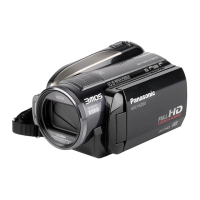
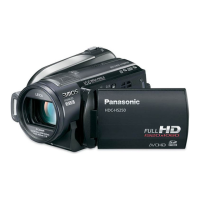
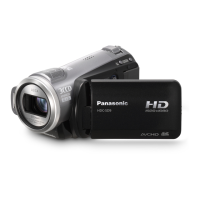
Panasonic HDC-HS9 - User Manual

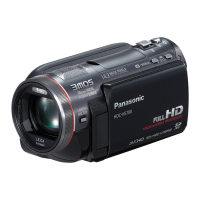
Panasonic HDC-HS9
132 pages
Print Icon
To Next Page IconTo Next Page
Loading...
Operating Instructions
High Definition Video Camera
Model No. HDC-HS9
Before use, please read these instructions completely.
VQT1N87
EP
until
2008/1/31
HDCHS9EP-VQT1N87_eng.book 1 ージ 008年1月11日 金曜日 午後7時52

Table of Contents

Other manuals for Panasonic HDC-HS9

Questions and Answers

  • J
    Jennifer TorresSep 8, 2025
    Why are some playback images skipped automatically on my Panasonic HDC-HS9?
    • C
      courtney12Sep 9, 2025
      If some playback images are skipped automatically on your Panasonic Camcorder, the play mode may be set to (Intelligent scene selection). Change the play mode to (All scenes).
  • T
    Tyler DeckerAug 23, 2025
    What does “PUSH THE RESET SWITCH” mean on my Panasonic Camcorder?
    • R
      Robert GreenAug 23, 2025
      If “PUSH THE RESET SWITCH.” is displayed on your Panasonic Camcorder, the unit has detected an error. Press the RESET button with the projecting part of the grip belt A. If the indication appears repeatedly, the unit requires repair. Detach the power and consult the dealer from whom you purchased the unit. Do not attempt to repair it yourself.
  • D
    David WoodAug 25, 2025
    Why does my Panasonic HDC-HS9 Camcorder battery run down so quickly?
    • R
      richard58Aug 25, 2025
      If your Panasonic Camcorder battery drains quickly, consider these factors: * Ambient Temperature: Battery performance is affected by temperature; it drains faster in cold environments. * Battery Lifespan: Batteries have a limited lifespan. If the operating time remains short even after a full charge, the battery is likely worn out and needs replacement.
  • J
    james73Aug 26, 2025
    Why does my Panasonic HDC-HS9 Camcorder not stay on long enough?
    • B
      Brandon HernandezAug 27, 2025
      If your Panasonic Camcorder is not staying on long enough, there are a couple of reasons: * Auto Power Off: The unit automatically turns off after approximately 5 minutes of inactivity to save battery. Turn the power back on to resume recording. * VIERA Link: If connected to a TV via HDMI mini cable and the TV is turned off with its remote, the camcorder may also turn off. Disable VIERA Link in the settings if not in use.
  • M
    Monica AllenAug 27, 2025
    What to do if my Panasonic Camcorder cannot be operated when turned on?
    • M
      Maureen CampbellAug 27, 2025
      If your Panasonic Camcorder cannot be operated even when it's turned on, it might be because the LCD monitor is not opened. If the issue persists, press the RESET button. If normal conditions aren't restored, remove the battery or AC adapter, wait about 1 minute, and then reconnect it.
  • R
    rodneygrahamSep 22, 2025
    What to do if the screen of my Panasonic Camcorder is frozen?
    • M
      mariagregorySep 22, 2025
      If the screen of your Panasonic Camcorder is frozen and no operation can be performed, detach the power connected, and consult the dealer who you purchased this unit from.
  • D
    danielslarrySep 16, 2025
    How to make VIERA Link work on Panasonic HDC-HS9?
    • W
      William PriceSep 16, 2025
      To make VIERA Link work on your Panasonic Camcorder: * Connect with an HDMI mini cable (optional). * Press the MENU button, then select [SETUP] #[VIERA Link] #[ON] with the cursor button. * If the input channel does not switch automatically, use the TV remote to manually switch the input.
  • R
    Robert GalvanSep 18, 2025
    What to do if the indication disappears on my Panasonic HDC-HS9?
    • Q
      qchanSep 18, 2025
      If the indication disappears on your Panasonic Camcorder, turn off the power. If it cannot be turned off, press the RESET button, or remove the battery or AC adapter and then reattach it. Turn on the power again.
  • J
    John JacksonSep 7, 2025
    Why is the remaining time indication not shown on my Panasonic HDC-HS9?
    • C
      Charles TorresSep 7, 2025
      If the remaining time or elapsed time indication is not displayed on your Panasonic Camcorder, it may be because the display settings are turned off. If you set [SETUP] > [DISPLAY] > [OFF], all indications other than warnings and date are not displayed.
  • A
    Andrew GomezSep 4, 2025
    Why is the color balance strange on my Panasonic Camcorder?
    • T
      Todd CarpenterSep 4, 2025
      If the color balance of images from your Panasonic Camcorder appears strange when recording in places like a gymnasium, the auto white balance function may not be working correctly due to multiple light sources. Adjust the white balance setting manually.

Summary

Accessories

Check the accessories before using this unit

List of included and optional accessories for the camcorder.

Preparation

Setup

Instructions for setting up the unit, including power and media preparation.

Recording

Recording (Basic)

Fundamental recording procedures and camera operations.

Recording (Advanced)

Advanced recording functions and menu options for enhanced footage.

Playback

Editing

With a PC

What you can do with a PC

Overview of PC connectivity and data management capabilities.

Helpful hints

Troubleshooting

Common problems and their solutions for the video camera.

Cautions for use

Panasonic HDC-HS9 Specifications

General IconGeneral
Filter size37 mm
Digital zoom700 x
Optical zoom10 x
Image stabilizerYes
Focal length range3 - 30 mm
Interchangeable lensNo
Focal length (35mm film equivalent)42.9 - 429 mm
Sensor typeCMOS
Total megapixels2.1 MP
Optical sensor size1/6 \
Display diagonal2.7 \
Cable typeVideo Component, AV, USB, AC/DC
Resolution1920 x 1080 pixels
Power requirementsDC 7.2V / 9.3V
Power consumption (typical)6.8 W
Still image resolution(s)1920 x 1080
Audio systemDolby Digital 5.1
Camera shutter speed1/25 - 1/8000 s
Camcorder typeHandheld camcorder
Minimum illumination1 lx
Headphone outputs0
USB 2.0 ports quantity1
Camcorder media typeHDD, Memory card
Compatible memory cardsSD, SDHC
Internal storage capacity60 GB
Product colorBlack, Silver
Battery capacity- mAh
Battery life (max)- h
Bundled softwareHD Writer 2.5E
Viewfinder type-
Weight and Dimensions IconWeight and Dimensions
Depth126 mm
Width75 mm
Height74 mm
Weight390 g

Related product manuals