EasyManua.ls Logo

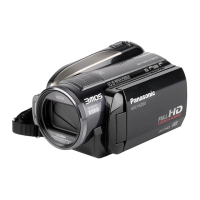
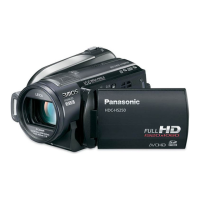
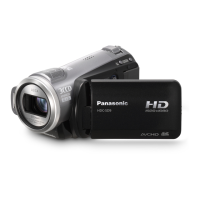
Panasonic HDC-HS9 - User Manual

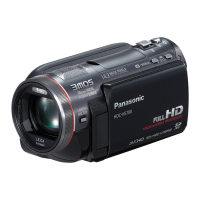
Panasonic HDC-HS9
132 pages
Print Icon
To Next Page IconTo Next Page
Loading...
Operating Instructions
High Definition Video Camera
Model No. HDC-HS9
Before use, please read these instructions completely.
VQT1N87
EP
until
2008/1/31
HDCHS9EP-VQT1N87_eng.book 1 ージ 008年1月11日 金曜日 午後7時52

Table of Contents

Other manuals for Panasonic HDC-HS9

Questions and Answers

  • M
    Madison MannAug 21, 2025
    What to do if Panasonic HDC-HS9 is not detected by PC?
    • W
      williamspatrickAug 22, 2025
      If your Panasonic Camcorder is connected to the PC with a USB cable and is not detected: * Use the AC adapter during connection. * Try a different USB terminal on your PC. * Check the operating environment. * Turn the camcorder off and then on again, and reconnect the USB cable.
  • A
    Andrew GomezSep 4, 2025
    Why is the color balance strange on my Panasonic Camcorder?
    • T
      Todd CarpenterSep 4, 2025
      If the color balance of images from your Panasonic Camcorder appears strange when recording in places like a gymnasium, the auto white balance function may not be working correctly due to multiple light sources. Adjust the white balance setting manually.
  • A
    Angela SmithSep 2, 2025
    Why does recording start then immediately stop on my Panasonic HDC-HS9 Camcorder?
    • M
      morrisoncassieSep 2, 2025
      If recording on your Panasonic Camcorder starts but stops immediately, the unit may be overheating. Turn off the power and allow it to cool down before attempting to record again.
  • R
    Ryan PerezSep 1, 2025
    Why does my Panasonic HDC-HS9 Camcorder stop recording by itself?
    • K
      Kimberly CruzSep 1, 2025
      If your Panasonic Camcorder arbitrarily stops recording, it could be due to: * SD Card Type: Ensure you are using an SD card suitable for motion picture recording. * AGS Setting: If [AGS] is [ON], record in a normal horizontal position or set [AGS] to [OFF]. * Vibrations/Shocks: Strong vibrations or shocks during HDD recording may cause it to stop for protection.
  • A
    Alyssa LeachAug 30, 2025
    Why does my Panasonic HDC-HS9 not start recording?
    • B
      brentwhiteAug 30, 2025
      If your Panasonic Camcorder doesn't start recording even with power and a correctly inserted SD card: * Check the SD card's write protect switch; ensure it is not set to LOCK. * Ensure the SD card or HDD has available memory. Delete unnecessary scenes or use a new SD card. * Make sure the SD card cover is closed.
  • J
    Jessica ConnerAug 29, 2025
    Why doesn't my Panasonic HDC-HS9 remote control function?
    • A
      angela48Aug 29, 2025
      If your Panasonic Camcorder remote control is not working, the button-type battery might be depleted. Replace it with a new one.
  • M
    Monica AllenAug 27, 2025
    What to do if my Panasonic Camcorder cannot be operated when turned on?
    • M
      Maureen CampbellAug 27, 2025
      If your Panasonic Camcorder cannot be operated even when it's turned on, it might be because the LCD monitor is not opened. If the issue persists, press the RESET button. If normal conditions aren't restored, remove the battery or AC adapter, wait about 1 minute, and then reconnect it.
  • J
    james73Aug 26, 2025
    Why does my Panasonic HDC-HS9 Camcorder not stay on long enough?
    • B
      Brandon HernandezAug 27, 2025
      If your Panasonic Camcorder is not staying on long enough, there are a couple of reasons: * Auto Power Off: The unit automatically turns off after approximately 5 minutes of inactivity to save battery. Turn the power back on to resume recording. * VIERA Link: If connected to a TV via HDMI mini cable and the TV is turned off with its remote, the camcorder may also turn off. Disable VIERA Link in the settings if not in use.
  • D
    David WoodAug 25, 2025
    Why does my Panasonic HDC-HS9 Camcorder battery run down so quickly?
    • R
      richard58Aug 25, 2025
      If your Panasonic Camcorder battery drains quickly, consider these factors: * Ambient Temperature: Battery performance is affected by temperature; it drains faster in cold environments. * Battery Lifespan: Batteries have a limited lifespan. If the operating time remains short even after a full charge, the battery is likely worn out and needs replacement.
  • T
    Tyler DeckerAug 23, 2025
    What does “PUSH THE RESET SWITCH” mean on my Panasonic Camcorder?
    • R
      Robert GreenAug 23, 2025
      If “PUSH THE RESET SWITCH.” is displayed on your Panasonic Camcorder, the unit has detected an error. Press the RESET button with the projecting part of the grip belt A. If the indication appears repeatedly, the unit requires repair. Detach the power and consult the dealer from whom you purchased the unit. Do not attempt to repair it yourself.

Summary

Accessories

Check the accessories before using this unit

List of included and optional accessories for the camcorder.

Preparation

Setup

Instructions for setting up the unit, including power and media preparation.

Recording

Recording (Basic)

Fundamental recording procedures and camera operations.

Recording (Advanced)

Advanced recording functions and menu options for enhanced footage.

Playback

Editing

With a PC

What you can do with a PC

Overview of PC connectivity and data management capabilities.

Helpful hints

Troubleshooting

Common problems and their solutions for the video camera.

Cautions for use

Panasonic HDC-HS9 Specifications

General IconGeneral
Filter size37 mm
Digital zoom700 x
Optical zoom10 x
Image stabilizerYes
Focal length range3 - 30 mm
Interchangeable lensNo
Focal length (35mm film equivalent)42.9 - 429 mm
Sensor typeCMOS
Total megapixels2.1 MP
Optical sensor size1/6 \
Display diagonal2.7 \
Cable typeVideo Component, AV, USB, AC/DC
Resolution1920 x 1080 pixels
Power requirementsDC 7.2V / 9.3V
Power consumption (typical)6.8 W
Still image resolution(s)1920 x 1080
Audio systemDolby Digital 5.1
Camera shutter speed1/25 - 1/8000 s
Camcorder typeHandheld camcorder
Minimum illumination1 lx
Headphone outputs0
USB 2.0 ports quantity1
Camcorder media typeHDD, Memory card
Compatible memory cardsSD, SDHC
Internal storage capacity60 GB
Product colorBlack, Silver
Battery capacity- mAh
Battery life (max)- h
Bundled softwareHD Writer 2.5E
Viewfinder type-
Weight and Dimensions IconWeight and Dimensions
Depth126 mm
Width75 mm
Height74 mm
Weight390 g

Related product manuals