EasyManua.ls Logo

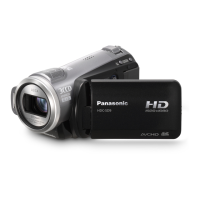
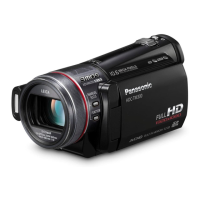
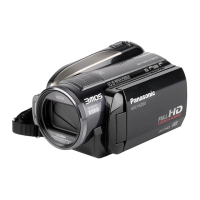
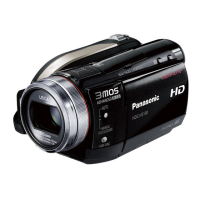
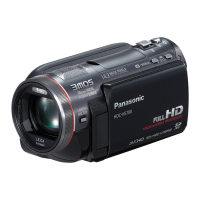
Panasonic HDC-HS900 - User Manual

Panasonic HDC-HS900
168 pages
Print Icon
To Next Page IconTo Next Page
Loading...
Operating Instructions
High Definition Video Camera
Model No. HDC-SD900
HDC-TM900
HDC-HS900
Before use, please read these instructions completely.
VQT3K80
until
2010/12/27
Model number suffix “EB” denotes UK model.
HDC-SD900&TM900&HS900EB-VQT3K80_eng.book 1 ペー 010年12月29日 水曜日 午後2時50

Table of Contents

Other manuals for Panasonic HDC-HS900

Questions and Answers

  • J
    Joseph WebbSep 7, 2025
    What causes white spots on recorded picture with Panasonic Camcorder?
    • M
      Matthew BrewerSep 7, 2025
      If you notice white round spots on pictures taken with your Panasonic Camcorder, especially when using the flash in dark or indoor environments, these spots are likely caused by the flash reflecting off dust particles in the air.
  • A
    Andre FosterAug 22, 2025
    What to do if my Panasonic Camcorder is not detected by the PC when connected by USB cable?
    • C
      Carrie MckinneyAug 22, 2025
      If your Panasonic Camcorder is not detected by the PC when connected via USB, try the following: - Re-insert the SD card into the unit and reconnect the USB cable. - Try a different USB terminal on your PC. - Ensure your operating environment is compatible. - Restart your PC and the camcorder, then reconnect the USB cable.
  • N
    nelsonscottSep 5, 2025
    How to fix images squeezed horizontally on Panasonic HDC-HS900?
    • G
      gutierrezchristopherSep 5, 2025
      If images appear squeezed horizontally when your Panasonic Camcorder is connected to a TV: - Consult your TV's operating instructions to select the correct input channel. - Adjust the [TV ASPECT] setting to match your TV's aspect ratio. - Change the unit's output setting to match the type of cable connecting it to the TV.
  • J
    Jaime LopezSep 3, 2025
    How to fix Panasonic Camcorder if SD card is not recognised in another device?
    • A
      Andrew FisherSep 3, 2025
      If an SD card from your Panasonic Camcorder isn't recognized in another device, verify that the device supports the capacity or type of SD card you're using (SD Memory Card, SDHC Memory Card, or SDXC Memory Card).
  • F
    freemanrobertSep 2, 2025
    How to fix auto focus on Panasonic HDC-HS900 Camcorder?
    • D
      Danielle MorrisonSep 2, 2025
      If the auto focus function on your Panasonic Camcorder isn't working, switch to intelligent auto mode. If you're recording a scene that's difficult to bring into focus automatically, use the manual focus mode to adjust the focus.
  • S
    stephanie41Aug 31, 2025
    How to fix colour balance on Panasonic HDC-HS900?
    • D
      davidperkinsSep 1, 2025
      If the color balance of images from your Panasonic Camcorder appears strange when recording in places like a gymnasium, set the white balance setting to (Indoor mode 2). If you still cannot record clearly, switch to (Manual adjustment mode).
  • L
    Leah BassAug 30, 2025
    Why does my Panasonic HDC-HS900 arbitrarily stop recording?
    • J
      Julie DavenportAug 30, 2025
      Your Panasonic Camcorder might be stopping recording for several reasons: - Use an SD card suitable for motion picture recording. - Format the SD card, built-in memory, or HDD using the unit to address potential data writing speed issues. - If [AGS] is [ON], record in the normal horizontal position or set [AGS] to [OFF]. - If the unit experiences strong vibrations or shocks while recording on HDD, switch to recording data on an SD card.
  • T
    Tim WallaceAug 29, 2025
    What to do if Panasonic HDC-HS900 displays 'ERROR OCCURRED'?
    • A
      Anna CarlsonAug 29, 2025
      If your Panasonic Camcorder displays the error message “ERROR OCCURRED. PLEASE TURN UNIT OFF, THEN TURN ON AGAIN,” restart the unit by turning it off and then on again. If the error persists after restarting, detach the power connected, and consult the dealer who you purchased this unit from for repair.
  • A
    Antonio LivingstonAug 27, 2025
    How to fix Panasonic HDC-HS900 Camcorder if it cannot be operated?
    • S
      smithjamieAug 28, 2025
      If your Panasonic Camcorder is on but not operating, remove the battery or AC adapter, wait about a minute, and then reconnect it. Wait another minute before turning the unit back on. If normal operation isn't restored, detach the power and consult the dealer from whom you purchased the unit.
  • L
    Lori JohnsonAug 27, 2025
    Why does my Panasonic HDC-HS900 show grainy picture on TV?
    • T
      Tina McdanielAug 27, 2025
      If the picture on your TV appears grainy when your Panasonic Camcorder is connected in still picture recording mode, this is normal and does not affect the quality of the recorded or played back still pictures.

Summary

Information for Your Safety

AC Mains Lead Safety

Safety precautions for the AC power cord, plug, and fuse.

Battery Safety and Handling

Warnings and precautions related to battery usage, storage, and disposal.

General Safety Warnings

General warnings regarding ventilation, handling, and disposal of electronics.

Preparation and Basic Operations

Power Supply and Charging

Information on compatible batteries, installation, and charging procedures.

Recording Media and Initial Setup

Details SD card usage, power controls, touch interface, and date/time settings.

Troubleshooting and Cautions

Troubleshooting and Error Messages

Common problems, error messages, and solutions for the unit.

Panasonic HDC-HS900 Specifications

General IconGeneral
Filter size46 mm
Digital zoom700 x
Optical zoom12 x
Image stabilizerYes
Focal length range35 - 700 mm
Sensor typeCMOS
Total megapixels3.05 MP
Optical sensor size1/4.1 \
Effective megapixels (movie)2.53 MP
InterfaceUSB 2.0
Video out1
Viewfinder resolution123000 pixels
Viewfinder screen size0.27 \
Display diagonal3.5 \
Maximum video resolution1920 x 1080 pixels
Image formats supportedJPG
Still image resolution(s)4608 x 3072
Audio systemDolby Digital 5.1
Audio formats supportedAAC
Camera shutter speed1/25 - 1/8000 s
Shutter speed (photo)1/25 s
Shutter speed (video)1/8000 s
USB 2.0 ports quantityUSB 2.0 ports have a data transmission speed of 480 Mbps, and are backwards compatible with USB 1.1 ports. You can connect all kinds of peripheral devices to them.
Compatible memory cardsSD, SDHC, SDXC
Internal storage capacity220 GB
Product colorBlack
Bundled softwareHD Writer AE 3.0
Weight and Dimensions IconWeight and Dimensions
Depth146 mm
Width67 mm
Height72 mm
Weight455 g

Related product manuals