9 | P a g e
Configuring CRE or RPE to communicate with all devices
To configure CRE or RPE to communicate with all devices, open CRE or RPE, select Manager, provide the
requested credentials, and follow these steps.
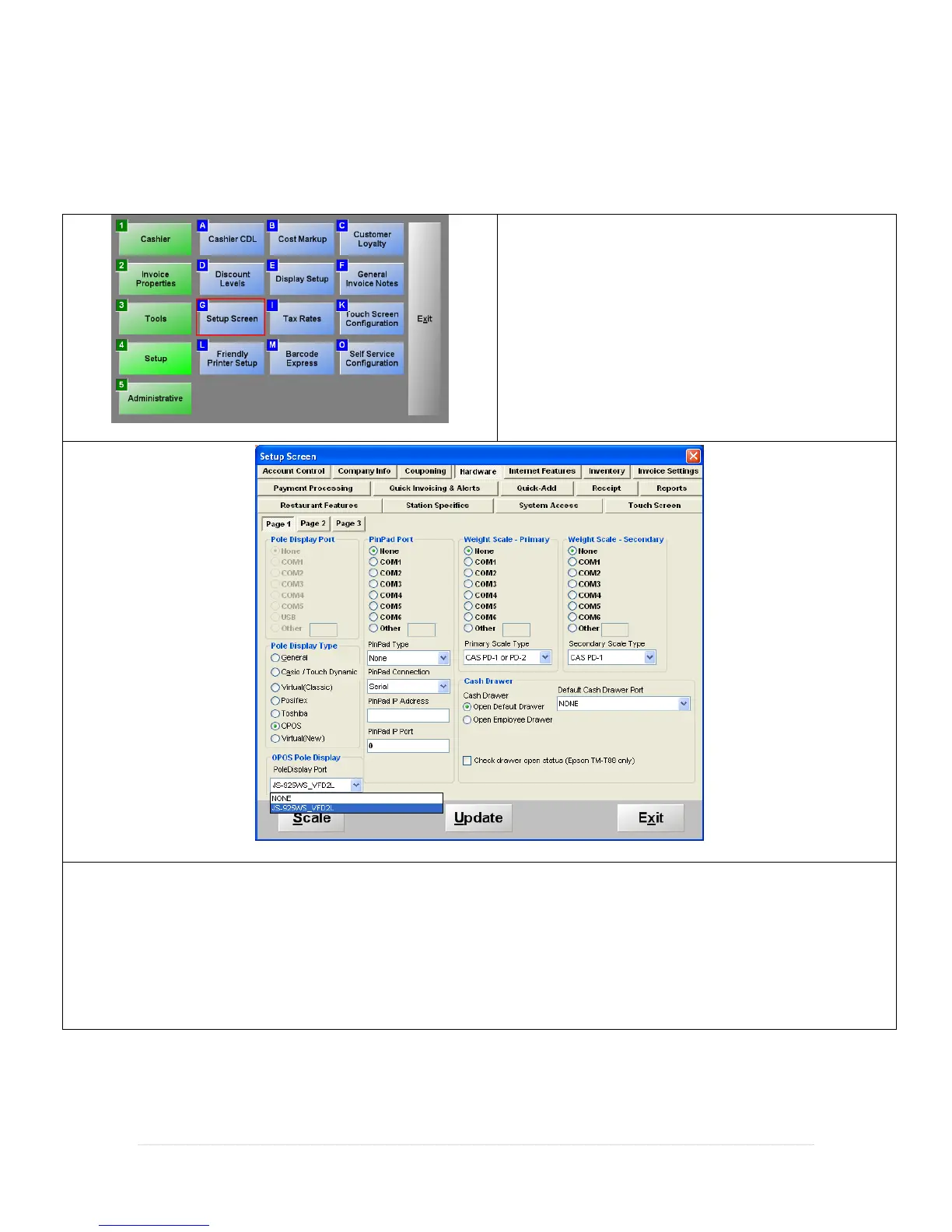
1. Select Setup then select Setup Screen.
2. Select the Hardware tab, under Page 1:
3. Under Pole Display Type select OPOS.
4. Under OPOS Pole Display use the dropdown to select JS-925WS_VFD2L.



 To Next Page