9
Operating conditions and operating hours
Operates in cooling or dry mode for more than 5 minutes.
Whennished,theinternaldryingoperationisstarted.
Drives for about Max 90 minutes.
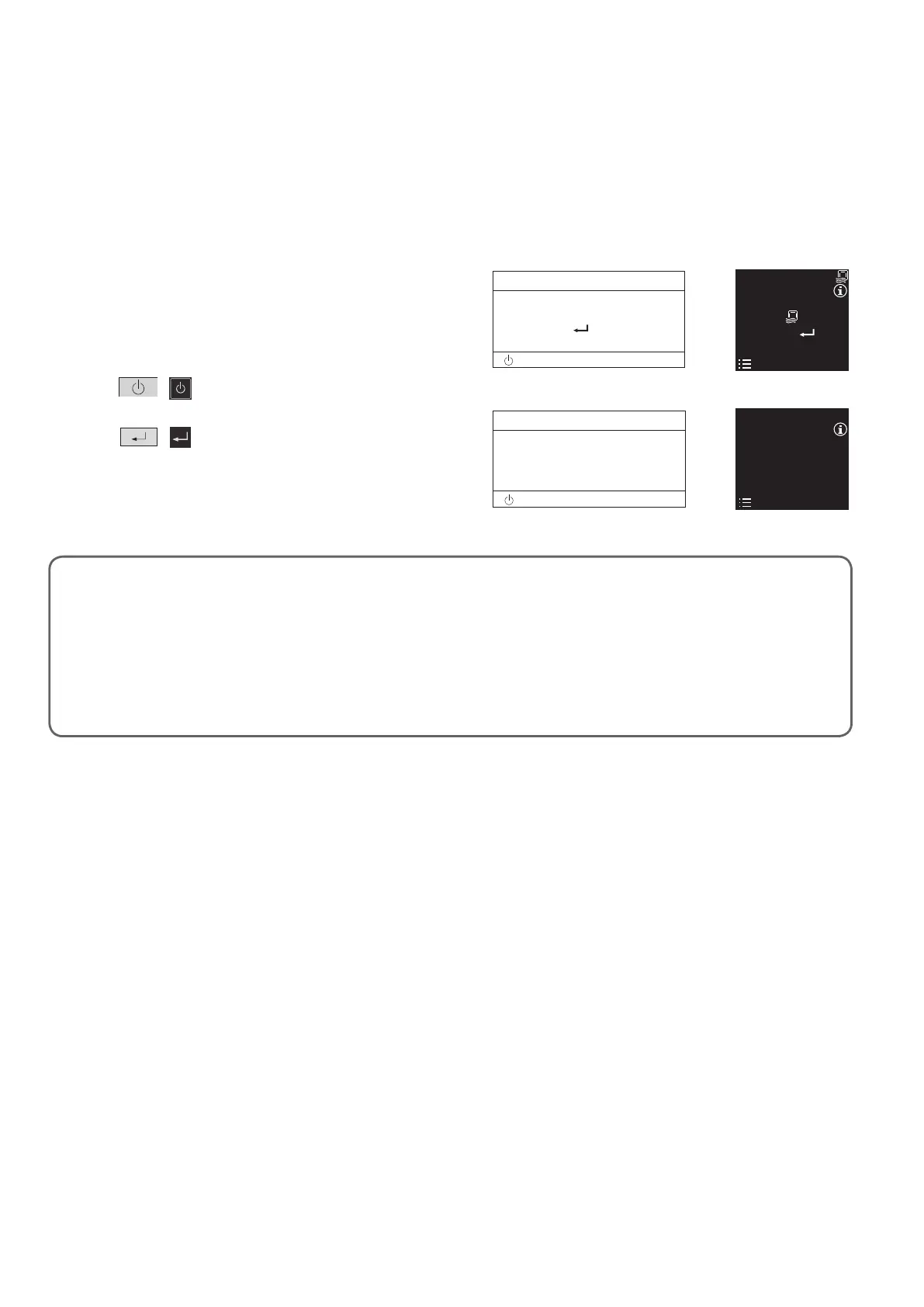
Thegureatrightshowsthedisplayduringtheinternal
drying operation.
If you wish to resume operating during internal drying,
press
/ .
To stop the internal drying operation
Press
/ .
Whentheinternaldryingoperationnishedand
stopped, the remote control display shows at right.
20:30 (THU)
START
[ ]
CZ-RTC5B CZ-RTC6*
Internal Drying Operation
When cooling or drying operation stopped, the internally controlled drying process is activated in order to suppress the mold
proliferationinsidetheunit(airowpassage,fan,heatexchanger).Accordingtotheinstallationenvironmentoroperatinghours,
mold proliferation or inhibition of mold growth will be changed.
NOTES:
The internal drying operation is not activated when connecting other than the wired remote controller (CZ-RTC5B /
CZ-RTC6*).
The internal drying function is not designed to automatically operate even if the wired remote controller (CZ-RTC5B /
CZ-RTC6*) is connected when purchased. If you wish to set to ON, refer to the operating instructions for the wired remote
controller (CZ-RTC5B / CZ-RTC6*).
In case that the cooling or drying operation is less than 5 minutes, the internal drying operation cannot be performed.
Humidity inside the room may sometimes increase during internal drying operation.
Whencoolingordryingoperationstopped,theapautomaticallyopensandthedryingoperationisstarted.
Internal Drying Function
20:30 (THU)
[ ]
Performing internal drying
Press to finish.
[ ]
Press
to finish
[ ]
OI_00_321038_EN.indb 9 2020/10/27 10:53:19




 To Next Page