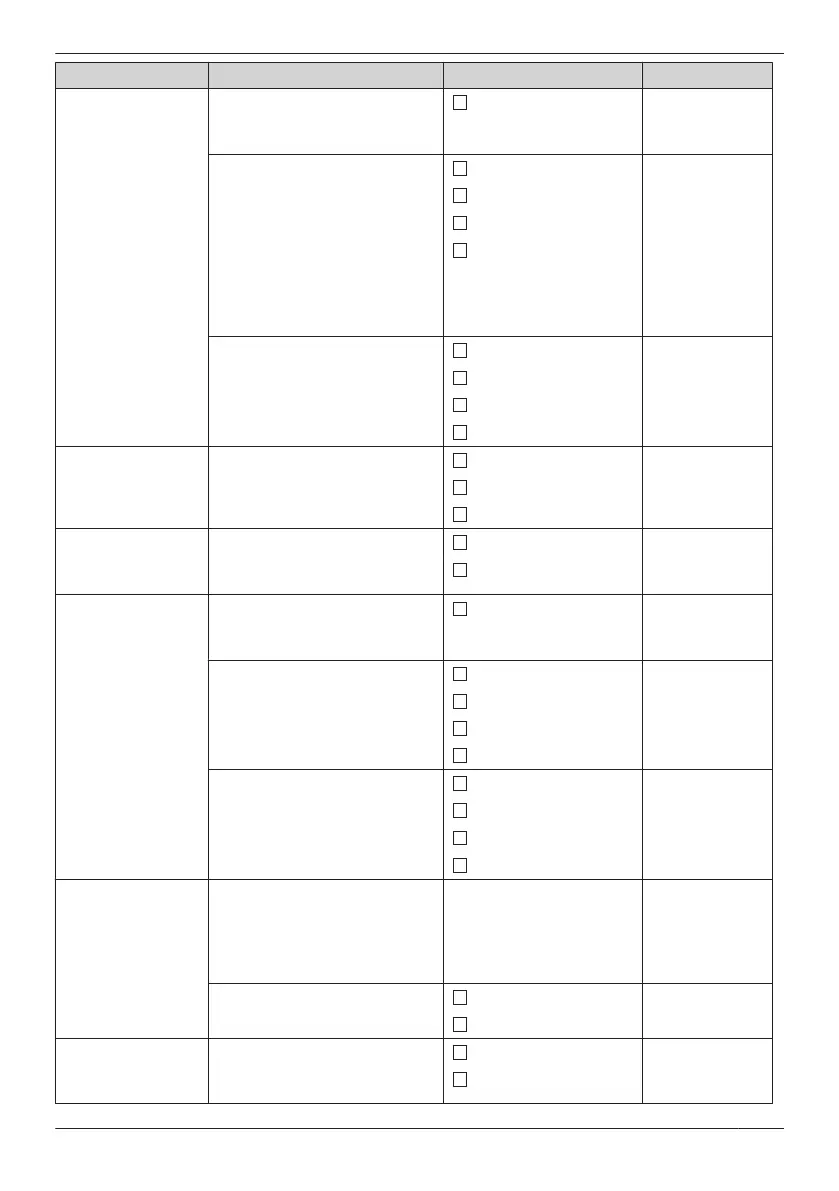
Sub Item Description Setting Default
Ringer Type
– Intercom Ring
– Ext Ring
– Group Ring
– Doorphone
– Private Ring
(Category 1–
9)
Ringer Pattern
Selects the ringer pattern for
each type of call.
*1
Ringtone 1–19, 25–32
Ringtone 1
LED Pattern
Selects the LED pattern for
each type of call.
Red
Intercom Ring:
Green
Ext Ring: Red
Group Ring:
Orange
Doorphone:
Green
Private Ring:
Green
Green
Orange
R® G® O
VIB. Pattern
Selects the vibrate pattern for
each type of call.
Single
Single
Double
Triple
Continuous
Vibrate
Selects whether the handset
vibrates while receiving a call.
Vib.&Ring
Off Vib.®Ring
Off
Ring On Charger
Selects the ringing mode (On or
Off) while a handset is set on
the charger.
*2
On
On
Off
Memo Alarm Ringer Pattern
Selects the ringer pattern for
each Memo Alarm.
Ringtone 1–19, 25–32
Ringtone 1
LED Pattern
Selects the LED pattern for
each Memo Alarm.
Red
Green
Green
Orange
R® G® O
VIB. Pattern
Selects the vibrate pattern for
each Memo Alarm.
Single
Single
Double
Triple
Continuous
Power Save Power Save Time
Selects the number of seconds
before automatically turning off
the Power Save Items below
when receiving a call.
0 s–60 s 30 s
Power Save Item
Selects the items to turn off.
Ringer&Vibrate
Not selected
Backlight
Headset Ringer
Selects whether a tone is heard
from the connected headset
while receiving a call.
On
Off
Off
65
Customising the Telephone










 To Next Page