EasyManua.ls Logo

Panasonic KX-TG1032 - User Manual

Panasonic KX-TG1032
52 pages
Print Icon
To Next Page IconTo Next Page
Loading...
This unit is compatible with Caller ID. To use this feature, you must
subscribe to the appropriate service offered by your telephone service
provider.
Please read these Operating Instructions before using the unit and save for
future reference.
For assistance, visit our website:
http://www.panasonic.com/help for customers in the U.S.A. or Puerto
Rico.
Charge the handset batteries for 7 hours before initial use.
Operating Instructions
Expandable Digital Cordless
Answering System
with 2 Handsets
Model No.
KX-TG1032
with 3 Handsets
Model No.
KX-TG1033
with 4 Handsets
Model No.
KX-TG1034
with 5 Handsets
Model No.
KX-TG1035
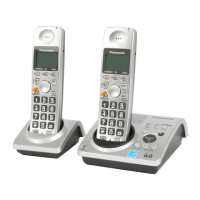
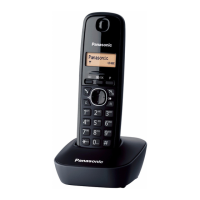
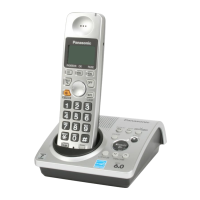
Model shown is KX-TG1032.
TG103x.bookPage1Wednesday,June27,20079:55AM

Table of Contents

Other manuals for Panasonic KX-TG1032

Questions and Answers

  • A
    Andrew DanielsSep 23, 2025
    Why I cannot operate the answering system on my Panasonic Answering Machine?
    • S
      Shawn AyersSep 23, 2025
      If you cannot operate the answering system on your Panasonic Answering Machine, it may be because someone else is currently operating it. Also, if someone is on a conference call, you cannot operate the answering system; try again later.
  • L
    lindsay36Aug 23, 2025
    Why my Panasonic Answering Machine does not record new messages?
    • A
      Ashley WalkerAug 23, 2025
      If your Panasonic Answering Machine does not record new messages, first ensure that the answering system is turned on. Also, the message memory might be full, so erase unnecessary messages. If you subscribe to Voice Mail service, messages are recorded by your telephone service provider, not your telephone.
  • S
    Stacy Moss DDSAug 25, 2025
    Why I cannot listen to messages from a remote location on Panasonic Answering Machine?
    • M
      maria39Aug 25, 2025
      If you cannot listen to messages from a remote location on your Panasonic Answering Machine, make sure you are using a touch tone phone. Also, ensure you enter the remote code correctly. Finally, the answering system may be off, so turn it on.
  • S
    Sharon BrownAug 27, 2025
    Why does my Panasonic Answering Machine handset not ring?
    • A
      Ashley Reid MDAug 27, 2025
      If your Panasonic Answering Machine handset does not ring, the ringer volume is likely turned off. Adjust it.
  • F
    Faith WellsAug 27, 2025
    Why does my Panasonic Answering Machine not work?
    • R
      Ryan BlackburnAug 27, 2025
      If your Panasonic Answering Machine isn't working, several factors could be at play. First, ensure the batteries are correctly installed and fully charged. Next, verify all connections are properly made. Try resetting the unit by unplugging the AC adapter, then reconnecting it. Lastly, the handset may not be registered to the base unit; in this case, you should register the handset.
  • K
    Karen WilliamsSep 18, 2025
    Why the 2nd caller’s information is not displayed during an outside call on Panasonic Answering Machine?
    • J
      Justin WhiteSep 18, 2025
      If the 2nd caller’s information is not displayed during an outside call on your Panasonic Answering Machine, you must subscribe to Caller ID, Call Waiting, or Call Waiting Caller ID (CWID) through your telephone service provider. After subscribing, you may need to contact them again to activate the specific service.
  • K
    Kimberly HayesSep 15, 2025
    Why is the caller list/incoming phone numbers not edited automatically on my Panasonic Answering Machine?
    • R
      Russell GentrySep 15, 2025
      If the caller list/incoming phone numbers are not edited automatically on your Panasonic Answering Machine, the Caller ID number auto edit feature might be turned off, so turn it on and try again. Also, you may need to call back the edited number to activate Caller ID number auto edit.
  • L
    longmichelleSep 17, 2025
    Why I cannot dial the phone number edited in the caller list on Panasonic Answering Machine?
    • S
      Stephanie OwensSep 17, 2025
      If you cannot dial the phone number edited in the caller list on your Panasonic Answering Machine, the phone number you dialed might have an incorrectly edited pattern (for example, the long distance “1” or the area code is missing). Edit the phone number with another pattern.
  • C
    Cody AdamsSep 6, 2025
    Why is w displayed on my Panasonic Answering Machine, but I cannot make a call?
    • J
      jasminecooperSep 6, 2025
      If 'w' is displayed on your Panasonic Answering Machine and you cannot make a call, the handset and base unit could not communicate, possibly due to interference. Move the handset and base unit away from other electrical appliances and move closer to the base unit.
  • T
    thomasvalentineSep 3, 2025
    What to do if I cannot program items on my Panasonic Answering Machine?
    • S
      Sarah LynchSep 3, 2025
      If you cannot program items on your Panasonic Answering Machine, it may be because programming is not possible while either the base unit or another handset is being used. Try again later.

Summary

Introduction and Safety

Product Information

Details about the Panasonic cordless telephone models and their features.

Accessory Information

Lists included accessories for different models and their quantities.

Important Safety Instructions

Essential safety precautions to prevent fire, electric shock, or personal injury.

For Best Performance

Guidelines for optimal placement and environmental conditions for the base unit.

Preparation and Setup

Base Unit and Handset Setup

Connect AC adaptors, line cords, and prepare the handset.

Battery Installation and Charging

Install and charge handset batteries before initial use for proper operation.

Device Controls Overview

Identifies buttons and indicators on the base unit and handset for operation.

Initial Unit Settings

Configure display language, voice guidance, dialing mode, and date/time.

Core Call Operations

Making and Answering Calls

Instructions on initiating, receiving, and ending phone calls.

In-Call Features

Describes features like Mute, Flash, Call Waiting, and Auto Talk during calls.

Advanced Features: Phonebook, Caller ID, and Answering System

Phonebook Management

Add, edit, find, dial, chain dial, and copy phonebook entries.

Caller ID Service

Use Caller ID features, view list, and store caller information.

Answering System and Voice Mail

Operate the answering system, manage greetings, messages, and remote access.

Multi-unit Operation and Programming

Programming Settings

Customize unit settings like alarm and other programmable features.

Multi-unit Operation

Manage intercom calls, handset locator, transfers, conferences, and registration.

Useful Information and Support

Installation and Accessories

Wall mounting the base unit, using belt clip and headset.

Troubleshooting and Error Messages

Solutions for common problems, error messages, and unit malfunctions.

Regulatory and Warranty Information

Compliance details, FCC warnings, and limited warranty terms.

Customer Support and Assistance

Contact options for product information, service, and troubleshooting.

Panasonic KX-TG1032 Specifications

General IconGeneral
BrandPanasonic
ModelKX-TG1032
TypeCordless Telephone
Number of Handsets2
Frequency1.9 GHz
Caller IDYes
SpeakerphoneYes
Answering SystemNo
Call Waiting Caller IDYes
IntercomYes
Backlit DisplayYes
Power SourceAC Adapter
Phonebook Capacity50
Standby Time144 hours
Battery TypeNi-MH

Related product manuals