EasyManua.ls Logo

Panasonic KX-TGA407 - User Manual

Panasonic KX-TGA407
20 pages
Print Icon
To Next Page IconTo Next Page
Loading...
Installation Guide
By installing this unit, you can extend the range of your phone system to include
areas where reception was previously not available.
The unit extends the range in all directions, allowing several floors to be covered.
Important:
LThis unit is an accessory unit for use with a Panasonic Digital Cordless phone.
For more details, visit our Web site:
http://shop.panasonic.com/support
LYou must register this unit with your base unit before it can be used.
LFor assistance, visit our Web site:
http://shop.panasonic.com/support for customers in the U.S.A.
Accessory information
Supplied accessories
For best performance
Placement
LInstall the unit within base unit range in an indoor environment. We recommend
installing the unit in a raised position (such as on a wall).
LAvoid positioning the unit close to objects that will interfere with reception, such as
thick walls, radiators, metal shelving, etc.
LFor maximum distance noise-free operation, place the unit away from electrical
appliances such as TV, radio, personal computer, or other telephone equipment.
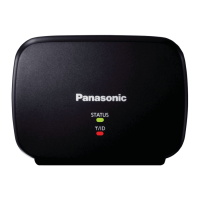
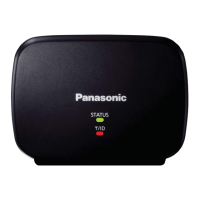
Range Extender
Model No. KX-TGA407
Accessory item/Part number Quantity
AC adaptor/PNLV226-0X 1
Printed in Malaysia
PNQX8636ZA PP0118ZU0
TGA407(option)_(e-e).fm Page 1 Tuesday, December 26, 2017 8:48 AM

Questions and Answers

Summary

Installation Guide Overview

Unit Controls and Indicators

Status Indicator Meanings

Explanation of different light patterns for STATUS and Y/ID indicators and their meanings.

Range Extender Installation and Registration

Initiate Base Unit Registration

Step 2: Pressing the LOCATOR button on the base unit to start registration.

Enter Range Extender Registration Mode

Step 3: Holding the PROGRAM button on the range extender.

Range Extender Setup and Management

Complete Registration and Exit Mode

Steps 4-6: Releasing PROGRAM, confirming indicators, and exiting registration.

Deregistering the Range Extender

Procedure to remove the range extender from the base unit.

Troubleshooting and Safety Warnings

Troubleshooting Common Issues

Solutions for problems like unit not working or sound cutting out.

General Safety Precautions

Important warnings regarding power connection and product usage.

Safety and Performance Guidelines

Important Safety Instructions

Core safety guidelines for reducing risk of fire, electric shock, and injury.

FCC and RF Exposure Information

Summary

Installation Guide Overview

Unit Controls and Indicators

Status Indicator Meanings

Explanation of different light patterns for STATUS and Y/ID indicators and their meanings.

Range Extender Installation and Registration

Initiate Base Unit Registration

Step 2: Pressing the LOCATOR button on the base unit to start registration.

Enter Range Extender Registration Mode

Step 3: Holding the PROGRAM button on the range extender.

Range Extender Setup and Management

Complete Registration and Exit Mode

Steps 4-6: Releasing PROGRAM, confirming indicators, and exiting registration.

Deregistering the Range Extender

Procedure to remove the range extender from the base unit.

Troubleshooting and Safety Warnings

Troubleshooting Common Issues

Solutions for problems like unit not working or sound cutting out.

General Safety Precautions

Important warnings regarding power connection and product usage.

Safety and Performance Guidelines

Important Safety Instructions

Core safety guidelines for reducing risk of fire, electric shock, and injury.

FCC and RF Exposure Information

Panasonic KX-TGA407 Specifications

General IconGeneral
BrandPanasonic
ModelKX-TGA407
DECT TechnologyDECT 6.0
Talk TimeUp to 10 hours
SpeakerphoneYes
Caller IDYes
IntercomYes
CompatibilityPanasonic KX-TG series
RangeUp to 1000 feet
Battery TypeNiMH
DisplayLCD
Charging Time7 hours
Weight110g
Dimensions175 x 55 x 30 mm

Related product manuals