To Next Page

G
Gabriel LeeAug 13, 2025
Why is my Panasonic KX-TGF375 base unit beeping?
- PPatrick JohnsonAug 13, 2025
If your Panasonic Telephone is beeping, it indicates that new messages have been recorded. To stop the beeping, listen to the new messages.

Why is my Panasonic KX-TGF375 base unit beeping?
If your Panasonic Telephone is beeping, it indicates that new messages have been recorded. To stop the beeping, listen to the new messages.
Why does my Panasonic Telephone handset beep and/or flash?
If your Panasonic Telephone handset is beeping and/or flashing, it usually means the battery charge is low. To resolve this, fully charge the batteries.
What to do if my Panasonic Cordless Telephone unit does not work?
There are several potential reasons why your Panasonic Cordless Telephone unit might not be working. First, ensure the batteries are correctly installed. Second, fully charge the batteries. Third, check all connections. Fourth, try resetting the unit by unplugging the base unit's AC adapter, then reconnecting it. Finally, the handset might not be registered to the base unit, so try registering the handset.
Why I cannot pair a cellular phone to my Panasonic Cordless Telephone?
You may not be able to pair a cellular phone to the Panasonic Cordless Telephone base unit due to compatibility issues. Confirm that your cellular phone supports the hands-free profile (HFP) specification. Also, ensure that the Bluetooth feature on your cellular phone is turned on. If the Bluetooth technology on your cellular phone is not functioning normally, try turning it off and on again. If your cellular phone is already connected to another Bluetooth device, turn it off or disconnect it. Some cellular phones may require you to enter the Bluetooth PIN to pair; confirm that you entered the correct PIN.
What to do if my Panasonic KX-TGF375 Telephone unit does not work?
If your Panasonic Telephone unit isn't working, try the following: 1. Ensure the batteries are correctly installed. 2. Fully charge the batteries. 3. Check all connections. 4. Unplug the base unit’s AC adaptor to reset it, then reconnect and try again. 5. Ensure the handset is registered to the base unit.
What to do if I cannot connect a cellular phone to my Panasonic KX-TGF375 Telephone base unit?
If you cannot connect a cellular phone to the Panasonic Telephone base unit, please check the following: * Ensure that your cellular phone is turned on. * Make sure your cellular phone is within the base unit range. * Verify that your cellular phone’s Bluetooth feature is turned on. * Consider that wireless environment conditions might cause delays; try connecting manually. * Ensure the cellular phone has been paired to the base unit. * Disconnect the cellular phone from other Bluetooth devices. * Remove the registration of this phone on both your cellular phone and on the other Panasonic DECT phone.
Why I cannot hear a dial tone on my Panasonic Telephone?
If you cannot hear a dial tone on your Panasonic Telephone, ensure that the CELL indicator lights up. Also, check that the base unit’s AC adaptor and telephone line cord are properly connected. If the issue persists, disconnect the base unit from the telephone line and connect the line to a known working telephone to determine if the problem is with the unit or your phone service.
What to do if I cannot pair a cellular phone to my Panasonic KX-TGF375?
If you are unable to pair a cellular phone to the Panasonic Telephone base unit, it could be due to compatibility issues. Confirm that your cellular phone supports the hands-free profile (HFP) specification. Also, ensure that the Bluetooth feature of your cellular phone is turned on. Try turning off and on your cellular phone. If your cellular phone is already connected to another Bluetooth device, turn it off or disconnect it. Some cellular phones may require you to enter the Bluetooth PIN to pairing; confirm that you entered the correct PIN.
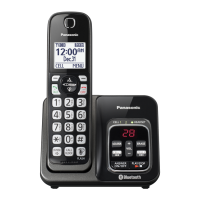
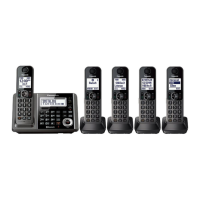
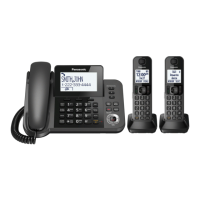
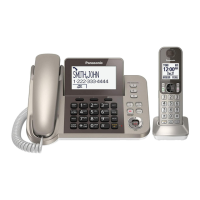
Describes the different models and their parts.
Lists the accessories supplied with the product.
Crucial safety precautions for proper and safe operation.
Basic precautions to reduce risk of fire, electric shock, and injury.
Technical details of the product's standards and operation.
Initial steps for connecting and setting up the base unit and charger.
Instructions on properly installing handset batteries.
Guide on charging the handset batteries.
Explanation of icons displayed on the handset and base unit.
How to change languages, date, and time.
Overview of connecting cellular phones via Bluetooth.
Steps to pair a cellular phone with the base unit.
Customizing how cellular calls are handled.
Setting to use only cellular lines.
Manually managing cellular phone connections.
How to initiate calls using paired cellular phones from the handset.
How to initiate calls using the landline from the handset.
How to receive incoming calls on the handset.
Functions like Hold, Mute, Flash, Call Waiting.
Features like clarity booster, noise reduction, and equalizer.
Call sharing, transferring, and conference calls.
Managing second calls and power failure operation.
How to initiate calls from the base unit using cellular lines.
How to initiate calls from the base unit using the landline.
How to answer incoming calls on the base unit.
Functions like Hold, Mute, Flash, Call Waiting on the base unit.
Managing second calls on the base unit.
Procedures for intercom communication.
Blocking unwanted callers and managing lists.
Adding, editing, erasing contacts, and using groups.
Setting up speed dial and using chain dial.
How to access settings via menus or direct codes.
Configuration for Bluetooth devices like phones and headsets.
Customizing the answering machine functions.
Setting up alarms.
Managing silent mode periods.
Configuring the baby monitoring feature.
Managing handsets and their connection to the base unit.
Information about using the phone service provider's voicemail.
Instructions for physically mounting the base unit.
Diagnosing and resolving product issues.
Regulatory compliance and safety notices.
Information on support, accessories, and product warranty.
Alphabetical listing of topics for quick reference.
 General
| Frequency | 1.9 GHz |
|---|---|
| Answering System | Yes |
| Digital Answering System Recording Time | 18 minutes |
| Speakerphone | Yes |
| Caller ID | Yes |
| Call Block | Yes |
| Keypad on Base | Yes |
| Power Failure Operation | Yes |
| Talking Caller ID | Yes |
| Ringtone Type | Polyphonic |
| Intercom | Yes |
| Conference Call | Yes |
| Headset Jack | Yes |
| Type | Cordless Phone |
| Expandable Handsets | Up to 6 |
| Range | Up to 1000 feet |
| Battery Life | Up to 10 hours talk time |
| Display | Backlit LCD |
| Features | DECT 6.0 technology, large buttons, backlit display |