EasyManua.ls Logo

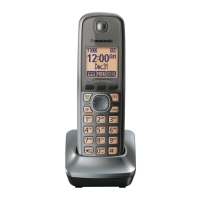
Panasonic KX-TGP60 - User Manual

Panasonic KX-TGP60
4 pages
Print Icon
To Next Page IconTo Next Page
Loading...
Panasonic Handsets Display Error 003
Symptom
Your Panasonic KX-TGP60 handset is receiving the following error, Error 003: Not registered.
Applies To
Halfords Autocentres
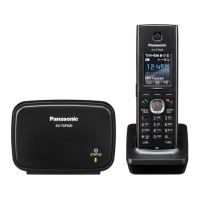
Panasonic KX-TGP600 DECT phones
Resolution
1. Ensure the Panasonic Mac address is activated on both handset extensions in 8x8 Admin Console.
https://support.8x8.com/devices-accessories/headsets/Panasonic_Handsets_Display_Error_003
Updated: Fri, 09 Jun 2023 23:02:28 GMT
Powered by
1

Other manuals for Panasonic KX-TGP60

Question and Answer IconNeed help?

Do you have a question about the Panasonic KX-TGP60 and is the answer not in the manual?

Summary

Panasonic Handsets Error 003 Troubleshooting Guide

Symptom and Applicability

Details the 'Error 003: Not registered' symptom on Panasonic handsets and lists affected products.

Initial Activation Check

Ensure the Panasonic MAC address is activated for handset extensions in the 8x8 Admin Console.

Base Station Status and Network Checks

Interpret Base Station Status Light

Guides on understanding different status indicator lights on the Panasonic KX-TGP600 base station.

Verify Network Connectivity

Confirm the device has internet access and the phone system network is functional.

Handset Unregistration and Re-registration

Unregister Handsets

Procedure to unregister/unpair existing handsets from the base station via the handset menu.

Power Cycle Base Station

Steps to turn off, unplug, and restart the base station to establish a connection.

Register Handset to Base Station

Process for registering a handset by holding locator buttons on the base and soft keys on the handset.

Summary

Panasonic Handsets Error 003 Troubleshooting Guide

Symptom and Applicability

Details the 'Error 003: Not registered' symptom on Panasonic handsets and lists affected products.

Initial Activation Check

Ensure the Panasonic MAC address is activated for handset extensions in the 8x8 Admin Console.

Base Station Status and Network Checks

Interpret Base Station Status Light

Guides on understanding different status indicator lights on the Panasonic KX-TGP600 base station.

Verify Network Connectivity

Confirm the device has internet access and the phone system network is functional.

Handset Unregistration and Re-registration

Unregister Handsets

Procedure to unregister/unpair existing handsets from the base station via the handset menu.

Power Cycle Base Station

Steps to turn off, unplug, and restart the base station to establish a connection.

Register Handset to Base Station

Process for registering a handset by holding locator buttons on the base and soft keys on the handset.
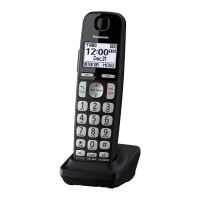
Panasonic KX-TGP60 Specifications

General IconGeneral
BrandPanasonic
ModelKX-TGP60
CategoryHandsets
LanguageEnglish

Related product manuals