EasyManua.ls Logo

Panasonic KX-TGA641 - User Manual

Panasonic KX-TGA641
48 pages
Print Icon
To Next Page IconTo Next Page
Loading...
Thank you for purchasing a Panasonic product.
This unit is compatible with Caller ID. You must subscribe to the appropriate
service offered by your service provider/telephone company.
Please read these operating instructions before using the unit and save
them for future reference.
Charge the batteries for about 7 hours before initial use.
Operating Instructions
Model No. KX-TG6421E
KX-TG6422E
Digital Cordless Answering System
Model No. KX-TG6411E
KX-TG6412E
KX-TG6413E
Digital Cordless Phone
KX-TG6423E
KX-TG6424E
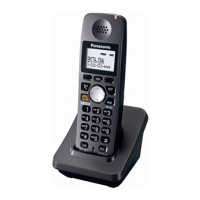
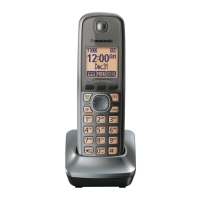
Model shown is KX-TG6411.
TG6411-6421E(e).book Page 1 Tuesday, December 16, 2008 7:54 AM

Other manuals for Panasonic KX-TGA641

Questions and Answers

Summary

Introduction

Model composition

Details the components and models available for the product.

Accessory information

Lists supplied accessories and their quantities for different models.

Additional;replacement accessories

Information on how to obtain extra accessories for the product.

Expanding your phone system

Details on how to add more handsets to the system.

Sales and support information

Customer Care Centre

Contact details and services for customer support in UK and ROI.

Direct Sales at Panasonic U.K.

Information on ordering accessories and products directly from Panasonic UK.

General information

Declaration of Conformity

Compliance statements regarding Radio & Telecommunications Terminal Equipment (R&TTE) Directive.

Important Information

For your safety

Critical safety warnings and precautions for using the product.

Power connection

Instructions and warnings related to connecting the power adapter and outlets.

Installation

Guidance and warnings on installing the product safely and properly.

Operating safeguards

Safety measures to follow during product operation and maintenance.

Medical

Precautions regarding RF energy and medical devices like pacemakers.

Installation and relocation

Cautions regarding installing and moving the telephone wiring and equipment.

Battery

Information on recommended batteries and handling precautions.

Important safety instructions

General safety precautions to reduce risk of injury and electric shock.

Routine care

Instructions for cleaning and maintaining the product's outer surface.

Notice for product disposal, transfer, or return

Advice on erasing private data before disposing of the product.

Information for Users on Collection and Disposal of Old Equipment and used Batteries

Guidance on recycling electronic waste and batteries according to directives.

For best performance

Base unit location;avoiding noise

Optimal placement of the base unit for coverage and noise reduction.

Environment

Factors affecting product performance like electrical noise and temperature.

Specifications

Standard

Technical standards like DECT and GAP compatibility.

Frequency range

The operating radio frequency range of the product.

RF transmission power

The radio frequency transmission power of the unit.

Power source

Specifies the required voltage and frequency for the power adapter.

Power consumption

Details standby and maximum power usage for base unit and charger.

Operating conditions

Environmental conditions (temperature, humidity) for proper operation.

Getting Started

Setting up

Step-by-step guide for connecting the base unit and charger.

Connections

Instructions for connecting the AC adapter and telephone line cord.

Base unit

Physical connection points for the base unit.

Charger

Instructions for connecting the charger to the base unit.

Battery charge

Information on how to charge the handset batteries and charging time.

Battery installation

Steps for correctly installing the rechargeable batteries in the handset.

Note when setting up

Important notes regarding AC adapter connection and power failures.

Note for connections

Specific advice on AC adapter usage and outlet connection.

During a power failure

How to maintain phone service during a power outage.

Note for battery installation

Tips for handling and installing the handset batteries.

Note for battery charge

Advice on battery charging, including warming and cleaning contacts.

Battery level

Icons and descriptions for checking the battery status on the display.

Panasonic Ni-MH battery performance

Expected battery life and performance based on usage.

Controls

Identification and function of buttons and indicators on the handset and base unit.

Display

Explanation of various icons and indicators shown on the handset display.

Soft key icons

Explanation of the function of each soft key based on context.

Turning the power on;off

Power on

Instructions on how to switch the unit on.

Power off

Instructions on how to switch the unit off.

Initial settings

Display language

Steps to set the preferred language for the display.

Date and time

Procedure for setting the current date and time on the unit.

Making;Answering Calls

Making calls

How to initiate a phone call from the handset.

Using the speakerphone

Instructions for using the speakerphone feature during calls.

Adjusting the receiver or speaker volume

How to change the audio volume during a conversation.

Making a call using the redial list

How to redial numbers from the stored redial list.

Erasing a number in the redial list

Steps to delete entries from the redial list.

Pause (for PBX;long distance service users)

How to insert pauses for PBX or calling card access.

Answering calls

How to receive an incoming phone call.

Auto talk

How to enable the feature that answers calls by lifting the handset.

Adjusting the handset ringer volume

How to set the volume for incoming call alerts.

Useful features during a call

Mute

How to temporarily mute your microphone during a call.

Recall;flash

Using the recall/flash function for PBX features.

For call waiting or Call Waiting Caller ID service users

How to manage calls when using call waiting services.

Call share

How to join an existing call with another handset.

Key lock

How to lock the handset to prevent accidental use.

Phonebook

Handset phonebook

Overview of the phonebook's capacity and function.

Adding entries

Steps to add new names and numbers to the phonebook.

Finding and calling a phonebook entry

How to locate and dial numbers from the phonebook.

Searching by first character (using a dial key)

Method to find phonebook entries by their initial letter.

Editing entries

How to modify existing phonebook entries.

Erasing entries

Procedures for deleting individual or all phonebook entries.

Chain dial

Using the phonebook to dial numbers during an ongoing call.

Copying phonebook entries

How to copy entries between handsets.

Copying an entry

Steps to copy a single phonebook entry to another handset.

Copying all entries

How to copy the entire phonebook to another handset.

Programming

Programmable settings

Overview of features that can be customized on the unit.

Programming by scrolling through the display menus

General method for accessing and changing settings via menus.

Base Unit Setup

Settings related to the base unit's operation and features.

Ringer Volume

Adjusting the volume for incoming calls and alarms.

Privacy Mode

Preventing others from joining your calls.

Recall;Flash

Using the recall/flash function for PBX services.

Base Unit PIN

Setting or changing the Personal Identification Number for base unit access.

Repeater

Setting up a DECT repeater to extend range.

Caller Barred

Blocking calls from specific numbers.

Special programming

Alarm

Setting up one or two alarm options for the handset.

Changing the base unit PIN (Personal Identification Number)

Procedure to change the base unit's security PIN.

Incoming call barring (Caller ID subscribers only)

Feature to reject calls from specified numbers.

Storing unwanted callers

Adding numbers to the call barred list from caller list or direct entry.

From the caller list

Adding numbers to the call barred list using the caller list.

By entering phone numbers

Adding numbers to the call barred list by manual entry.

Viewing;editing;erasing bar call numbers

Managing numbers in the call barred list.

Registering a unit

Additional handsets

Information on the maximum number of handsets that can be registered.

Registering a handset to the base unit

Steps to register a new or existing handset to the base unit.

Deregistering a handset

How to remove a handset's registration from the base unit.

Increasing the range of the base unit

Setting the repeater mode

Configuration for using a DECT repeater to extend range.

Caller ID Service

Using Caller ID service

How to subscribe to and use the Caller ID service.

Caller ID features

How caller information is displayed and logged.

Missed calls

How missed calls are indicated and accessed.

Phonebook name display

How stored phonebook names appear with caller ID.

Erasing caller information

How to delete entries from the caller list.

Storing caller information to the phonebook

Saving caller details from the caller list into the phonebook.

Caller list

Viewing the caller list and calling back

How to view the list of incoming calls and call back.

Editing a callers phone number before calling back

Modifying a number from the caller list before dialing.

Answering System

Answering system

Overview of the answering system's functions and availability.

Turning the answering system on;off

How to activate or deactivate the answering system.

Base unit

Turning the answering system on/off using the base unit controls.

Handset

Turning the answering system on/off using the handset.

Call screening

Listening to callers leaving messages and answering the call.

Greeting message

Explains using own or pre-recorded greeting messages.

Recording your greeting message

Steps to record a personalized greeting message.

Erasing your greeting message

Resetting to the default pre-recorded greeting message.

Playing back the greeting message

How to listen to the recorded or pre-recorded greeting message.

Using a pre-recorded greeting message

Details on using the built-in greeting messages.

Calling back (Caller ID subscribers only)

How to call back a caller while listening to their message.

Editing the number before calling back

Modifying a number from the caller list before calling back.

Erasing all messages

How to delete all recorded messages.

Listening to messages using the base unit

When new messages have been recorded

How to play new messages using the base unit.

Operating the answering system during playback

Operating the answering system

Controls for managing messages during playback (repeat, skip, stop).

Erasing all messages

Listening to messages using the handset

When new messages have been recorded

Steps to access new messages via the handset.

Remote operation

Remote access code

Setting up a 3-digit code for remote access.

Using the answering system remotely

Steps to operate the answering system from an external phone.

Voice guidance

Remote commands

Using dial keys to control answering system functions remotely.

Turning on the answering system remotely

Dial your phone number

Initial step to connect to the answering system remotely.

Answering system settings

Number of rings before the unit answers a call

Setting how many rings before the answering system activates.

Callers recording time

Adjusting maximum message time per caller or setting 'Greeting Only'.

For voice mail service subscribers

Advice for users subscribing to both voice mail and answering system.

Voice Mail Service

Voice mail service

Explanation of voice mail service provided by the telephone company.

Intercom;Locator

Intercom

Making calls between handsets.

Making an intercom call

Steps to initiate a call to another handset.

Answering an intercom call

How to receive an intercom call.

Handset locator

Using the base unit to find a misplaced handset.

Transferring calls, conference calls

How to transfer calls or set up conference calls between handsets.

Transferring a call without speaking to the other handset user

Transferring a call directly without prior announcement.

Answering a transferred call

How to receive a call that has been transferred.

Useful Information - Character Entry

Character entry

How to use the dial keys to enter characters and numbers.

Character entry modes

Explains different modes like Alphabet, Numeric, Greek for character input.

Extended 1 character table (AÄÅ)

Table showing characters available in Extended 1 mode.

Extended 2 character table (SŚŠ)

Table showing characters available in Extended 2 mode.

Cyrillic character table (АБВ)

Table showing characters available in Cyrillic mode.

Error messages

Display message

Lists common error messages and their causes/solutions.

Troubleshooting

General use

Common problems and solutions related to general operation and power.

I cannot hear a dial tone

Troubleshooting steps when no dial tone is heard.

I do not know how to erase → (Missed call) from the display

How to clear missed call indicators from the display.

Programmable settings

I have changed the display language to a language I cannot read

Solution for changing display language when it's unreadable.

While programming, the handset starts to ring

Troubleshooting a ringing handset during programming.

While programming, the display returns to standby mode

Troubleshooting display returning to standby during programming.

I cannot register a handset to a base unit

Reasons and solutions for failed handset registration.

I cannot remember the PIN

Steps to retrieve or reset the base unit PIN.

Useful Information - Troubleshooting and Maintenance

Battery recharge

Troubleshooting battery charging indicators and performance.

The handset beeps and;or flashes

What flashing indicators mean regarding battery charge.

I fully charged the batteries, but still flashes

Troubleshooting when battery indicators remain after charging.

The handset display is blank

Troubleshooting a blank handset display.

Making;answering calls, intercom

Troubleshooting issues during calls and intercom.

Y is flashing

Troubleshooting the flashing 'Y' indicator (connection issue).

Noise is heard, sound cuts in and out

Troubleshooting audio quality issues.

The handset does not ring

Troubleshooting no ring on incoming calls.

The base unit does not ring.*1

Troubleshooting no ring on the base unit.

I cannot make a call

Troubleshooting issues preventing making calls.

Caller ID

Caller information is not displayed

Solutions when Caller ID information is missing.

Caller information is slow to display

Reasons for delayed Caller ID display.

Time on the unit has shifted

How Caller ID can affect unit time and how to fix it.

Answering system (KX-TG6421;KX-TG6422;KX-TG6423;KX-TG6424)

The unit does not record new messages

Solutions when the answering system fails to record messages.

My own greeting message cannot be properly heard

Troubleshooting issues with custom greeting messages.

I cannot operate the answering system

General troubleshooting for the answering system.

I cannot operate the answering system remotely

Solutions for problems with remote answering system operation.

While recording a greeting message or listening to messages, the unit rings and the operation stops

Troubleshooting interruptions during message recording or playback.

Useful Information - Damage and Mounting

Liquid damage

What to do if the unit is exposed to moisture.

Wall mounting

Base unit

Instructions for mounting the base unit on a wall.

Charger

Instructions for mounting the charger on a wall.

Useful Information - Guarantee

Conditions of guarantee

Terms and conditions of the product warranty.

Summary

Introduction

Model composition

Details the components and models available for the product.

Accessory information

Lists supplied accessories and their quantities for different models.

Additional;replacement accessories

Information on how to obtain extra accessories for the product.

Expanding your phone system

Details on how to add more handsets to the system.

Sales and support information

Customer Care Centre

Contact details and services for customer support in UK and ROI.

Direct Sales at Panasonic U.K.

Information on ordering accessories and products directly from Panasonic UK.

General information

Declaration of Conformity

Compliance statements regarding Radio & Telecommunications Terminal Equipment (R&TTE) Directive.

Important Information

For your safety

Critical safety warnings and precautions for using the product.

Power connection

Instructions and warnings related to connecting the power adapter and outlets.

Installation

Guidance and warnings on installing the product safely and properly.

Operating safeguards

Safety measures to follow during product operation and maintenance.

Medical

Precautions regarding RF energy and medical devices like pacemakers.

Installation and relocation

Cautions regarding installing and moving the telephone wiring and equipment.

Battery

Information on recommended batteries and handling precautions.

Important safety instructions

General safety precautions to reduce risk of injury and electric shock.

Routine care

Instructions for cleaning and maintaining the product's outer surface.

Notice for product disposal, transfer, or return

Advice on erasing private data before disposing of the product.

Information for Users on Collection and Disposal of Old Equipment and used Batteries

Guidance on recycling electronic waste and batteries according to directives.

For best performance

Base unit location;avoiding noise

Optimal placement of the base unit for coverage and noise reduction.

Environment

Factors affecting product performance like electrical noise and temperature.

Specifications

Standard

Technical standards like DECT and GAP compatibility.

Frequency range

The operating radio frequency range of the product.

RF transmission power

The radio frequency transmission power of the unit.

Power source

Specifies the required voltage and frequency for the power adapter.

Power consumption

Details standby and maximum power usage for base unit and charger.

Operating conditions

Environmental conditions (temperature, humidity) for proper operation.

Getting Started

Setting up

Step-by-step guide for connecting the base unit and charger.

Connections

Instructions for connecting the AC adapter and telephone line cord.

Base unit

Physical connection points for the base unit.

Charger

Instructions for connecting the charger to the base unit.

Battery charge

Information on how to charge the handset batteries and charging time.

Battery installation

Steps for correctly installing the rechargeable batteries in the handset.

Note when setting up

Important notes regarding AC adapter connection and power failures.

Note for connections

Specific advice on AC adapter usage and outlet connection.

During a power failure

How to maintain phone service during a power outage.

Note for battery installation

Tips for handling and installing the handset batteries.

Note for battery charge

Advice on battery charging, including warming and cleaning contacts.

Battery level

Icons and descriptions for checking the battery status on the display.

Panasonic Ni-MH battery performance

Expected battery life and performance based on usage.

Controls

Identification and function of buttons and indicators on the handset and base unit.

Display

Explanation of various icons and indicators shown on the handset display.

Soft key icons

Explanation of the function of each soft key based on context.

Turning the power on;off

Power on

Instructions on how to switch the unit on.

Power off

Instructions on how to switch the unit off.

Initial settings

Display language

Steps to set the preferred language for the display.

Date and time

Procedure for setting the current date and time on the unit.

Making;Answering Calls

Making calls

How to initiate a phone call from the handset.

Using the speakerphone

Instructions for using the speakerphone feature during calls.

Adjusting the receiver or speaker volume

How to change the audio volume during a conversation.

Making a call using the redial list

How to redial numbers from the stored redial list.

Erasing a number in the redial list

Steps to delete entries from the redial list.

Pause (for PBX;long distance service users)

How to insert pauses for PBX or calling card access.

Answering calls

How to receive an incoming phone call.

Auto talk

How to enable the feature that answers calls by lifting the handset.

Adjusting the handset ringer volume

How to set the volume for incoming call alerts.

Useful features during a call

Mute

How to temporarily mute your microphone during a call.

Recall;flash

Using the recall/flash function for PBX features.

For call waiting or Call Waiting Caller ID service users

How to manage calls when using call waiting services.

Call share

How to join an existing call with another handset.

Key lock

How to lock the handset to prevent accidental use.

Phonebook

Handset phonebook

Overview of the phonebook's capacity and function.

Adding entries

Steps to add new names and numbers to the phonebook.

Finding and calling a phonebook entry

How to locate and dial numbers from the phonebook.

Searching by first character (using a dial key)

Method to find phonebook entries by their initial letter.

Editing entries

How to modify existing phonebook entries.

Erasing entries

Procedures for deleting individual or all phonebook entries.

Chain dial

Using the phonebook to dial numbers during an ongoing call.

Copying phonebook entries

How to copy entries between handsets.

Copying an entry

Steps to copy a single phonebook entry to another handset.

Copying all entries

How to copy the entire phonebook to another handset.

Programming

Programmable settings

Overview of features that can be customized on the unit.

Programming by scrolling through the display menus

General method for accessing and changing settings via menus.

Base Unit Setup

Settings related to the base unit's operation and features.

Ringer Volume

Adjusting the volume for incoming calls and alarms.

Privacy Mode

Preventing others from joining your calls.

Recall;Flash

Using the recall/flash function for PBX services.

Base Unit PIN

Setting or changing the Personal Identification Number for base unit access.

Repeater

Setting up a DECT repeater to extend range.

Caller Barred

Blocking calls from specific numbers.

Special programming

Alarm

Setting up one or two alarm options for the handset.

Changing the base unit PIN (Personal Identification Number)

Procedure to change the base unit's security PIN.

Incoming call barring (Caller ID subscribers only)

Feature to reject calls from specified numbers.

Storing unwanted callers

Adding numbers to the call barred list from caller list or direct entry.

From the caller list

Adding numbers to the call barred list using the caller list.

By entering phone numbers

Adding numbers to the call barred list by manual entry.

Viewing;editing;erasing bar call numbers

Managing numbers in the call barred list.

Registering a unit

Additional handsets

Information on the maximum number of handsets that can be registered.

Registering a handset to the base unit

Steps to register a new or existing handset to the base unit.

Deregistering a handset

How to remove a handset's registration from the base unit.

Increasing the range of the base unit

Setting the repeater mode

Configuration for using a DECT repeater to extend range.

Caller ID Service

Using Caller ID service

How to subscribe to and use the Caller ID service.

Caller ID features

How caller information is displayed and logged.

Missed calls

How missed calls are indicated and accessed.

Phonebook name display

How stored phonebook names appear with caller ID.

Erasing caller information

How to delete entries from the caller list.

Storing caller information to the phonebook

Saving caller details from the caller list into the phonebook.

Caller list

Viewing the caller list and calling back

How to view the list of incoming calls and call back.

Editing a callers phone number before calling back

Modifying a number from the caller list before dialing.

Answering System

Answering system

Overview of the answering system's functions and availability.

Turning the answering system on;off

How to activate or deactivate the answering system.

Base unit

Turning the answering system on/off using the base unit controls.

Handset

Turning the answering system on/off using the handset.

Call screening

Listening to callers leaving messages and answering the call.

Greeting message

Explains using own or pre-recorded greeting messages.

Recording your greeting message

Steps to record a personalized greeting message.

Erasing your greeting message

Resetting to the default pre-recorded greeting message.

Playing back the greeting message

How to listen to the recorded or pre-recorded greeting message.

Using a pre-recorded greeting message

Details on using the built-in greeting messages.

Calling back (Caller ID subscribers only)

How to call back a caller while listening to their message.

Editing the number before calling back

Modifying a number from the caller list before calling back.

Erasing all messages

How to delete all recorded messages.

Listening to messages using the base unit

When new messages have been recorded

How to play new messages using the base unit.

Operating the answering system during playback

Operating the answering system

Controls for managing messages during playback (repeat, skip, stop).

Erasing all messages

Listening to messages using the handset

When new messages have been recorded

Steps to access new messages via the handset.

Remote operation

Remote access code

Setting up a 3-digit code for remote access.

Using the answering system remotely

Steps to operate the answering system from an external phone.

Voice guidance

Remote commands

Using dial keys to control answering system functions remotely.

Turning on the answering system remotely

Dial your phone number

Initial step to connect to the answering system remotely.

Answering system settings

Number of rings before the unit answers a call

Setting how many rings before the answering system activates.

Callers recording time

Adjusting maximum message time per caller or setting 'Greeting Only'.

For voice mail service subscribers

Advice for users subscribing to both voice mail and answering system.

Voice Mail Service

Voice mail service

Explanation of voice mail service provided by the telephone company.

Intercom;Locator

Intercom

Making calls between handsets.

Making an intercom call

Steps to initiate a call to another handset.

Answering an intercom call

How to receive an intercom call.

Handset locator

Using the base unit to find a misplaced handset.

Transferring calls, conference calls

How to transfer calls or set up conference calls between handsets.

Transferring a call without speaking to the other handset user

Transferring a call directly without prior announcement.

Answering a transferred call

How to receive a call that has been transferred.

Useful Information - Character Entry

Character entry

How to use the dial keys to enter characters and numbers.

Character entry modes

Explains different modes like Alphabet, Numeric, Greek for character input.

Extended 1 character table (AÄÅ)

Table showing characters available in Extended 1 mode.

Extended 2 character table (SŚŠ)

Table showing characters available in Extended 2 mode.

Cyrillic character table (АБВ)

Table showing characters available in Cyrillic mode.

Error messages

Display message

Lists common error messages and their causes/solutions.

Troubleshooting

General use

Common problems and solutions related to general operation and power.

I cannot hear a dial tone

Troubleshooting steps when no dial tone is heard.

I do not know how to erase → (Missed call) from the display

How to clear missed call indicators from the display.

Programmable settings

I have changed the display language to a language I cannot read

Solution for changing display language when it's unreadable.

While programming, the handset starts to ring

Troubleshooting a ringing handset during programming.

While programming, the display returns to standby mode

Troubleshooting display returning to standby during programming.

I cannot register a handset to a base unit

Reasons and solutions for failed handset registration.

I cannot remember the PIN

Steps to retrieve or reset the base unit PIN.

Useful Information - Troubleshooting and Maintenance

Battery recharge

Troubleshooting battery charging indicators and performance.

The handset beeps and;or flashes

What flashing indicators mean regarding battery charge.

I fully charged the batteries, but still flashes

Troubleshooting when battery indicators remain after charging.

The handset display is blank

Troubleshooting a blank handset display.

Making;answering calls, intercom

Troubleshooting issues during calls and intercom.

Y is flashing

Troubleshooting the flashing 'Y' indicator (connection issue).

Noise is heard, sound cuts in and out

Troubleshooting audio quality issues.

The handset does not ring

Troubleshooting no ring on incoming calls.

The base unit does not ring.*1

Troubleshooting no ring on the base unit.

I cannot make a call

Troubleshooting issues preventing making calls.

Caller ID

Caller information is not displayed

Solutions when Caller ID information is missing.

Caller information is slow to display

Reasons for delayed Caller ID display.

Time on the unit has shifted

How Caller ID can affect unit time and how to fix it.

Answering system (KX-TG6421;KX-TG6422;KX-TG6423;KX-TG6424)

The unit does not record new messages

Solutions when the answering system fails to record messages.

My own greeting message cannot be properly heard

Troubleshooting issues with custom greeting messages.

I cannot operate the answering system

General troubleshooting for the answering system.

I cannot operate the answering system remotely

Solutions for problems with remote answering system operation.

While recording a greeting message or listening to messages, the unit rings and the operation stops

Troubleshooting interruptions during message recording or playback.

Useful Information - Damage and Mounting

Liquid damage

What to do if the unit is exposed to moisture.

Wall mounting

Base unit

Instructions for mounting the base unit on a wall.

Charger

Instructions for mounting the charger on a wall.

Useful Information - Guarantee

Conditions of guarantee

Terms and conditions of the product warranty.

Panasonic KX-TGA641 Specifications

General IconGeneral
TypeDECT telephone
Polyphonic ringYes
Redial list capacity10
Product colorBlack
Display number of colorsMonochrome
Internal memory100 MB
Display size (HxV) (imperial)103 x 65 \
Wireless connectionNo
Battery typeAAA
Standby time170 h
Number of batteries supported2
Weight and Dimensions IconWeight and Dimensions
Handset weight130 g
Handset dimensions (WxDxH)48 x 30 x 158 mm

Related product manuals