EasyManua.ls Logo

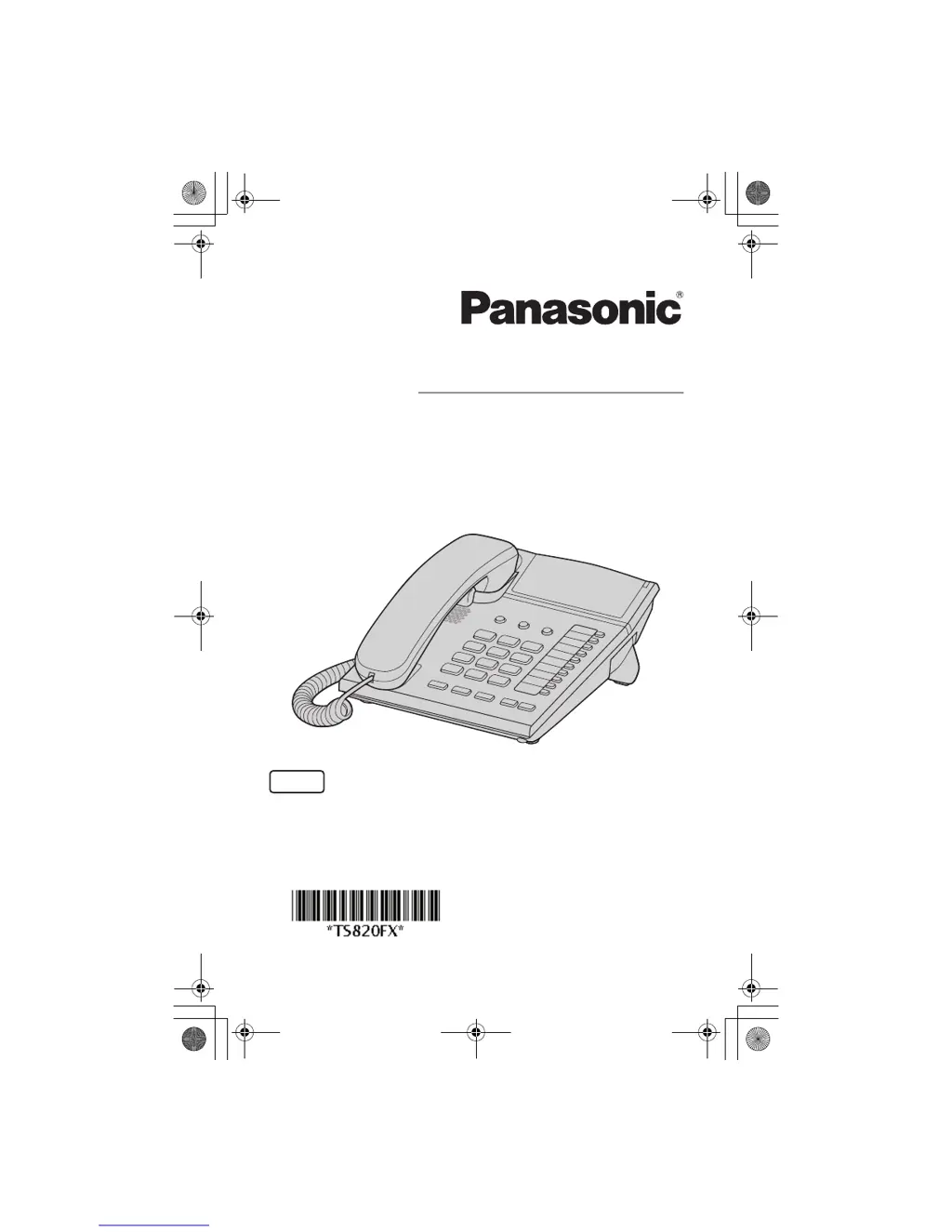
Panasonic KX-TS820FX - User Manual

Panasonic KX-TS820FX
44 pages
Print Icon
To Next Page IconTo Next Page
Loading...
PNQX2346ZA FM1209SS0
Operating Instructions
Integrated Telephone System
Model No. KX-TS820FX
Thank you for purchasing a Panasonic product.
Please read these operating instructions before using the unit and save them for
future reference.
English
KX-TS820FX.book Page 1 Wednesday, January 13, 2010 11:55 AM

Questions and Answers

  • E
    Edwin ThomasJul 30, 2025
    What to do if I cannot dial on my Panasonic Cordless Telephone?
    • J
      John ChristensenJul 30, 2025
      If you cannot dial with your Panasonic Cordless Telephone, first check for a dial tone and ensure the connections are correct. If there's still no dial tone, verify the dialing mode settings. Also, check if dial lock is enabled and disable it if necessary. Finally, avoid accidentally pressing the {PROGRAM} or {PDIAL LOCK} buttons.
  • T
    Taylor PierceAug 5, 2025
    Why is my Panasonic KX-TS820FX not ringing?
    • T
      Theodore Morse PhDAug 5, 2025
      If your Panasonic Cordless Telephone does not ring, it might be because the RINGER selector is set to OFF. To fix this, set the RINGER selector to HIGH or LOW.
  • K
    Kaylee CarrollAug 9, 2025
    How to exit program setting on Panasonic KX-TS820FX?
    • T
      Tammy KerrAug 9, 2025
      To exit the program setting on your Panasonic Cordless Telephone, place the handset on the cradle.
  • L
    Lydia BryantAug 14, 2025
    Why can't I store a phone number in my Panasonic Cordless Telephone?
    • C
      Christopher RodriguezAug 14, 2025
      If you cannot store a phone number in the memory of your Panasonic Cordless Telephone, first confirm that the handset is off the cradle. Also, ensure that the phone number you are trying to store is not more than 32 digits long. You cannot store emergency numbers when using the dial lock.
  • S
    Shane BoyleAug 20, 2025
    What to do if liquid entered my Panasonic KX-TS820FX?
    • B
      bankskevinAug 20, 2025
      If liquid has entered your Panasonic Cordless Telephone, disconnect the telephone line cord from the unit and let it dry for at least 3 days. After it is completely dry, reconnect the telephone line cord.
  • R
    Richard MonroeAug 25, 2025
    Why can't I redial on my Panasonic Cordless Telephone?
    • M
      Monique ColonAug 26, 2025
      If you cannot redial on your Panasonic Cordless Telephone by pressing {REDIAL}, it is possible that the last number dialed was more than 32 digits long. If this is the case, the number will not be redialed correctly.

Summary

Introduction

For Your Safety

Safety precautions to prevent injury and property loss during product use.

Important Safety Instructions

Basic safety precautions to reduce risk of fire, electric shock, and injury.

Specifications

Technical specifications including dimensions, weight, and operating conditions.

Preparation

Controls Overview

Identification and function of all buttons and indicators on the telephone unit.

Connections

Instructions for connecting the handset, unit, and telephone line.

Making and Answering Calls

Dial Lock Feature

Feature to prohibit making outside calls, with exceptions for emergency numbers.

Enabling;Disabling Dial Lock

Steps to enable or disable the dial lock feature using the unit password.

Useful Information

Wall Mount Setup

Guide for mounting the telephone unit onto a wall phone plate.

Troubleshooting Guide

Common problems and their solutions for the telephone unit.

Panasonic KX-TS820FX Specifications

General IconGeneral
BrandPanasonic
ModelKX-TS820FX
CategoryCordless Telephone
LanguageEnglish

Related product manuals