
 Need help?
Do you have a question about the Panasonic KX-TSC14B and is the answer not in the manual?
Explains how to connect the handset and AC power adapter to the unit.
Details the process of connecting the telephone line cord to the unit.
Guides on connecting external communication devices through the unit's data port.
Presents the schematic diagram for the main printed circuit board.
Provides the schematic diagram for the LCD printed circuit board.
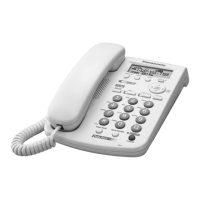
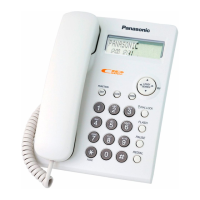
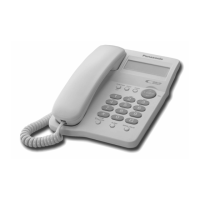
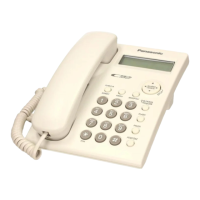
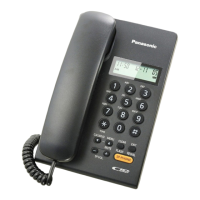
The KX-TSC14B is an integrated telephone system designed for use in the U.S.A., featuring a black version. This 2-LINE telephone system is equipped with a data port and is Caller ID compatible, making it suitable for both residential and small office environments that require multi-line functionality and call management features.
The KX-TSC14B serves as a comprehensive communication device, integrating multiple telephony functions into a single unit. Its primary function is to facilitate voice communication over two separate telephone lines, allowing users to manage calls on either line independently. The Caller ID compatibility enhances call management by displaying incoming caller information, enabling users to screen calls effectively. The inclusion of a data port extends its utility, allowing for the connection of various communication devices such as computers, modems, fax machines, or answering machines, thereby consolidating communication infrastructure.
The telephone system supports both Tone (DTMF) and Pulse (10 pps) dialing, ensuring compatibility with a wide range of telephone networks. A redial function stores the last five dialed numbers, offering convenience for frequently called contacts or redialing busy lines. The integrated speakerphone function provides hands-free communication, which is particularly useful for conference calls or when multitasking. The handset also includes a microphone and a receiver unit, ensuring clear audio during private conversations.
The KX-TSC14B is designed for user-friendly operation with a clear layout of controls and indicators. The display provides visual feedback for various functions, including Caller ID information and menu navigation. Dedicated buttons for "VOICE MAIL," "AUTO," "CLEAR," "FUNCTION/EXIT," "CONF" (Conference), and "TONE" streamline common tasks. The "REDIAL/PAUSE" button facilitates redialing and inserting pauses in dialing sequences, while the "FLASH/CALLWAIT" button manages call waiting and flash functions. The "HOLD" button allows users to place calls on hold.
For multi-line management, the "LINE 2/DATA" and "LINE 1" buttons, along with their respective indicators, enable users to select and monitor the status of each line. The "SP-PHONE (Speakerphone)/HEADSET" button allows for easy switching between hands-free mode and private headset use. A Navigator Key with "OK/EDIT" functionality simplifies menu navigation and setting adjustments.
Connecting the device is straightforward. The AC adaptor ensures continuous power, and it's important to note that while the unit can function as a standard telephone on Line 1 during a power failure, advanced features like Caller ID, speakerphone, line indicators, and the LCD display will be unavailable. The telephone line cords can be connected in various configurations: a two-line telephone jack (RJ14C) using a 4-wire telephone line cord with green plugs, or two single-line telephone jacks (RJ11C) using a 2-wire telephone line cord with transparent plugs for Line 1 and a 4-wire cord with green plugs for Line 2. If only a single-line telephone is used, only Line 1 will be functional. The data port (LINE 2/DATA jack) allows for the connection of external communication devices, and an indicator light will signal when a device is in use on Line 2/Data, prompting the user to use Line 1 for calls to avoid interference.
The manual provides essential information for service technicians, emphasizing precautions for handling static-sensitive components like ICs and LSIs. Recommendations include covering plastic parts boxes with aluminum foil, grounding soldering irons, using a conductive mat on the worktable, and avoiding grasping IC or LSI pins with bare fingers. These measures are crucial for preventing recurring malfunctions and ensuring the longevity of the device.
The schematic diagrams are provided to aid in troubleshooting and repair, detailing components such as the hook switch (SW 1) and ringer selector (SW 2). Instructions for DC voltage measurements and considerations for off-hook conditions are included. The manual highlights that specific parts in shaded areas of the schematic are critical for protection from fire and electrical shock hazards, and only manufacturer-specified parts should be used for these components during servicing. This ensures the safety and integrity of the telephone system after repairs. The serial number, located on the bottom of the unit, should be noted for service purposes. The design and specifications are subject to change without notice, reflecting ongoing product development.
 General
| Type | Corded Phone |
|---|---|
| Color | Black |
| Display | LCD |
| Speakerphone | Yes |
| Caller ID | Yes |
| Redial Function | Yes |
| Phonebook entries | 50 |
| Wall Mountable | Yes |
| Call Waiting | Yes |
| Ringer Volume Control | Yes |
| Handset Volume Control | Yes |
| Phonebook | Yes |
| Weight | 1.5 lbs |







 To Next Page