EasyManua.ls Logo

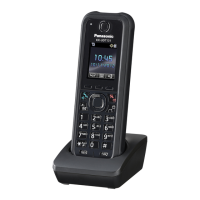
Panasonic KX-UDT111 - User Manual

Panasonic KX-UDT111
60 pages
Print Icon
To Next Page IconTo Next Page
Loading...
Model No.
KX-UDT111
Operating Instructions
DECT Portable Station
Thank you for purchasing this Panasonic product.
Please read this manual carefully before using this product and save this manual for future use.
Please use only the batteries provided and charge the batteries for about 7 hours before using the handset
for the first time. For details, see "Charging the Batteries" in this manual.
Note
In this manual, the suffix of each model number is omitted unless necessary.
Document Version: 2012-11

Table of Contents

Other manuals for Panasonic KX-UDT111

Questions and Answers

  • T
    Theodore WilsonAug 19, 2025
    Why is my Panasonic KX-UDT111 Cordless Telephone not ringing?
    • J
      jamiepettyAug 19, 2025
      If your Panasonic Cordless Telephone handset doesn't ring, first check if the ringer volume is set to "Off". If the ringer volume is off, adjust it to an audible level. Also, verify that Silent Mode is not activated. If it is, turn off Silent Mode.
  • R
    Ryan CummingsAug 21, 2025
    How to fix a Panasonic KX-UDT111 handset that does not work?
    • R
      Renee FerrellAug 22, 2025
      If your Panasonic Cordless Telephone handset isn't working, it might be due to drained batteries. Ensure you charge the batteries fully. Alternatively, the power might be off. In that case, turn the power on or try re-inserting the batteries and placing the handset on the charger.
  • M
    Melinda MartinezAug 23, 2025
    What to do if I hear noise frequently on my Panasonic KX-UDT111?
    • B
      Bryan FosterAug 25, 2025
      If you are experiencing noise frequently on your Panasonic Cordless Telephone, it could be due to interference from nearby electrical appliances or being too far from the base unit. Try placing the handset and base unit away from other electrical appliances and move closer to the base unit.
  • F
    fharperAug 26, 2025
    Why I cannot make or receive a call on my Panasonic KX-UDT111?
    • J
      Juan AveryAug 26, 2025
      If you cannot make or receive calls on your Panasonic Cordless Telephone, it could be because the handset is out of range, or the base station (CS) is busy. Try moving closer to the CS or try again later. It could also be due to a busy radio channel or a radio communication error; in this case, try again later.
  • N
    Nancy HarrisonAug 28, 2025
    Why can't I dial on my Panasonic KX-UDT111?
    • J
      Jacob DunnAug 28, 2025
      If you cannot dial on your Panasonic Cordless Telephone, the number you are trying to dial may be restricted by your phone system. Consult your administrator or dealer. Alternatively, key lock mode may be on. To cancel this mode, press and hold the key lock button for about 2 seconds. It's also possible that the radio channel is busy or a radio communication error occurred, in which case you should try again later.
  • C
    Charles Anderson Jr.Aug 30, 2025
    What to do if Panasonic Cordless Telephone stops working during operation?
    • D
      Derek DelgadoAug 30, 2025
      If your Panasonic Cordless Telephone stops working during operation, it could be due to an unknown error. Try turning the handset off and then back on. Alternatively, re-insert the batteries and try again.
  • N
    nathansinghSep 1, 2025
    Why does my Panasonic KX-UDT111 Cordless Telephone beep and flash after charging?
    • E
      Elizabeth WilliamsSep 1, 2025
      If you've charged the batteries for 7 hours, but the beep tones still sound and the needs to be charged icon flashes after a few calls on your Panasonic Cordless Telephone, the battery charge contacts may be dirty. Clean the battery charge contacts without damaging them and charge once more. Alternatively, it might be time to replace the batteries with new ones.
  • W
    William IngramSep 3, 2025
    Why doesn't “Delete All” work on my Panasonic KX-UDT111?
    • D
      Diana JohnsonSep 4, 2025
      If the "Delete All" operation to delete all phonebook entries is not functioning on your Panasonic Cordless Telephone, the batteries may be drained, preventing the operation from being completed. Charge the batteries fully, then try again.
  • H
    heather48Sep 5, 2025
    Why is it difficult to have a conversation in Hands-free mode on my Panasonic Cordless Telephone?
    • J
      Joshua JohnsonSep 5, 2025
      If you are having difficulty having a conversation in Hands-free mode on your Panasonic Cordless Telephone, ensure that the front of the handset is facing you and that the microphone is not covered. You can also place the phone so that it stands vertically.
  • J
    Jesus GarrisonSep 8, 2025
    What to do if my Panasonic Cordless Telephone headset does not work?
    • K
      Kyle CardenasSep 8, 2025
      If the headset does not work with your Panasonic Cordless Telephone, make sure the headset ringer setting is set to "On". Also, ensure the headset jack is properly connected.

Summary

Important Information

Safety, Security, and Disposal

Covers safety precautions, data security, installation, placement, and disposal guidelines.

Feature Operations

Making and Receiving Calls

Covers call making methods, phonebook usage, searching, receiving, rejecting, and caller ID.

Customising the Telephone

Handset Phonebook Management

Instructions for managing phonebook entries, categories, hot keys, and locking.

Installation and Setup

Initial Product Setup Procedures

Guides for battery installation, charger connection, charging, wall mounting, and accessory attachment.

Appendix

Troubleshooting and Error Resolution

Lists common problems, causes, solutions, and error messages with fixes.

Panasonic KX-UDT111 Specifications

General IconGeneral
TypeCordless Telephone
DECTYes
Frequency1.9 GHz
Frequency Range1880 - 1900 MHz
Talk TimeUp to 20 hours
SpeakerphoneYes
Headset Jack2.5mm
Operating Temperature0°C to 40°C
Number of Handsets1
Caller IDYes
Call WaitingYes
Conference CallingYes
Power SourceAC Adapter
RangeUp to 300 meters outdoors, 50 meters indoors
BatteryNi-MH
VoIP CompatibilityYes

Related product manuals