31
Preparation/Basic
(ENG) DVQX1310
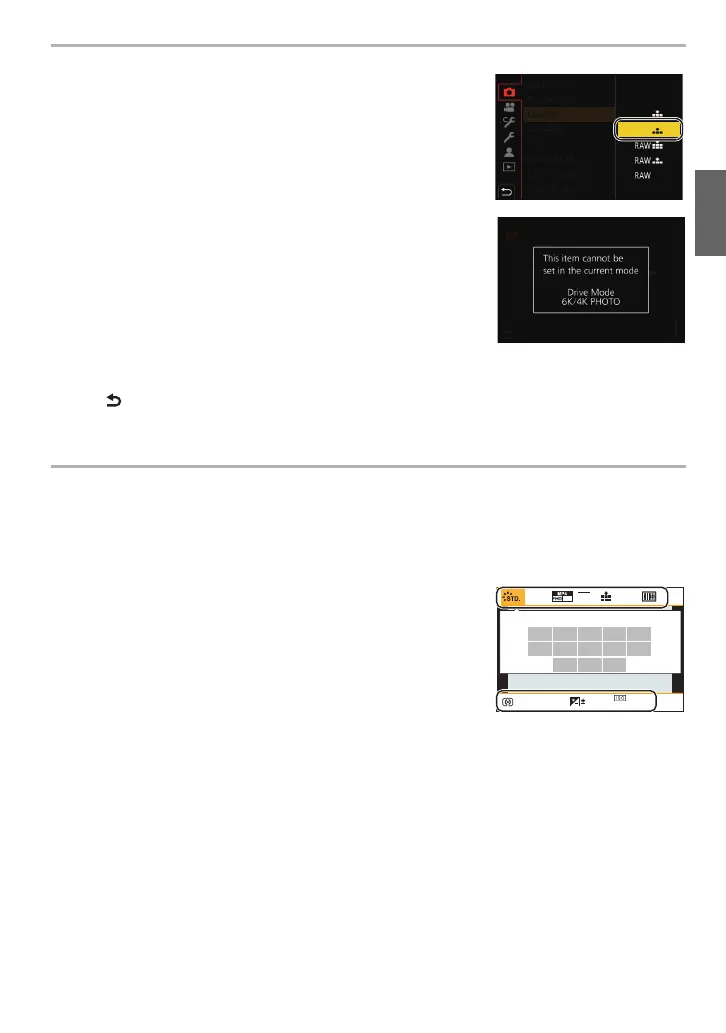
• Menu items that are not available are displayed in gray. When a
gray item is selected, if you press [MENU/SET], a message
indicating that the item cannot be set is displayed along with the
reason why it cannot be set under certain conditions.
Calling frequently-used menus instantly
(Quick Menu)
1 Press [Q.MENU] to display the Quick Menu.
2 Rotate the front dial to select the menu item.
3 Rotate the rear dial to select the setting.
4 Press [Q.MENU] to exit the menu once the setting is
complete.
6
Press 3/4 of the cursor button to select
the setting and press [MENU/SET].
• Depending on the menu item, its setting may not
appear or it may be displayed in a different way.
∫ Close the menu
Press [ ] or press the shutter button halfway.
AFSAFS
AU
TO
602.8
AWB
L
4:3
0
60
p
DC-G9BodyP-DVQX1310_eng.book 31 ページ 2017年11月13日 月曜日 午前9時59分



 To Next Page
 Loading...