EasyManua.ls Logo

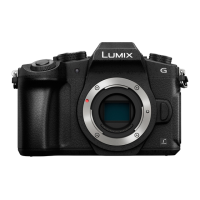
Panasonic LUMIX DMC-G85K - User Manual

Panasonic LUMIX DMC-G85K
72 pages
Print Icon
To Next Page IconTo Next Page
Loading...
GN
Basic Operating Instructions
Digital Camera/
Lens Kit/Body
Model No.
DMC-G85M/
DMC-G85K
DMC-G85
Please read these instructions carefully before using this product, and
save this manual for future use.
More detailed operating instructions are available in “Operating Instructions
for advanced features (PDF format)”. To read it, download it from the website.
(P69)
DVQX1022ZA
F0816HN0
until
2016/10/24
DMC-G85KMBody_GN-DVQX1022_eng.book 1 ージ 2016年8月30日 火曜日 午後1時27分
Question and Answer IconNeed help?

Do you have a question about the Panasonic LUMIX DMC-G85K and is the answer not in the manual?

Overview

This document provides operating instructions for the Panasonic Digital Camera models DMC-G85M, DMC-G85K, and DMC-G85. It covers basic operations, recording, playback, menu settings, Wi-Fi functions, and technical specifications.

Function Description

The Panasonic Digital Camera is a versatile interchangeable lens camera designed for both still picture and motion picture recording. It offers a range of automatic and manual control options to suit various photography and videography needs. Key features include:

  • Still Picture Recording: The camera supports various recording modes, including Intelligent Auto Mode, Programme AE Mode, Aperture-Priority AE Mode, Shutter-Priority AE Mode, Manual Exposure Mode, Custom Mode, Scene Guide Mode, and Creative Control Mode. It can capture images with blurred backgrounds (Defocus Control) and allows for brightness and color tone adjustments. The camera also features 4K Photo recording, enabling users to extract high-resolution still images from a burst of pictures taken at 30 frames/second. Post Focus and Focus Stacking functions allow for controlling focus after recording, including merging multiple pictures with different focus areas to widen the focus range. Bracket recording is available for automatically adjusting settings like exposure, aperture, focus, and white balance across multiple shots.
  • Motion Picture Recording: The camera records full high-definition motion pictures compatible with AVCHD and MP4 formats, as well as 4K motion pictures in MP4. Audio is recorded in stereo. A unique feature is 4K Live Cropping, which allows recording a motion picture that pans and zooms in/out from a fixed camera position by cropping from a 4K angle of view to Full High Definition.
  • Image Stabilization: The camera incorporates In-Lens Image Stabiliser, In-Body Image Stabiliser, and Dual I.S. modes for reducing camera shake. For motion picture recording, it utilizes a 5-Axis Hybrid Image Stabiliser.
  • Playback: Users can play back still pictures and motion pictures, including options for fast forward/rewind and frame-by-frame review. Pictures can be deleted individually or in batches.
  • Wi-Fi Functionality: The camera can connect to smartphones or tablets via Wi-Fi using the "Panasonic Image App." This enables remote recording, playing back and saving images, sending images to social networking services (SNS), and writing location information to images.
  • Customization: The camera offers extensive customization options through its [Custom] menu, allowing users to set preferences for screen display, button operations, and various other functions. Function buttons can be assigned frequently used functions for quick access.

Important Technical Specifications

  • Camera Effective Pixels: 16,000,000 pixels
  • Image Sensor: 4/3" Live MOS sensor, total pixel number 16,840,000 pixels, Primary colour filter.
  • Digital Zoom: 2x/4x
  • Extra Tele Conversion: Max. 2× for still pictures (with [S] (4 M), aspect ratio [4:3]); 2.4×/3.6× for motion pictures.
  • Focus System: Auto Focus/Manual Focus, Face/Eye Detection/Tracking/49-area-focusing/Custom Multi/1-area-focusing/Pinpoint (Touch focus area selection possible).
  • Shutter Type: Focal-plane shutter.
  • Burst Recording Speed:
    • Mechanical shutter: 9 pictures/second (High speed, AFS), 6 pictures/second (High speed, AFC), 6 pictures/second (Middle speed), 2 pictures/second (Low speed).
    • Electronic shutter: 40 pictures/second (Super high speed), 10 pictures/second (High speed, AFS), 6 pictures/second (High speed, AFC), 6 pictures/second (Middle speed), 2 pictures/second (Low speed).
  • Number of Recordable Pictures (Burst): 45 or higher (RAW files), 300 or higher (no RAW files).
  • ISO Sensitivity (Standard Output Sensitivity): AUTO/ISO/100*/200/400/800/1600/3200/6400/12800/25600 (1/3 EV step change possible). *Only available when [Extended ISO] is set.
  • Minimum Illumination: Approx. 9 lx (when i-Low light is used, shutter speed 1/25th of a second).
  • Shutter Speed:
    • Still picture: B (Bulb) (Max. approx. 120 seconds), 60 seconds to 1/4000th of a second (Mechanical shutter), 1 second to 1/16000th of a second (Electronic shutter).
    • Motion picture: 1/25th of a second to 1/16000th of a second.
  • Metering Range: EV 0 to EV 18.
  • White Balance: Auto White Balance/Daylight/Cloudy/Shade/Incandescent lights/Flash/White set1-4/White Balance K set.
  • Exposure (AE): Programme AE (P)/Aperture-priority AE (A)/Shutter-priority AE (S)/Manual exposure (M)/AUTO. Exposure Compensation (1/3 EV Step, -5 EV to +5 EV).
  • Light Metering System: 1728-zone multi-pattern sensing system, Multiple/Centre weighted/Spot.
  • Monitor: 3.0" TFT LCD (3:2) (Approx. 1,040,000 dots), Touch screen.
  • Viewfinder: OLED Live Viewfinder (4:3) (Approx. 2,360,000 dots), Magnification approx. 1.48×, 0.74× (35 mm film camera equivalent), with 50 mm lens at infinity; -1.0 m⁻¹ (with diopter adjustment -4 to +4 diopter).
  • Flash: Built-in pop up flash, GN 9.0 equivalent (ISO200·m) [GN 6.4 equivalent (ISO100·m)]. Flash range: Approx. 0.5 m (1.6 feet) to 7.3 m (24 feet).
  • Microphone: Stereo.
  • Speaker: Monaural.
  • Recording Media: SD Memory Card/SDHC Memory Card*/SDXC Memory Card* (*UHS-I/UHS-II UHS Speed Class 3).
  • Recording Quality (Motion Pictures):
    • AVCHD: 1920×1080 (FHD/50p: 28 Mbps), 1920×1080 (FHD/50i: 17 Mbps), 1920×1080 (FHD/25p: 24 Mbps), 1920×1080 (FHD/24p: 24 Mbps).
    • MP4: 3840×2160 (4K/30p: 100 Mbps), 3840×2160 (4K/25p: 100 Mbps), 3840×2160 (4K/24p: 100 Mbps), 1920×1080 (FHD/60p: 28 Mbps), 1920×1080 (FHD/50p: 28 Mbps), 1920×1080 (FHD/30p: 20 Mbps), 1920×1080 (FHD/25p: 20 Mbps), 1280×720 (HD/30p: 10 Mbps), 1280×720 (HD/25p: 10 Mbps).
  • Audio Compression: AVCHD: Dolby® Digital (2 ch), MP4: AAC (2 ch).
  • Interface: USB 2.0 (High Speed), Ø2.5 mm jack ([REMOTE]), USB 2.0 Micro-B (USB), micro HDMI Type D (HDMI), Ø3.5 mm jack (MIC).
  • Power Source: DC 8.4 V.
  • Power Consumption: 2.8 W (recording with Monitor, H-FS12060/H-FS1442A), 2.3 W (playing back with Monitor, H-FS12060), 2.2 W (playing back with Monitor, H-FS1442A).
  • Dimensions: Approx. 128.4 mm (W)×89 mm (H)×74.3 mm (D) (excluding projecting parts).
  • Mass: Approx. 505 g/1.11 lb (with card and battery), Approx. 453 g/1.00 lb (camera body).
  • Operating Temperature: 0 °C to 40 °C (32 °F to 104 °F).
  • Operating Humidity: 10%RH to 80%RH.
  • Dust-proof and Splash-proof: Yes (for DMC-G85M with H-FS12060 lens).

Usage Features

  • Quick Start Guide: Provides instructions for attaching the shoulder strap, charging the battery (DMW-BLC12E), inserting the battery and card, attaching/removing the lens, opening the monitor, setting date/time, diopter adjustment, formatting the card, setting the mode dial to [iA], and taking pictures.
  • Monitor and Viewfinder: The camera features a touch screen monitor and an OLED Live Viewfinder. Users can switch between them using the [LVF] button. The monitor can be rotated for free-angle shooting.
  • Basic Operations: Includes instructions for using cursor buttons, [MENU/SET] button, front dial, and rear dial for navigation and setting adjustments.
  • Recording Modes: Detailed explanations for each recording mode, including Intelligent Auto, Programme AE, Aperture-Priority AE, Shutter-Priority AE, Manual Exposure, Creative Video, Custom, Scene Guide, and Creative Control.
  • Focusing: Manual focus adjustment is available, with MF Assist (enlarged screen), Peaking, and MF Guide features.
  • Drive Modes: Options include [Single], [Burst], [4K PHOTO], [Post Focus], [Self Timer], and [Time Lapse/Animation].
  • 4K Photo Recording: Offers [4K Burst], [4K Burst(S/S)], and [4K Pre-Burst] methods for capturing fast-moving subjects or unpredictable photo opportunities.
  • Post Focus/Focus Stacking: Allows selecting a desired focus area after recording and merging multiple pictures to extend the depth of field.
  • Bracket Recording: Supports Exposure Bracket, Aperture Bracket, Focus Bracket, and White Balance Bracket.
  • Image Stabiliser: Explains the different image stabilization modes (In-Lens, In-Body, Dual I.S., 5-Axis Hybrid) and their compatibility with various lenses. Users can manually set the focal length for non-automatically detected lenses.
  • Motion Picture Recording: Provides details on [Rec Format] (AVCHD/MP4) and [Rec Quality] settings, including frame rates and bit rates for FHD, HD, and 4K resolutions.
  • 4K Live Cropping: Guides users on setting cropping start and end frames for creating panning and zooming effects in FHD motion pictures from 4K footage.
  • Wi-Fi Connectivity: Instructions for connecting to a smartphone/tablet without a password, using the "Image App" for remote control, image transfer, and geotagging.
  • Software: Information on downloading "PHOTOfunSTUDIO 9.9 PE" for image management, "SILKYPIX Developer Studio SE" for RAW image editing, and "LoiLoScope 30 day full trial version" for motion picture editing.

Maintenance Features

  • Care of the Camera: Emphasizes avoiding strong vibration, shock, or pressure. Provides precautions for splash-proof use, such as ensuring all doors and covers are securely closed and cleaning the camera promptly if exposed to water or foreign materials. Advises against touching the image sensor.
  • Condensation: Recommends turning off the camera and letting it sit for about 2 hours if condensation occurs.
  • Firmware Updates: Advises updating the firmware of interchangeable lenses for smoother recording.
  • Battery Charger: Cautions against installing in confined spaces and ensures proper ventilation. Notes that the primary circuit is always "live" when connected to an electrical outlet.
  • Battery Pack: Warns against incorrect battery replacement (explosion risk), heating, exposure to flame, and leaving in direct sunlight. Recommends storing in a cool, dry place and charging once a year if stored for a long time.
  • Cables and Accessories: Advises using only supplied or recommended Panasonic accessories and cables.
  • Card Handling: Reminds users to format cards on the camera only and to back up data before formatting. Warns against swallowing memory cards.
  • Cleaning: Before cleaning, remove the battery or DC coupler, or disconnect the power plug. Avoid excessive force on the monitor or lens. Do not use insecticides, volatile chemicals, or solvents for cleaning.
  • Troubleshooting: Provides solutions for common issues such as rattling sounds (due to In-Body Image Stabiliser), camera not operating (exhausted battery), battery draining quickly (4K Pre-Burst), focus problems, blurred pictures (Image Stabiliser not effective), distorted subjects (MOS sensor characteristic), striping/flicker under certain lighting, and Wi-Fi connection issues.
  • Clock Reset: If the camera is not used for a long time, the clock may reset, requiring manual adjustment.

Panasonic LUMIX DMC-G85K Specifications

General IconGeneral
BrandPanasonic
ModelLUMIX DMC-G85K
CategoryDigital Camera
LanguageEnglish

Related product manuals