Preparation
Press
[~]
to
display menu, enter the setup menu
[~]
and select the item. (P20)
The settmg marked
"~"
means
it
is
the initial setting.
II
DEMOMODE
Display the demonstration.
.JITTER, SUBJ. MOVE DEMO. (below)
AU.TO
DEM'O:
Displays the product
feat""re as
a slide show
m-·" "
........
"
..
-
•
[JITIER,
SUBJ. MOVE DEMO.] only
works
in
recording mode.
• Press [DISPLAY] to finish [JITIER,
SUBJ. MOVE DEMO.].
• Press [MENU/SET] to finish [AUTO
DEMO].
• While the AV cable or the USB
connection cable is connected to the
camera, [AUTO DEMO] is not available.
About
demonstration
of
jitter/movement
detection screen
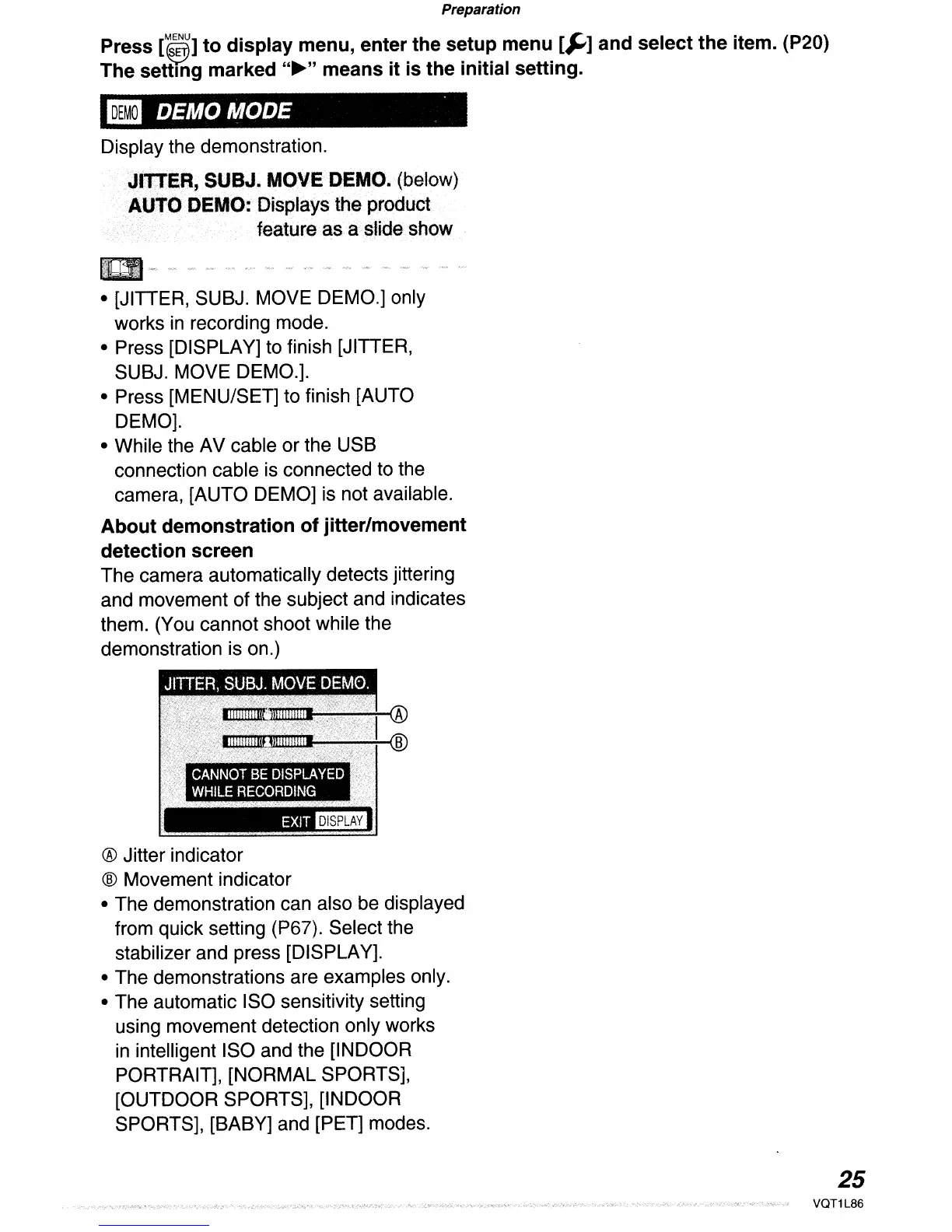
The camera automatically detects jittering
and movement of the subject and indicates
them. (You cannot shoot while the
demonstration is on.)
'~qlll@l~::77r®
-~.~*®
CANNOT
BE
DISPLAYED
WHILE
RECORDING
EXIT_
® Jitter indicator
® Movement indicator
• The demonstration can also be displayed
from quick setting (P67). Select the
stabilizer and press [DISPLAY].
• The demonstrations are examples only.
• The automatic ISO sensitivity setting
using movement detection only works
in intelligent ISO and the [INDOOR
PORTRAIT], [NORMAL SPORTS],
[OUTDOOR SPORTS], [INDOOR
SPORTS], [BABY] and [PET] modes.
25
VQT1L86


 To Next Page
 Loading...