EasyManua.ls Logo

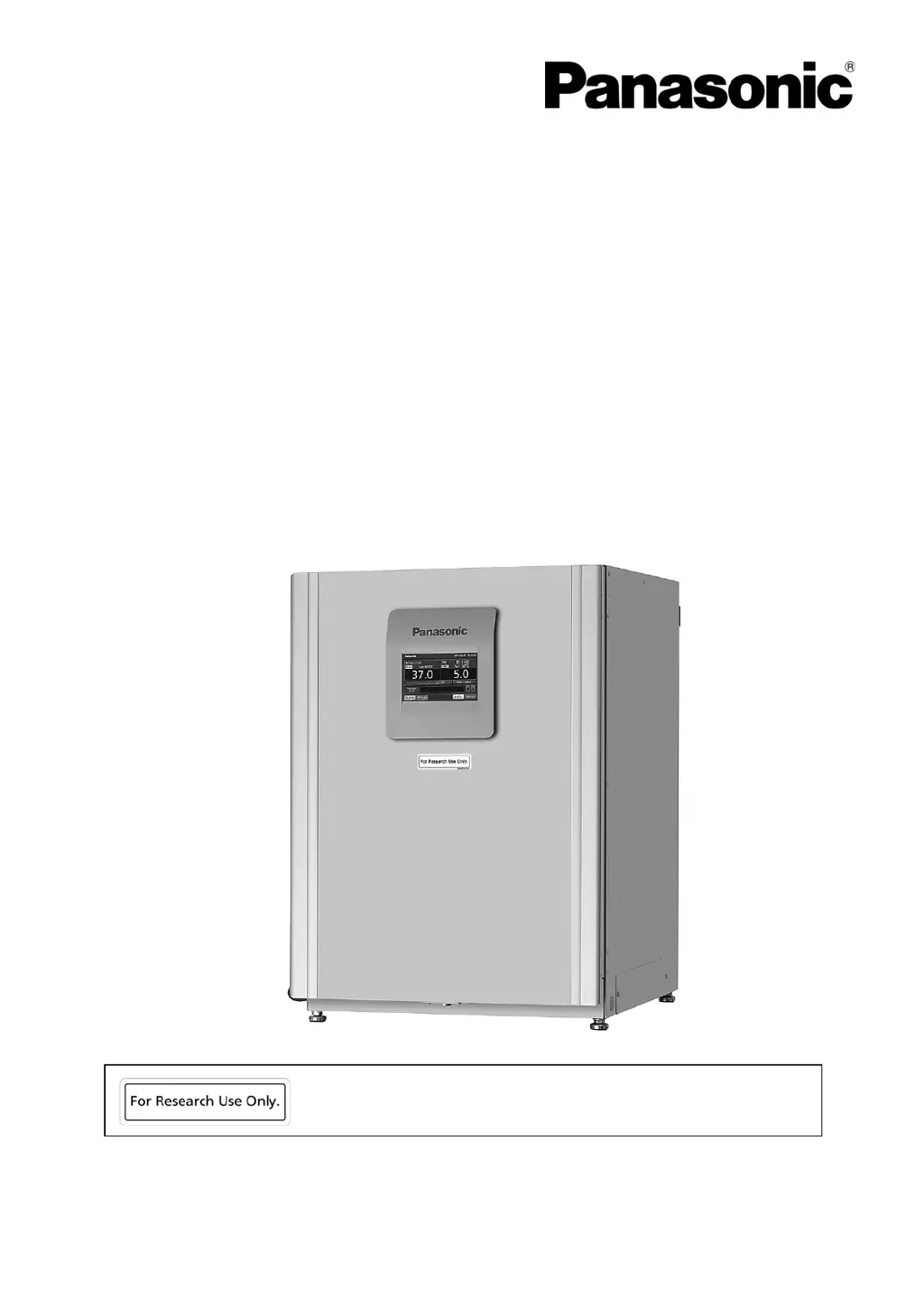
Panasonic MCO-170AICL - User Manual

Panasonic MCO-170AICL
89 pages
Print Icon
To Next Page IconTo Next Page
Loading...
MCO-170AICL
MCO-170AICUVL
MCO-170AICUVHL
Please read the operating instructions carefully before using this product, and save the operating
instructions for future use.
See page 86 for all model numbers.
This product is for research use only.
Not for clinical diagnosis or treatment of humans or animals.
CO
2
Incubator
Operatin
g
Instructions

Questions and Answers

Summary

PRECAUTIONS FOR SAFE OPERATION

Unit Safety Labels

Explains warning and caution labels on the unit for safety.

CO2 Gas Ventilation Warning

Warns about oxygen depletion due to CO2 gas and need for ventilation.

General Operational Safety Warnings

Lists essential safety precautions for operating the incubator.

Specific Electrical and Handling Safety Warnings

Details safety measures related to electrical hazards, handling, and specific procedures.

Cautionary Safety Measures and H2 O2 Handling

Provides cautionary advice on electrical connections, storage, H2O2 handling, and maintenance.

LABELS ON INCUBATOR

Understanding Incubator Warning and Caution Labels

Explains the meaning of various warning and caution symbols found on the incubator.

ENVIRONMENTAL CONDITIONS

INCUBATOR COMPONENTS

Incubator Part Descriptions

Detailed descriptions of the incubator's various components and their functions.

LCD Touch Panel Interface Details

Explains the "Top screen" display and its various fields and indicators.

Remote Alarm Terminal Functionality

Describes the remote alarm terminal and its connection for external alarms.

INSTALLATION

Installation Site Requirements

Specifies environmental and location requirements for proper incubator installation.

Installation Procedures and Grounding

Details the steps for installing the incubator, including leveling and grounding.

Double Stacking Installation

Instructions for safely stacking incubators using brackets or plates.

Incubator Storage and Moving Procedures

Guidelines for preparing the incubator for storage or safe movement.

BEFORE COMMENCING OPERATION

Initial Cleaning Procedure

Step-by-step guide for cleaning the incubator before first use.

Removing Incubator Inner Attachments

Instructions on how to carefully remove internal components from the incubator.

Installing Incubator Inner Attachments

Step-by-step guide for reinstalling inner components after cleaning or maintenance.

Filling the Humidifying Pan

Procedure for filling the humidifying pan with sterile distilled water.

FOR BETTER CULTIVATION

Culture Precautions for Optimal Growth

Guidelines for ensuring successful and safe cell culture within the incubator.

Preventing Chamber Contamination

Advice on selecting sites, using clean containers, and maintaining chamber cleanliness.

CORRECT OPERATION

BASIC OPERATION ON LCD TOUCH PANEL

Operating via the Menu Key

Explains how to navigate and operate the incubator using the Menu key.

Direct Operation from Top Screen

Details operating specific functions directly from the main "Top screen" display.

BASIC PARAMETERS

Numerical Input on Touch Panel

Guide on using the numerical input window for setting parameters.

Setting Temperature, CO2, and High Limit Alarm

Steps to configure chamber temperature, CO2 density, and high limit alarm.

Setting and Using Key Lock Function

Explains how to enable, set a password, and use the key lock feature.

Removing and Disabling Key Lock

Details the procedure to disable the key lock and remove password protection.

ALARM PARAMETERS

Configuring Temperature and CO2 Alarms

Setting automatic temperature and CO2 density alarm thresholds.

Configuring Alarm Delays and Notifications

Setting alarm delays, ring back, and remote alarm parameters.

Understanding Alarm States and Buzzer Behavior

Explains how the incubator behaves during an alarm and how to silence the buzzer.

OPERATION;ALARM LOG

Setting Data Logging Interval

Procedure to set the frequency for saving operational data logs.

Displaying Operational Data Logs

How to view logged operational data graphically on the touch panel.

Exporting Operation Log Data

Steps to export operational data logs to USB memory.

Displaying Alarm History Logs

How to view saved alarm logs graphically on the touch panel.

Exporting Alarm History Logs

Steps to export alarm log data to USB memory.

OTHER PARAMETERS

Setting Date and Time

Procedure for setting the incubator's internal clock and date.

Adjusting Display Brightness and Sleep Mode

How to adjust screen brightness and configure the sleep mode.

Configuring Data Acquisition System (DAQ)

Steps for setting up the Data Acquisition System (MTR-5000).

UV LAMP PARAMETERS

Using the UV Lamp Feature

Explains the purpose and basic operation of the UV lamp for disinfection.

Setting UV Lamp ON Period

Procedure to change the duration the UV lamp stays lit after door closure.

24-Hour UV Lamp Decontamination Mode

Instructions for activating the 24-hour UV mode for chamber decontamination.

H2 O2 DECONTAMINATION

H2 O2 Decontamination Safety Warnings

Crucial safety precautions and warnings for performing H2O2 decontamination.

H2 O2 Decontamination Procedure Steps 1-8

Detailed steps for preparing and initiating the H2O2 decontamination process.

H2 O2 Decontamination Procedure Steps 9-12

Continues the step-by-step guide for H2O2 decontamination, including system checks.

H2 O2 Decontamination Procedure Steps 13-14

Details the chamber warming and decontamination phases of the H2O2 process.

H2 O2 Decontamination Procedure Steps 15-18

Final steps for H2O2 decontamination, including cleanup and ventilation.

Precautions when handling H2 O2 reagent

Safe Handling, Storage, and Disposal of H2 O2 Reagent

Guidelines for safely working with, storing, and disposing of the H2O2 reagent.

Using unlock key

Unlocking the Outer Door During Power Interruption

Instructions for using the unlock key when the unit loses power.

ELECTRIC LOCK (OPTION)

Setting the Auto Lock Function

How to configure the automatic door locking feature based on time.

Using the Unlock Key

Explains how to use the unlock key to open the door, especially when auto-lock is active.

Removing or Disabling Auto Lock

Steps to turn off or remove the auto lock function.

GAS AUTO CHANGER (OPTION)

Connecting CO2 Gas Cylinders for Auto Changer

Guide to connecting two CO2 gas cylinders for the auto changer system.

Automatic CO2 Gas Supply Line Switching

Explains how the unit automatically switches between CO2 gas supply lines.

Manual CO2 Gas Supply Line Switching

How to manually switch between CO2 gas supply lines.

STD GAS AUTO CALIBRATION KIT (OPTION)

Connecting Standard Gas Cylinder for Calibration

Steps to connect a standard gas cylinder for CO2 density calibration.

ROUTINE MAINTENANCE

ALARMS, SAFETY, AND SELF-DIAGNOSIS

Overview of Alarms and Safety Functions

Summarizes all alarms, safety features, and self-diagnostic functions of the incubator.

Alarm Behavior with Buzzer and Ring Back

Explains how alarms, buzzer, and ring back functions interact under different conditions.

Alarms for H2 O2 Decontamination and Gas Calibration

Details alarms and safety functions related to H2O2 decontamination and gas calibration.

TROUBLESHOOTING

DISPOSAL OF UNIT

SPECIFICATIONS

PERFORMANCE

Summary

PRECAUTIONS FOR SAFE OPERATION

Unit Safety Labels

Explains warning and caution labels on the unit for safety.

CO2 Gas Ventilation Warning

Warns about oxygen depletion due to CO2 gas and need for ventilation.

General Operational Safety Warnings

Lists essential safety precautions for operating the incubator.

Specific Electrical and Handling Safety Warnings

Details safety measures related to electrical hazards, handling, and specific procedures.

Cautionary Safety Measures and H2 O2 Handling

Provides cautionary advice on electrical connections, storage, H2O2 handling, and maintenance.

LABELS ON INCUBATOR

Understanding Incubator Warning and Caution Labels

Explains the meaning of various warning and caution symbols found on the incubator.

ENVIRONMENTAL CONDITIONS

INCUBATOR COMPONENTS

Incubator Part Descriptions

Detailed descriptions of the incubator's various components and their functions.

LCD Touch Panel Interface Details

Explains the "Top screen" display and its various fields and indicators.

Remote Alarm Terminal Functionality

Describes the remote alarm terminal and its connection for external alarms.

INSTALLATION

Installation Site Requirements

Specifies environmental and location requirements for proper incubator installation.

Installation Procedures and Grounding

Details the steps for installing the incubator, including leveling and grounding.

Double Stacking Installation

Instructions for safely stacking incubators using brackets or plates.

Incubator Storage and Moving Procedures

Guidelines for preparing the incubator for storage or safe movement.

BEFORE COMMENCING OPERATION

Initial Cleaning Procedure

Step-by-step guide for cleaning the incubator before first use.

Removing Incubator Inner Attachments

Instructions on how to carefully remove internal components from the incubator.

Installing Incubator Inner Attachments

Step-by-step guide for reinstalling inner components after cleaning or maintenance.

Filling the Humidifying Pan

Procedure for filling the humidifying pan with sterile distilled water.

FOR BETTER CULTIVATION

Culture Precautions for Optimal Growth

Guidelines for ensuring successful and safe cell culture within the incubator.

Preventing Chamber Contamination

Advice on selecting sites, using clean containers, and maintaining chamber cleanliness.

CORRECT OPERATION

BASIC OPERATION ON LCD TOUCH PANEL

Operating via the Menu Key

Explains how to navigate and operate the incubator using the Menu key.

Direct Operation from Top Screen

Details operating specific functions directly from the main "Top screen" display.

BASIC PARAMETERS

Numerical Input on Touch Panel

Guide on using the numerical input window for setting parameters.

Setting Temperature, CO2, and High Limit Alarm

Steps to configure chamber temperature, CO2 density, and high limit alarm.

Setting and Using Key Lock Function

Explains how to enable, set a password, and use the key lock feature.

Removing and Disabling Key Lock

Details the procedure to disable the key lock and remove password protection.

ALARM PARAMETERS

Configuring Temperature and CO2 Alarms

Setting automatic temperature and CO2 density alarm thresholds.

Configuring Alarm Delays and Notifications

Setting alarm delays, ring back, and remote alarm parameters.

Understanding Alarm States and Buzzer Behavior

Explains how the incubator behaves during an alarm and how to silence the buzzer.

OPERATION;ALARM LOG

Setting Data Logging Interval

Procedure to set the frequency for saving operational data logs.

Displaying Operational Data Logs

How to view logged operational data graphically on the touch panel.

Exporting Operation Log Data

Steps to export operational data logs to USB memory.

Displaying Alarm History Logs

How to view saved alarm logs graphically on the touch panel.

Exporting Alarm History Logs

Steps to export alarm log data to USB memory.

OTHER PARAMETERS

Setting Date and Time

Procedure for setting the incubator's internal clock and date.

Adjusting Display Brightness and Sleep Mode

How to adjust screen brightness and configure the sleep mode.

Configuring Data Acquisition System (DAQ)

Steps for setting up the Data Acquisition System (MTR-5000).

UV LAMP PARAMETERS

Using the UV Lamp Feature

Explains the purpose and basic operation of the UV lamp for disinfection.

Setting UV Lamp ON Period

Procedure to change the duration the UV lamp stays lit after door closure.

24-Hour UV Lamp Decontamination Mode

Instructions for activating the 24-hour UV mode for chamber decontamination.

H2 O2 DECONTAMINATION

H2 O2 Decontamination Safety Warnings

Crucial safety precautions and warnings for performing H2O2 decontamination.

H2 O2 Decontamination Procedure Steps 1-8

Detailed steps for preparing and initiating the H2O2 decontamination process.

H2 O2 Decontamination Procedure Steps 9-12

Continues the step-by-step guide for H2O2 decontamination, including system checks.

H2 O2 Decontamination Procedure Steps 13-14

Details the chamber warming and decontamination phases of the H2O2 process.

H2 O2 Decontamination Procedure Steps 15-18

Final steps for H2O2 decontamination, including cleanup and ventilation.

Precautions when handling H2 O2 reagent

Safe Handling, Storage, and Disposal of H2 O2 Reagent

Guidelines for safely working with, storing, and disposing of the H2O2 reagent.

Using unlock key

Unlocking the Outer Door During Power Interruption

Instructions for using the unlock key when the unit loses power.

ELECTRIC LOCK (OPTION)

Setting the Auto Lock Function

How to configure the automatic door locking feature based on time.

Using the Unlock Key

Explains how to use the unlock key to open the door, especially when auto-lock is active.

Removing or Disabling Auto Lock

Steps to turn off or remove the auto lock function.

GAS AUTO CHANGER (OPTION)

Connecting CO2 Gas Cylinders for Auto Changer

Guide to connecting two CO2 gas cylinders for the auto changer system.

Automatic CO2 Gas Supply Line Switching

Explains how the unit automatically switches between CO2 gas supply lines.

Manual CO2 Gas Supply Line Switching

How to manually switch between CO2 gas supply lines.

STD GAS AUTO CALIBRATION KIT (OPTION)

Connecting Standard Gas Cylinder for Calibration

Steps to connect a standard gas cylinder for CO2 density calibration.

ROUTINE MAINTENANCE

ALARMS, SAFETY, AND SELF-DIAGNOSIS

Overview of Alarms and Safety Functions

Summarizes all alarms, safety features, and self-diagnostic functions of the incubator.

Alarm Behavior with Buzzer and Ring Back

Explains how alarms, buzzer, and ring back functions interact under different conditions.

Alarms for H2 O2 Decontamination and Gas Calibration

Details alarms and safety functions related to H2O2 decontamination and gas calibration.

TROUBLESHOOTING

DISPOSAL OF UNIT

SPECIFICATIONS

PERFORMANCE

Panasonic MCO-170AICL Specifications

General IconGeneral
ModelMCO-170AICL
TypeCO2 Incubator
CO2 Range0% to 20%
CO2 Control Accuracy±0.1%
Capacity170 liters
Interior MaterialStainless steel
Exterior MaterialPainted steel
Temperature ControlMicroprocessor control
CO2 ControlInfrared sensor
Humidity95% RH
Shelves3
Power SupplyAC100V, 50/60Hz

Related product manuals