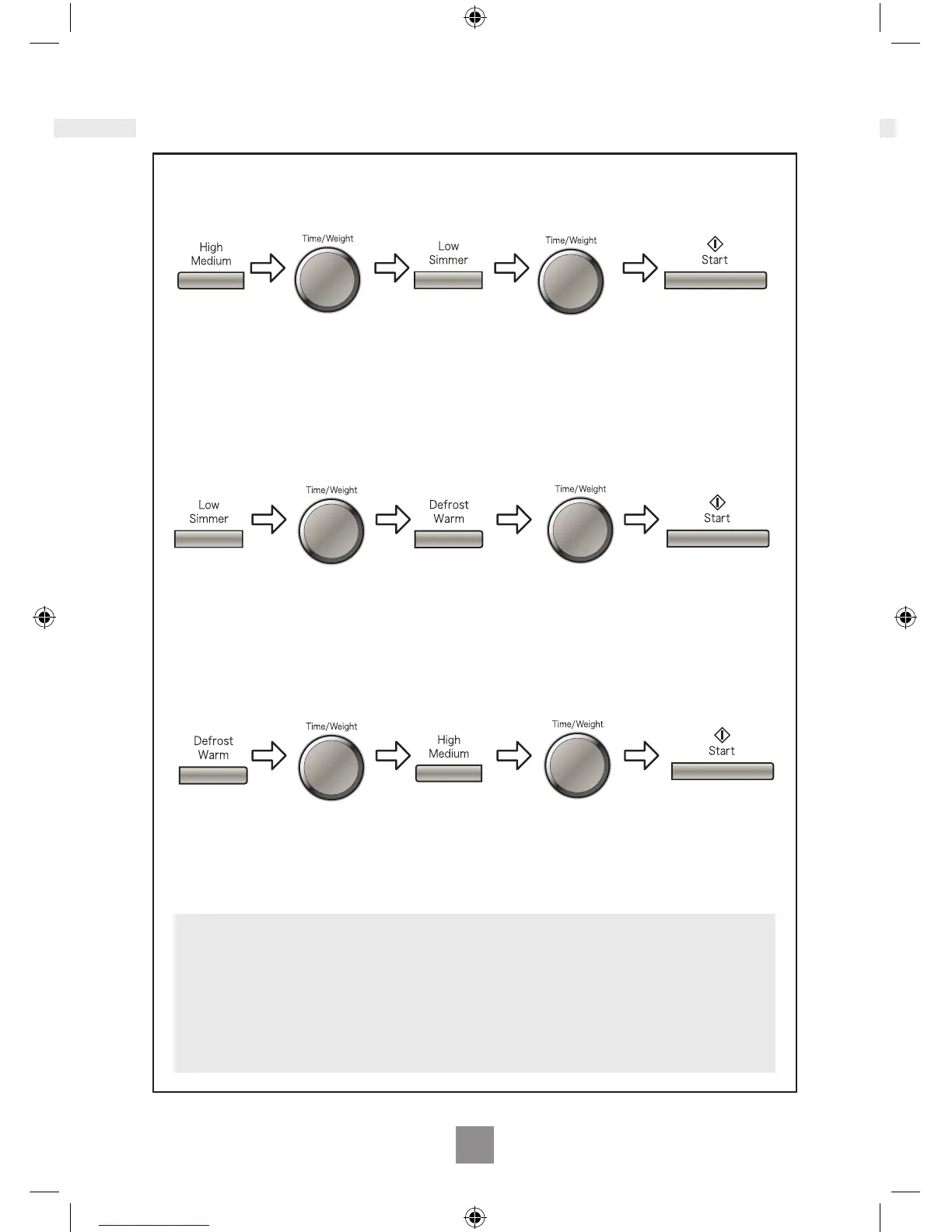
Multistage cooking
Notes
1. For 3 stage cooking, enter another cooking program before pressing start.
2. During operation, one press on Stop/Cancel stops the operation. you can re-start it
by pressing Start. A second press of Stop/Cancel will cancel the selected program.
3. Whilst not operating, one press of Stop/Cancel cancels the selected program.
4. Auto programs cannot be used with multi-stage cooking.
Example:
Press a
Microwave
Power button.
To select desired
power level.
2 or 3 stage cooking
Example: To cook on Simmer for 2 mintues and Defrost for 3 minutes.
Press Low/
Simmer twice
to select
Simmer.
Press Defrost/
Warm once to
select Defrost.
Set the
cooking time
to 2 minutes
using the Time/
Weight Dial.
Set the
cooking time
to 3 minutes
using the Time/
Weight Dial.
Press Start.
Set the cooking
time using the
Time/Weight Dial.
Press a
Microwave
Power button.
To select desired
power level.
Set the cooking
time using the
Time/Weight Dial.
Press Start.
The cooking program
will start and the time
in the display will
count down.
Example: To cook on Warm for 4 mintues and Medium for 5 minutes.
Press the
Defrost/Warm
twice to select
Warm.
Press High/
Medium twice
to select
Medium.
Set the
cooking time
to 4 minutes
using the Time/
Weight Dial.
Set the
cooking time
to 5 minutes
using the Time/
Weight Dial.
Press Start.



 To Next Page