,5
English
<ZPUN[OL[PTLY
5V[LZ
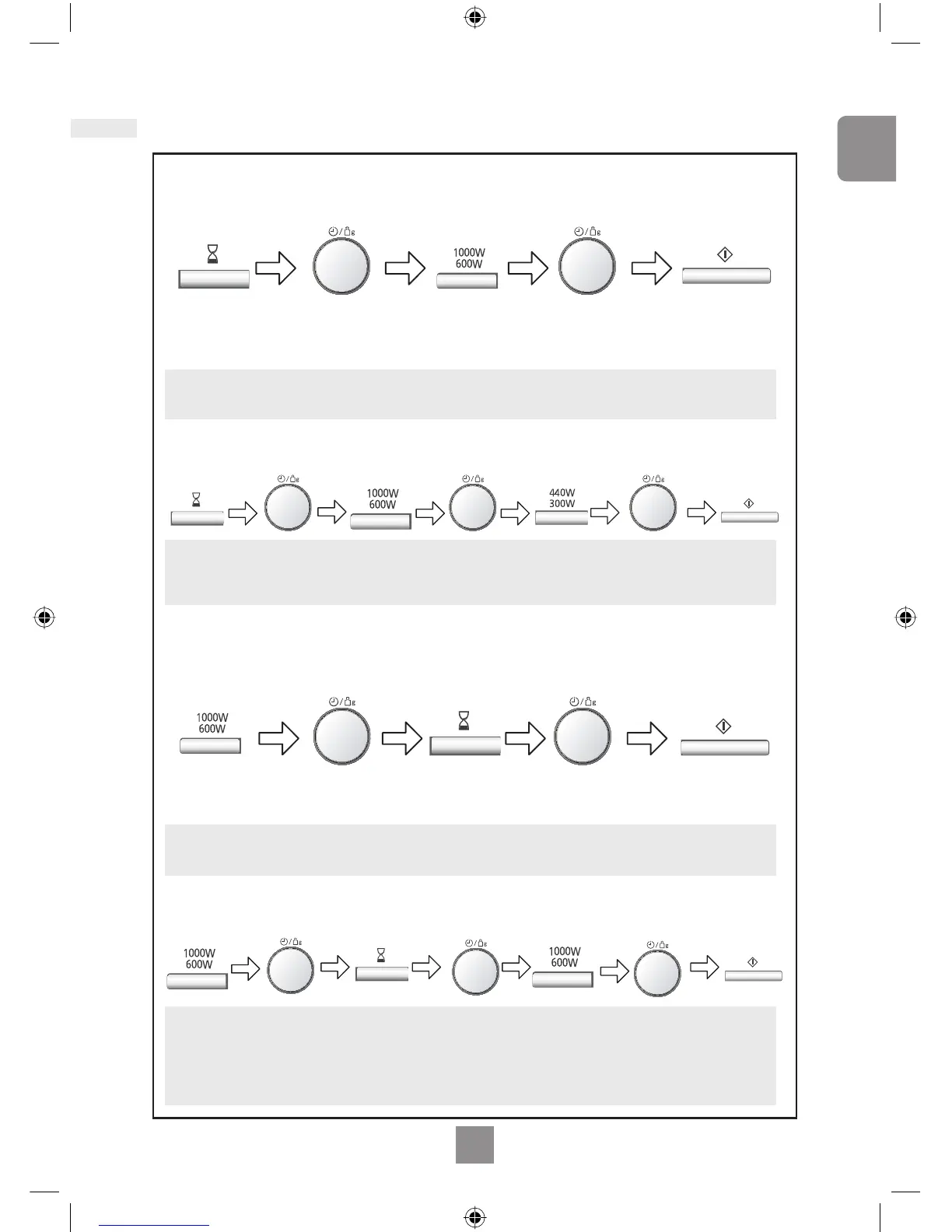
1. Three stage cooking can be programmed including Delay Start cooking.
5V[LZ
1. Three stage cooking can be programmed including stand time.
2. If the programmed delay time exceeds one hour, the time will count down in units of
minutes. If less than one hour, the time will count down in units of seconds.
3. Delay Start cannot be programmed before an auto program.
2. If the oven door is opened during the Stand Time or Minute Timer, the time in the
display window will continue to count down.
3. This feature may also be used as a minute timer. In this case press the Timer, set
time and press Start.
4. Stand time cannot be programmed after an auto program.
By using the Timer, you are able to program Delay Start cooking.
By using the Timer, you can program Stand Time after cooking is completed or use to
program the oven as a Minute Timer.
Press Timer.
Set the desired
cooking program
and cooking time.
Set the delay time
by turning the Time/
Weight Dial (up to 9
hours).
Press Timer.
Set the desired cooking
program and cooking time.
Set desired amount of
time by turning the Time/
Weight Dial (up to 9 hours).
Press Start
Button.
Press Start.
L_HTWSL
L_HTWSL
L_HTWSL
L_HTWSL
MAX Power: 4 min
Delay Start: 1 hour
Stand Time: 5 min
MAX Power: 10 min.
MAX Power: 2 min
Simmer Power 300 W: 20 min
+LSH`:[HY[*VVRPUN
:[HUK;PTL


 To Next Page