13
Starting to Use
Your Oven
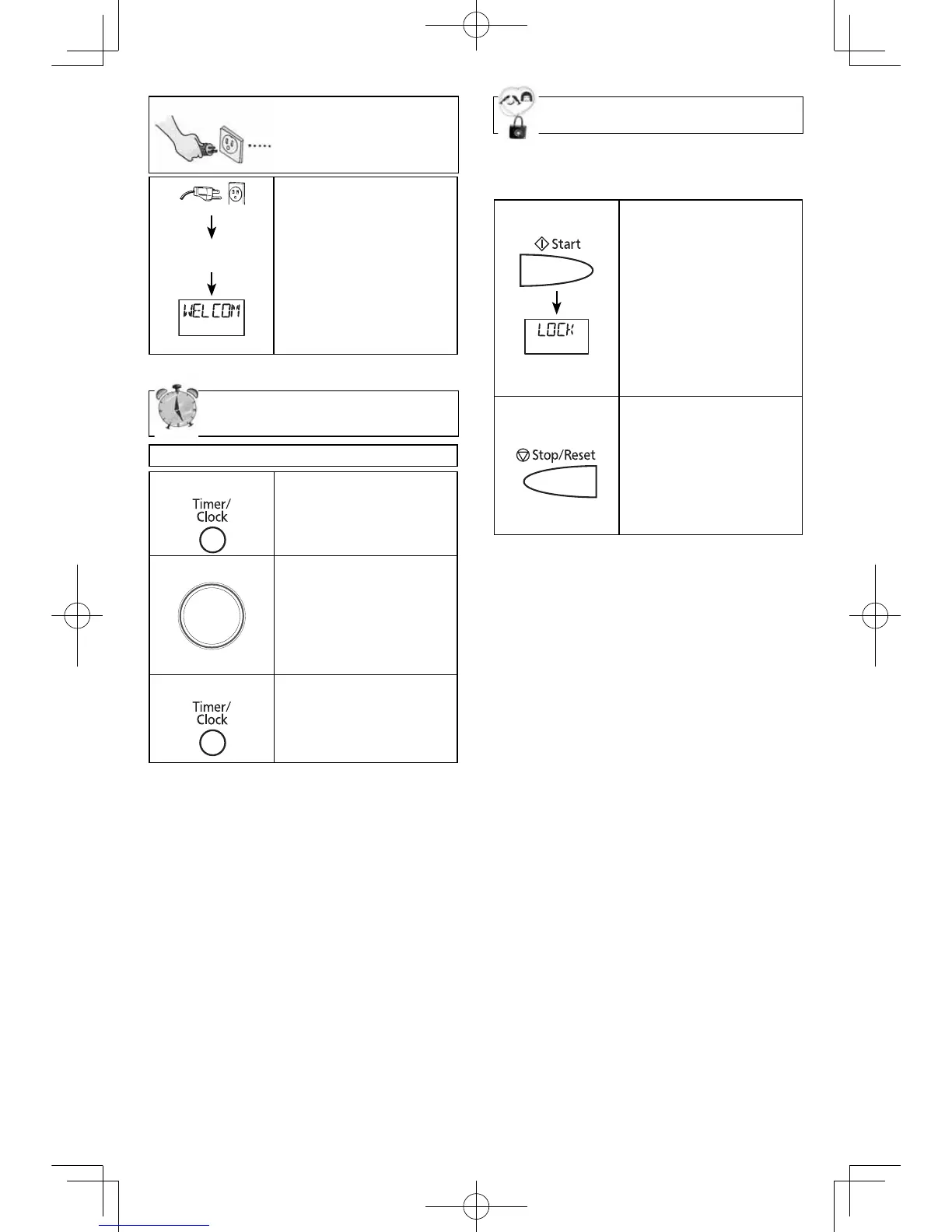
Child Safety Lock
This feature prevents the electronic ope-
ration of the oven until cancelled. It does
not lock the door.
To set:
• Press
Start
3 times.
“LOCK” appears in the
display window.
“LOCK” continues
to be displayed until
Child Safety Lock is
cancelled. Any button
may be pressed but
the microwave will
not start.
To cancel:
• Press
Stop/Reset
3
times.
The display will
return to colon or
time of day when
Child Lock has been
cancelled.
NOTES:
1. You can set the Child Lock feature when
the display shows a colon or time of day.
2. To set or cancel child safety lock,
Start
or
Stop/Reset
button must be pressed 3
times within 10 seconds.
1.
Display Window
• Plug into a properly
grounded electrical
outlet.
“
WELCOME TO
PANASONIC REFER
TO OPERATING
INSTRUCTIONS
BEFORE USE
” scrolls
across display window.
Setting the Clock
Example: To set 11:25 a.m. or p.m.
1.
• Press
Timer/Clock
twice.
Colon fl ashes.
2.
Time Dial
Rotate
• Set time of day using
Time Dial.
Time appears in
the display window;
colon continues
fl ashing.
3.
• Press
Timer/Clock
.
Colon stops
fl ashing; time of day
is entered.
NOTES:
1. To reset the clock, repeat step 1-3.
2. The clock will retain the time of day
as long as the oven is plugged in and
electricity is supplied.
3. Clock is a 12-hour display.
4. Oven will not operate while colon is
fl ashing.
F0003BP40CP_En_150324.indd 13F0003BP40CP_En_150324.indd 13 2015/5/4 8:56:352015/5/4 8:56:35



 To Next Page