EasyManua.ls Logo

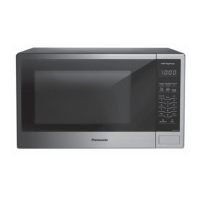
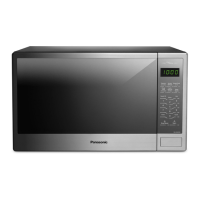
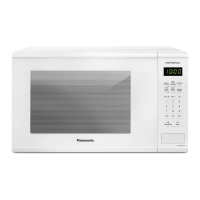
Panasonic NN-SG626W - User Manual

Panasonic NN-SG626W
22 pages
Print Icon
To Next Page IconTo Next Page
Loading...
Owners Manual
Microwave Oven
Household Use Only
Model No.
NN-SG626S
NN-SG626B
NN-SG626W
NN-SG656W
NN-SG636W
READ ALL INSTRUCTIONS CAREFULLY BEFORE USING THE OVEN.
Printed in China
Panasonic Canada Inc., 2015
For assistance, please contact us via the web at:
http://www.panasonic.ca/english/support
(Canada only)
16170000A27996
NN-SG616B

Other manuals for Panasonic NN-SG626W

Question and Answer IconNeed help?

Do you have a question about the Panasonic NN-SG626W and is the answer not in the manual?

Summary

Important Safety Instructions

Microwave Energy Exposure Precautions

Guidelines to prevent harmful exposure to microwave energy.

General Safety Precautions

Essential safety measures for operating the microwave oven.

Continued Safety Instructions

Preventing Electric Shock and Leakage

Warnings against tampering with safety features and ensuring proper repair.

Fire Prevention and Safe Operation

Precautions against operating the oven empty, with metal, or near flammable materials.

Further Safety and Installation Guidelines

Preventing Burns and Mishandling

Advice on handling hot items and preventing burns from steam or hot surfaces.

Oven Components and Installation Safety

Proper use of glass tray/roller ring and safe installation practices.

Grounding and Wiring Requirements

Grounding the Microwave Oven

Instructions for connecting the oven to a properly grounded electrical outlet.

Electrical Wiring Specifications

Requirements for the electrical circuit and voltage to safely operate the oven.

Food Preparation Guidelines

General Cooking and Food Safety

Precautions for cooking food, avoiding contamination, and drying foods.

Popcorn Cooking Safety

Specific safety advice for popping microwave popcorn to prevent fires and burns.

Specific Food Preparation Advice

Cooking Specific Food Types

Warnings and advice for deep fat frying, foods with skins, and browning dishes.

Safe Use of Utensils and Materials

Guidance on using paper towels, thermometers, baby food, and other items.

Cookware Guide

Safe Microwave Cookware Materials

Information on using aluminum foil, browning dishes, paper, plastic, and glass safely.

Container Test Procedure

Method to test the safety of unmarked containers for microwave oven use.

Location of Controls

Control Panel Identification

A diagram and list identifying all buttons and indicators on the oven's control panel.

Oven Operation Basics

Initial Setup and Clock Setting

Steps for plugging in the oven, setting the clock, and selecting measurement units.

Child Safety Lock Feature

How to activate and deactivate the child safety lock feature for the oven.

Setting Cooking Power Levels

Guide to selecting and adjusting the microwave's power level for cooking.

Advanced Cooking Operations

Cooking and Standing Time

Instructions for setting cooking times and utilizing standing time after cooking.

Delayed Start Function

How to program the oven to start cooking at a later time.

Quick Cooking and Special Functions

Quick 30 and Popcorn Functions

Using the Quick 30 feature for instant cooking and the Popcorn function.

Defrosting Operations

Auto Defrost Operation

Step-by-step guide for defrosting food by weight using the Auto Defrost feature.

Defrosting Tips and Techniques

Advice on preparing, defrosting, and handling food during the defrosting process.

Automatic Cooking and Reheating

Auto Reheat Function

How to use the Auto Reheat feature for previously cooked foods.

Auto Cook Function and Guidelines

Using the Auto Cook feature and general reheating/cooking advice.

Auto Cook Chart and Timer Use

Auto Cook Chart and Usage

Table of recipes and instructions for the Auto Cook feature.

Using the Oven as a Kitchen Timer

Instructions for setting the oven as a timer without cooking.

Food Characteristics for Microwave Cooking

Factors Affecting Cooking Time

How bone, fat, density, quantity, shape, size, and starting temperature impact cooking.

Cooking Techniques and Doneness Tests

Methods like piercing, stirring, rearranging, and testing for doneness.

Care and Cleaning Procedures

Cleaning Oven Surfaces and Components

Detailed instructions for cleaning the inside, outside, door, and components like the glass tray.

Before Requesting Service

Troubleshooting Common Oven Issues

Solutions for problems like TV interference, steam, oven not turning on, or tray wobbling.

Limited Warranty Information

Warranty Coverage and Claims

Details on what the warranty covers, limitations, and how to obtain service.

Product Specifications

Technical Details of the Microwave Oven

Electrical ratings, dimensions, weight, and operating frequency.

User Record

Recording Purchase Information

Space to record model, serial number, and date of purchase for future reference.

Overview

The provided document is an owner's manual for a Panasonic Microwave Oven, specifically models NN-SG626S, NN-SG616B, NN-SG626B, NN-SG626W, NN-SG656W, and NN-SG636W. This appliance is designed for household use, primarily for heating and cooking food using microwave energy.

Function Description

The Panasonic Microwave Oven is a cooking appliance that utilizes microwave energy to heat and cook food. It operates at 1100W high power, offering various cooking functions to simplify meal preparation. The core function involves generating microwaves that interact with food molecules, causing them to heat up rapidly. The oven is equipped with a control panel that allows users to select specific cooking programs, set times, and adjust power levels.

Key functions include:

  • Manual Cooking: Users can set specific cooking times and power levels (P1 to P10, with P10 being the highest) for precise control over the cooking process. The maximum cooking time for P10 is 30 minutes, while other power levels allow up to 99 minutes and 99 seconds.
  • Quick 30: This feature allows for quick cooking or adding time in 30-second increments, up to a maximum of 5 minutes, at the highest power level (P10). It's convenient for short heating tasks.
  • Popcorn: A dedicated button for popping pre-packaged microwave popcorn. Users can select different bag sizes (3.5 oz/100g, 3.0 oz/85g, or 1.75 oz/50g). The manual emphasizes the importance of not leaving the oven unattended during popcorn popping and stopping the oven if popping slows down to prevent burning.
  • Auto Defrost: This function allows users to defrost various foods (meat, poultry, seafood) by simply entering the weight in pounds and tenths of a pound. The oven automatically calculates the defrosting time and power level (P3, MED-LOW). It also provides prompts to turn over or rearrange food during the defrosting process for even results.
  • Auto Reheat: Designed for reheating previously cooked foods. Users can select from different serving sizes (9.0, 12.0, 15.0, 18.0 oz) for casseroles, canned foods, or plate meals. The manual advises covering food loosely and stirring casseroles when prompted.
  • Auto Cook: This feature offers pre-programmed settings for common food categories like beverages, pizza, potatoes, fresh vegetables, frozen vegetables, frozen entrées, and dinner servings. Users select the food category and serving size, and the oven automatically determines the appropriate cooking time and power level.
  • Timer: The oven can also function as a kitchen timer, allowing users to set a countdown without engaging the microwave cooking function. The maximum timer setting is 99 minutes and 99 seconds.
  • Clock Setting: The appliance includes a 12-hour clock display that retains the time as long as the oven is plugged in and supplied with electricity.
  • Child Safety Lock: A safety feature that prevents electronic operation of the oven until cancelled. It does not physically lock the door but disables the control panel.

Usage Features

The Panasonic Microwave Oven is designed with user convenience and safety in mind, incorporating several features to enhance the cooking experience:

  • Display Window: A clear digital display shows the time of day, cooking time countdown, power level, and other program information.
  • Control Panel with Number Pads: An intuitive control panel with dedicated function pads (Popcorn, Auto Reheat, Auto Cook, Auto Defrost, Quick 30, Power Level, Serving/Weight, More, Less, Timer, Clock, Stop/Reset, Start) and number pads (0-9) for easy input.
  • Glass Tray and Roller Ring: The oven utilizes a rotating glass tray, supported by a roller ring, to ensure even cooking by continuously rotating the food. The glass tray can turn in either direction.
  • Beep Sound Indicators: The oven provides audible feedback for user actions. A single beep confirms a correct pad press, two beeps indicate transitions between programmed stages, and five beeps signal the completion of a program.
  • Standing Time: Many recipes and automatic functions incorporate a "standing time" after cooking, during which food continues to cook by conduction. This feature helps ensure even cooking and optimal results.
  • Delayed Start: Allows users to program the oven to start cooking at a later time, up to 99 minutes and 99 seconds. This is useful for preparing meals in advance.
  • Stage Cooking: The oven supports multi-stage cooking, allowing users to program up to three different cooking stages with varying power levels and times.
  • Food Characteristics Guidance: The manual provides detailed information on how different food characteristics (bone and fat content, density, quantity, shape, size, starting temperature) affect microwave cooking, offering tips for optimal results.
  • Cooking Techniques: Guidance on techniques like piercing foods with nonporous skins, browning, stirring, rearranging, and turning foods to ensure even heating.
  • Container Test: A method to test if a container is microwave-safe by heating it alongside a cup of water. If the container gets hot, it's not suitable for microwave use.
  • Safety Interlocks: The oven is equipped with safety interlocks to prevent operation when the door is open, ensuring user safety from microwave energy exposure.

Maintenance Features

Proper maintenance is crucial for the longevity and safe operation of the microwave oven. The manual outlines clear instructions for cleaning and care:

  • Regular Cleaning: Users are advised to clean the oven regularly, both inside and out.
    • Outside Oven Surfaces: Clean with a damp cloth. Avoid water seeping into ventilation openings.
    • Inside the Oven: Wipe with a damp cloth after each use. Mild detergent can be used if necessary. Avoid harsh detergents or abrasives.
    • Oven Door: Wipe with a soft dry cloth, especially when steam accumulates. The inside surface of the door is covered with a heat and vapor barrier film, which should not be removed.
    • Oven Cavity Floor: Clean the bottom surface with mild detergent, water, or window cleaner, and dry.
    • Waveguide Cover: This component should be kept clean and should not be removed.
    • Control Panel: Clean with a soft dry cloth if it gets wet. A removable protective film may be present on the control panel, which can be gently removed if bubbles appear.
    • Glass Tray: Remove and wash in warm soapy water or in a dishwasher.
    • Roller Ring: The roller ring can be washed in mild soapy water or a dishwasher. These areas should be kept clean to prevent excessive noise during operation.
  • Importance of Dryness: The manual emphasizes the importance of keeping the oven clean and dry, as food residue and condensation can lead to rusting, arcing, and damage to the oven.
  • Pre-Cleaning Steps: Before cleaning, unplug the oven from the wall outlet. If the outlet is inaccessible, leave the oven door open.
  • Post-Cleaning Steps: After cleaning, ensure the roller ring and glass tray are properly positioned, and press the Stop/Reset button to clear the display.
  • Troubleshooting Guide: The manual includes a "Before Requesting Service" section that helps users diagnose and resolve common issues, such as TV interference, steam accumulation, the oven not turning on, or the oven not starting to cook. This empowers users to perform basic troubleshooting before contacting service personnel.
  • Authorized Service: For repairs or adjustments, the manual directs users to qualified service personnel and provides contact information for Panasonic Canada Inc. for assistance and parts.

The Panasonic Microwave Oven is designed to be a reliable and user-friendly appliance for everyday cooking, with clear instructions for operation and maintenance to ensure safe and efficient use.

Panasonic NN-SG626W Specifications

General IconGeneral
TypeCountertop Microwave Oven
Power Output1200 Watts
Microwave Power1200 Watts
TurntableYes
Voltage120V
Sensor CookingYes
Inverter TechnologyYes
Pre-programmed SettingsYes
ColorWhite
Capacity1.2 cu. ft.

Related product manuals