Record mode
28
LSQT1171
Manual focus adjustment
If auto focusing is difficult due to the conditions,
then manual focusing is available.
≥Set to Tape Recording Mode.
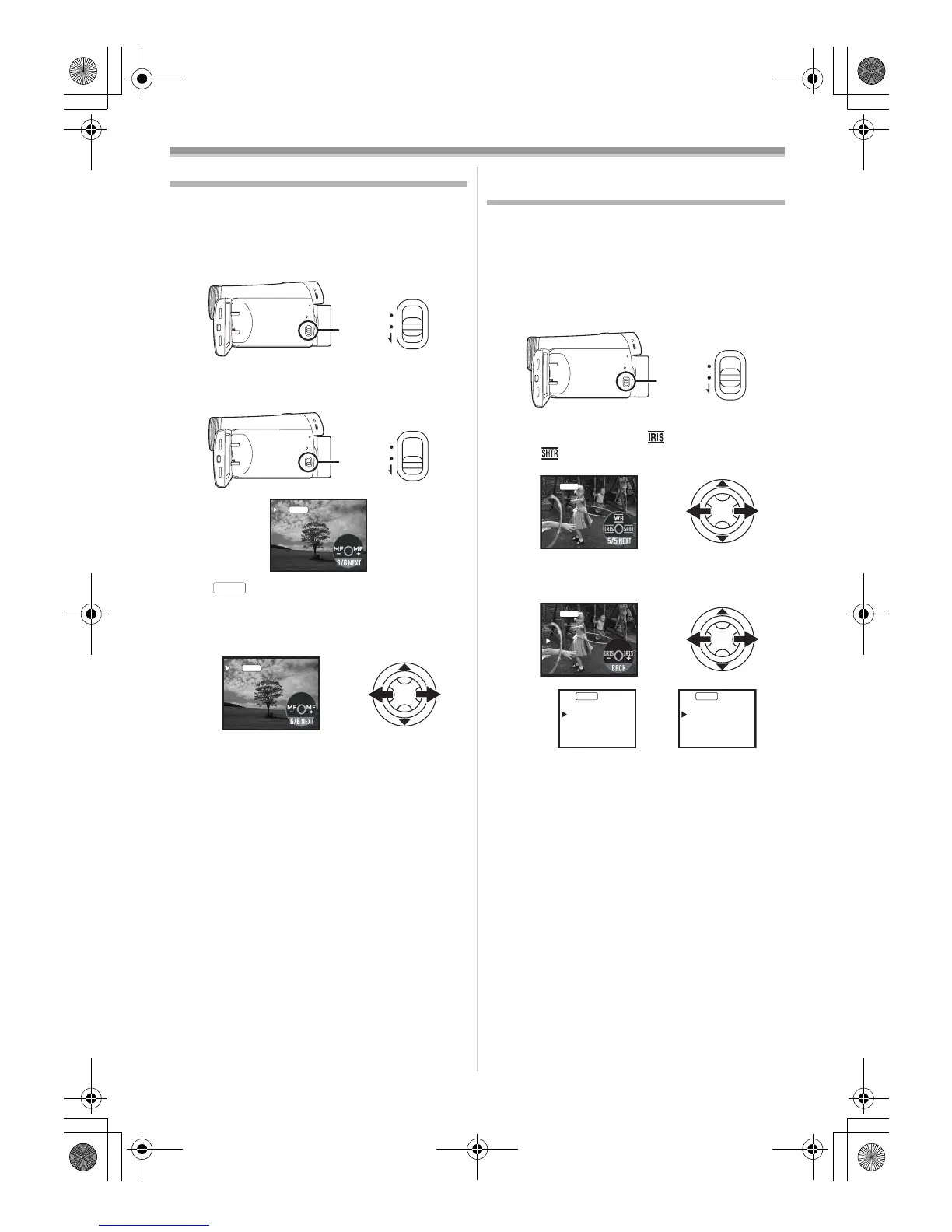
1 Set the [AUTO/MANUAL/FOCUS] switch to
[MANUAL].
2 Set the [AUTO/MANUAL/FOCUS] switch to
[FOCUS].
≥The [ ] indication and the manual focus
[MF] indication is displayed.
3 Move the joystick left or right in order to
adjust the focus.
≥When focused with a wide angle, the subject
may not be in focus when zoomed in. First,
zoom in on the subject, and then focus on it.
ª
To restore to the automatic
adjustment
Set the [AUTO/MANUAL/FOCUS] switch to
[AUTO] or [FOCUS].
Manual shutter speed/aperture
adjustment
Shutter Speed
Adjust it when recording fast-moving subjects.
Aperture
Adjust it when the screen is too bright or too dark.
≥Set to Tape Recording Mode.
1 Set the [AUTO/MANUAL/FOCUS] switch to
[MANUAL].
2 Move the joystick left or right to select the
shutter aperture icon [ ] or shutter speed
icon [ ].
3 Move the joystick left or right in order to
adjust the shutter speed or aperture.
1) Shutter speed
2) (Aperture) Iris/gain value
AUTO
MANUAL
FOCUS
AUTO
MANUAL
FOCUS
MF



 To Next Page