EasyManua.ls Logo

Panasonic NV-HV50 Series - User Manual

Panasonic NV-HV50 Series
32 pages
Print Icon
To Next Page IconTo Next Page
Loading...
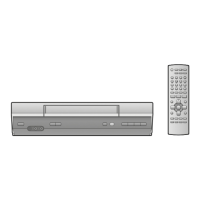
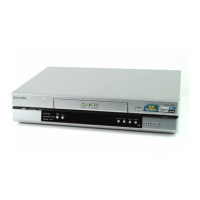
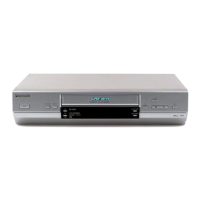
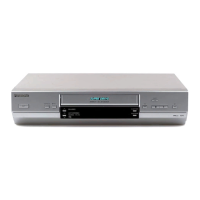
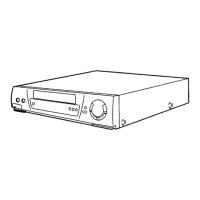
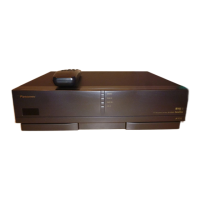
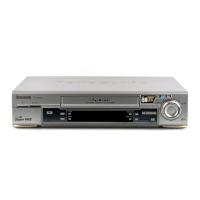
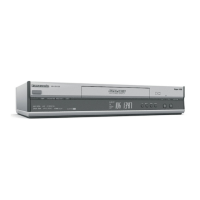
Video Cassette Recorder
Operating Instructions
NV-HV60 Series (Hi-Fi) / NV-HV65 Series (Hi-Fi)
NV-HV55 Series (Hi-Fi) / NV-HV50 Series (Hi-Fi)
NV-MV20 Series (Mono) / NV-MV15 Series (Mono)
NV-SV120 Series (S-VHS, Hi-Fi)
PAL
VHS
625
NV-SV120
CH
EJECT
PULL-OPEN
VPS / PDC
VHS
PAL
625
3D DNR
PROG PLAY
INTELLIGENT TIMER
TIMER REC
TIMER CHECK
REC
S-VHSET
.
Hi-Fi STEREO SUPER LP
Super VHS
Question and Answer IconNeed help?

Do you have a question about the Panasonic NV-HV50 Series and is the answer not in the manual?

Summary

Precautions and Safety Information

Voltage and Power Source Safety

Details on power source compliance and potential hazards to prevent fire or shock.

AC Mains Lead Integrity

Ensures correct connection and condition of the AC mains lead to prevent fire or electric shock.

Professional Service Guidance

Advice on when and how to contact authorized service centers for repairs.

General Warning and Installation Cautions

Appliance Exposure Warnings

Advises against exposing the apparatus to rain, moisture, liquids, or heat sources.

Ventilation and Placement Safety

Details on ensuring proper ventilation and safe placement to prevent overheating.

Battery Disposal and Usage

Instructions for environmentally friendly battery disposal and handling.

Remote Control Operation Guide

Control Menu Navigation

Explains the function of MENU, EXIT, and ENTER buttons for menu selection.

Playback Control Functions

Details on using playback buttons for normal, fast forward/rewind, and eject.

Playback Mode Selection

Describes operations for Still Playback and Slow Playback modes.

VCR Unit Control Functions

Power and Input Selection

Functions of Stand-by, AV LINK, EXT LINK, and Input Select buttons.

Recording and Playback Controls

Details on REC, PROG PLAY, and other playback control buttons.

Display and Timer Settings

Functions of OSD/DISPLAY, TIMER, and other setting buttons.

Channel and TV Controls

Describes TV ASPECT, TV/TEXT, CH, and VCR/TV switch functions.

Front Panel Layout and Features

Key Operational Buttons

Identifies main controls like Stand-by, Eject, Channel, and Timer buttons.

Picture Enhancement Features

Explains CVC Super and 3D DNR functions for improved picture quality.

Recording and Program Functions

Details on Timer REC, Intelligent Timer, and Program Play operations.

Rear Panel Connectivity

Power and AV Output Ports

Details on AC IN, AV1/AV2 OUT, S-VIDEO, and VIDEO OUT terminals.

Audio and Antenna Terminals

Explains L/G R/D audio outputs and Antenna IN/OUT ports.

Initial Setup and Connections

Connecting AV and RF Cables

Illustrates and describes RF-Coaxial and Scart cable connections for TV.

TV Channel Tuning via RF

Steps to tune the TV set using the RF-Coaxial cable and test pattern.

Automatic Setup Process

Country Selection and Auto Tuning

Guides through selecting the country and initiating automatic channel tuning.

Manual Time and Date Configuration

Instructions for manually setting the time and date after auto tuning.

Basic Recording Operations

Starting, Pausing, and Stopping Recording

Steps to begin, pause, resume, and stop a recording session.

Tape Remain Indicator

Explanation of the tape remain counter and indicator on the display.

Tape Speed Options

Details on selecting SP, LP, and EP tape speeds for recording quality.

Timer Recording Capabilities

Automatic Tape Speed Adjustment

Explains automatic SP/LP selection for timer recordings to ensure full capture.

VPS;PDC Signal Synchronization

Details how VPS/PDC signals control recording start/end times automatically.

Programming Timer Recordings

Entering Recording Program Details

Steps to select station, date, start/stop times for timer recording.

Configuring Tape Speed and VPS;PDC

Setting tape speed and VPS/PDC options for programmed recordings.

Activating Timer Recording Mode

How to press the TIMER button to activate the scheduled recording mode.

Managing Timer Schedules

Exiting and Reactivating Timer Mode

Instructions on how to quit or reactivate the VCR's timer mode.

Viewing and Editing Timer Programs

Steps to check, change, or cancel programmed timer recordings.

Playback of Recorded Programs

How the unit plays back previously programmed recordings automatically.

ShowView Recording System

Using ShowView Number Entry

How to enter ShowView numbers for programming recordings easily.

Editing ShowView Recording Data

Instructions to modify station, date, and time for ShowView recordings.

Intelligent Timer Functionality

Utilizing the Intelligent Timer

How to use the I-TIMER for programming same-station, same-time recordings.

Modifying Intelligent Timer Programs

Steps to select, display, and edit intelligent timer program details.

General Playback and Search Functions

Repeat Playback Mode

How to set the VCR to automatically repeat playback of a cassette.

Audio Output Mode Selection

Explains how to select Stereo, Left, Right, or Mono audio output.

Finding Specific Recordings

Using Fast Forward/Rewind to quickly locate the start of recordings.

Advanced Playback and Cassette Handling

Playback Search Mode Features

Details on Forward/Backward search, JET SEARCH, Still, and Slow playback.

Cassette Erasing Procedure

How to erase all recordings from a cassette using the QUICK ERASE button.

Automatic Power Off Timer

Setting the unit to switch to stand-by mode after a specified time.

3 D Digital Noise Reduction

Activating the 3D DNR function for improved picture quality.

Menu System Navigation

Accessing Menu Options

How to display the main menu and select options using the remote control.

Editing Menu Settings

Steps to modify settings within the menu system following on-screen instructions.

Manual Setup and Channel Tuning

Setting Up New TV Channels

Guide to tuning and setting up new TV channels manually.

Channel Fine-Tuning Options

Details on available options for fine-tuning channel reception and reducing interference.

Manual Channel Management

Renaming Stored TV Stations

Instructions on how to change the names of stored TV stations.

Reordering and Deleting Channels

Steps to move stations within the list or remove them.

Station Table and Factory Defaults

Creating New Station Tables

Procedure for creating a new station table via the Auto Setup menu.

Restoring Factory Default Settings

How to restore the unit to its original factory settings.

Other Menu Configuration Settings

SV120 Specific Menu Options

Details on Tape length, AV2, AV2 IN, AV1 OUT, TV system, and OSD for SV120.

Common Other Menu Settings

Explains Tape length, TV system, SQPB, OSD, Power save, and EXT LINK.

Advanced Other Menu Functions

Power Save and Display Brightness

Configuration of Power Save mode and VCR display brightness settings.

Recording Modes and External Link

Settings for S-VHS REC, S-VHS ET REC, and EXT LINK functions.

Decoder Connection and Setup

Connecting External Decoder Units

Instructions for connecting a decoder using a 21-pin scart cable.

Configuring Decoder Channel Input

Steps to set up the VCR to receive channels from a connected decoder.

External Recording Control

Using EXT LINK for Remote Recording

How to control recording via satellite or digital receivers using EXT LINK.

Audio and Video Playback Features

Connecting to a Stereo Amplifier

Guide to connecting the VCR to a stereo amplifier via audio cables.

NICAM Mono Sound Recording

Instructions for recording mono sound on Hi-Fi-Audio tracks.

NTSC Cassette Playback on PAL

Playing NTSC cassettes on a PAL system TV set.

Maintenance and Cassette Handling

Remote Control Battery Installation

Steps for inserting batteries and safety precautions for the remote control unit.

Cassette Erasure Protection

How to use the erasure protection tab to prevent accidental recording erasure.

Troubleshooting Common Issues

Picture Quality Problems

Solutions for bad picture, interference, and tracking problems.

Unit Response and Display Issues

Troubleshooting for no display, unit unresponsiveness, and clock setting errors.

Transport Mechanism Noise

Explanation of normal transport mechanism noise during tape operation.

Advanced Troubleshooting and Support

Picture, Sound, and Cable Checks

Checks for bad picture/sound, cable connections, and tape speed issues.

Remote Control and Recording Functionality

Troubleshooting for remote control failure and recording function problems.

Contacting Aftersales Service

Guidance on contacting service and providing model/serial numbers.

Product Technical Specifications

Power Consumption and Playback Features

Details on power usage and playback capabilities across different models.

Compliance and Manufacturer Information

Information on CE compliance, safety standards, and manufacturer details.

Detailed Technical Data

Performance and Electrical Data

Covers power supply, head types, tape speeds, and signal levels.

Physical, Environmental, and Audio Specs

Details on resolution, noise ratios, dimensions, and operating conditions.

Summary

Precautions and Safety Information

Voltage and Power Source Safety

Details on power source compliance and potential hazards to prevent fire or shock.

AC Mains Lead Integrity

Ensures correct connection and condition of the AC mains lead to prevent fire or electric shock.

Professional Service Guidance

Advice on when and how to contact authorized service centers for repairs.

General Warning and Installation Cautions

Appliance Exposure Warnings

Advises against exposing the apparatus to rain, moisture, liquids, or heat sources.

Ventilation and Placement Safety

Details on ensuring proper ventilation and safe placement to prevent overheating.

Battery Disposal and Usage

Instructions for environmentally friendly battery disposal and handling.

Remote Control Operation Guide

Control Menu Navigation

Explains the function of MENU, EXIT, and ENTER buttons for menu selection.

Playback Control Functions

Details on using playback buttons for normal, fast forward/rewind, and eject.

Playback Mode Selection

Describes operations for Still Playback and Slow Playback modes.

VCR Unit Control Functions

Power and Input Selection

Functions of Stand-by, AV LINK, EXT LINK, and Input Select buttons.

Recording and Playback Controls

Details on REC, PROG PLAY, and other playback control buttons.

Display and Timer Settings

Functions of OSD/DISPLAY, TIMER, and other setting buttons.

Channel and TV Controls

Describes TV ASPECT, TV/TEXT, CH, and VCR/TV switch functions.

Front Panel Layout and Features

Key Operational Buttons

Identifies main controls like Stand-by, Eject, Channel, and Timer buttons.

Picture Enhancement Features

Explains CVC Super and 3D DNR functions for improved picture quality.

Recording and Program Functions

Details on Timer REC, Intelligent Timer, and Program Play operations.

Rear Panel Connectivity

Power and AV Output Ports

Details on AC IN, AV1/AV2 OUT, S-VIDEO, and VIDEO OUT terminals.

Audio and Antenna Terminals

Explains L/G R/D audio outputs and Antenna IN/OUT ports.

Initial Setup and Connections

Connecting AV and RF Cables

Illustrates and describes RF-Coaxial and Scart cable connections for TV.

TV Channel Tuning via RF

Steps to tune the TV set using the RF-Coaxial cable and test pattern.

Automatic Setup Process

Country Selection and Auto Tuning

Guides through selecting the country and initiating automatic channel tuning.

Manual Time and Date Configuration

Instructions for manually setting the time and date after auto tuning.

Basic Recording Operations

Starting, Pausing, and Stopping Recording

Steps to begin, pause, resume, and stop a recording session.

Tape Remain Indicator

Explanation of the tape remain counter and indicator on the display.

Tape Speed Options

Details on selecting SP, LP, and EP tape speeds for recording quality.

Timer Recording Capabilities

Automatic Tape Speed Adjustment

Explains automatic SP/LP selection for timer recordings to ensure full capture.

VPS;PDC Signal Synchronization

Details how VPS/PDC signals control recording start/end times automatically.

Programming Timer Recordings

Entering Recording Program Details

Steps to select station, date, start/stop times for timer recording.

Configuring Tape Speed and VPS;PDC

Setting tape speed and VPS/PDC options for programmed recordings.

Activating Timer Recording Mode

How to press the TIMER button to activate the scheduled recording mode.

Managing Timer Schedules

Exiting and Reactivating Timer Mode

Instructions on how to quit or reactivate the VCR's timer mode.

Viewing and Editing Timer Programs

Steps to check, change, or cancel programmed timer recordings.

Playback of Recorded Programs

How the unit plays back previously programmed recordings automatically.

ShowView Recording System

Using ShowView Number Entry

How to enter ShowView numbers for programming recordings easily.

Editing ShowView Recording Data

Instructions to modify station, date, and time for ShowView recordings.

Intelligent Timer Functionality

Utilizing the Intelligent Timer

How to use the I-TIMER for programming same-station, same-time recordings.

Modifying Intelligent Timer Programs

Steps to select, display, and edit intelligent timer program details.

General Playback and Search Functions

Repeat Playback Mode

How to set the VCR to automatically repeat playback of a cassette.

Audio Output Mode Selection

Explains how to select Stereo, Left, Right, or Mono audio output.

Finding Specific Recordings

Using Fast Forward/Rewind to quickly locate the start of recordings.

Advanced Playback and Cassette Handling

Playback Search Mode Features

Details on Forward/Backward search, JET SEARCH, Still, and Slow playback.

Cassette Erasing Procedure

How to erase all recordings from a cassette using the QUICK ERASE button.

Automatic Power Off Timer

Setting the unit to switch to stand-by mode after a specified time.

3 D Digital Noise Reduction

Activating the 3D DNR function for improved picture quality.

Menu System Navigation

Accessing Menu Options

How to display the main menu and select options using the remote control.

Editing Menu Settings

Steps to modify settings within the menu system following on-screen instructions.

Manual Setup and Channel Tuning

Setting Up New TV Channels

Guide to tuning and setting up new TV channels manually.

Channel Fine-Tuning Options

Details on available options for fine-tuning channel reception and reducing interference.

Manual Channel Management

Renaming Stored TV Stations

Instructions on how to change the names of stored TV stations.

Reordering and Deleting Channels

Steps to move stations within the list or remove them.

Station Table and Factory Defaults

Creating New Station Tables

Procedure for creating a new station table via the Auto Setup menu.

Restoring Factory Default Settings

How to restore the unit to its original factory settings.

Other Menu Configuration Settings

SV120 Specific Menu Options

Details on Tape length, AV2, AV2 IN, AV1 OUT, TV system, and OSD for SV120.

Common Other Menu Settings

Explains Tape length, TV system, SQPB, OSD, Power save, and EXT LINK.

Advanced Other Menu Functions

Power Save and Display Brightness

Configuration of Power Save mode and VCR display brightness settings.

Recording Modes and External Link

Settings for S-VHS REC, S-VHS ET REC, and EXT LINK functions.

Decoder Connection and Setup

Connecting External Decoder Units

Instructions for connecting a decoder using a 21-pin scart cable.

Configuring Decoder Channel Input

Steps to set up the VCR to receive channels from a connected decoder.

External Recording Control

Using EXT LINK for Remote Recording

How to control recording via satellite or digital receivers using EXT LINK.

Audio and Video Playback Features

Connecting to a Stereo Amplifier

Guide to connecting the VCR to a stereo amplifier via audio cables.

NICAM Mono Sound Recording

Instructions for recording mono sound on Hi-Fi-Audio tracks.

NTSC Cassette Playback on PAL

Playing NTSC cassettes on a PAL system TV set.

Maintenance and Cassette Handling

Remote Control Battery Installation

Steps for inserting batteries and safety precautions for the remote control unit.

Cassette Erasure Protection

How to use the erasure protection tab to prevent accidental recording erasure.

Troubleshooting Common Issues

Picture Quality Problems

Solutions for bad picture, interference, and tracking problems.

Unit Response and Display Issues

Troubleshooting for no display, unit unresponsiveness, and clock setting errors.

Transport Mechanism Noise

Explanation of normal transport mechanism noise during tape operation.

Advanced Troubleshooting and Support

Picture, Sound, and Cable Checks

Checks for bad picture/sound, cable connections, and tape speed issues.

Remote Control and Recording Functionality

Troubleshooting for remote control failure and recording function problems.

Contacting Aftersales Service

Guidance on contacting service and providing model/serial numbers.

Product Technical Specifications

Power Consumption and Playback Features

Details on power usage and playback capabilities across different models.

Compliance and Manufacturer Information

Information on CE compliance, safety standards, and manufacturer details.

Detailed Technical Data

Performance and Electrical Data

Covers power supply, head types, tape speeds, and signal levels.

Physical, Environmental, and Audio Specs

Details on resolution, noise ratios, dimensions, and operating conditions.

Panasonic NV-HV50 Series Specifications

General IconGeneral
Tape FormatVHS
Number of Heads4
Hi-Fi AudioYes
Remote ControlYes
TunerYes
TimerYes
OutputsComposite
Playback SpeedSP, LP, SLP

Related product manuals