8
4 Tape Mode/Rec Mode indicator (SP/LP/EP)
5 Cassette-in indicator
6 Colour system indicator
Any selected colour TV system except [AUTO] appears on
screen display. See the “To Set the Colour TV System”
(page 7).
7 NAVI CHECK indicator
During playback, press the [STATUS/ NAVI CHECK] (32)
repeatedly until the NAVI CHECK indicator appears. You
can check the property of the programme being played.
However, this function is effective only for programmes
recorded with setting the [JET NAVIGATOR] to [ON]. (See
to the right.)
Clock # Counter # Remaining Tape Time #
# NAVI CHECK indicator # Clock
• The VCR is checking the programme information while
the message [CHECKING DATA] is displayed.
• When the message [DATA NOT FOUND] appears, the
NAVI CHECK indicator cannot be displayed.
Note:
• The On Screen Display may be disturbed or disappeared
during special playback.
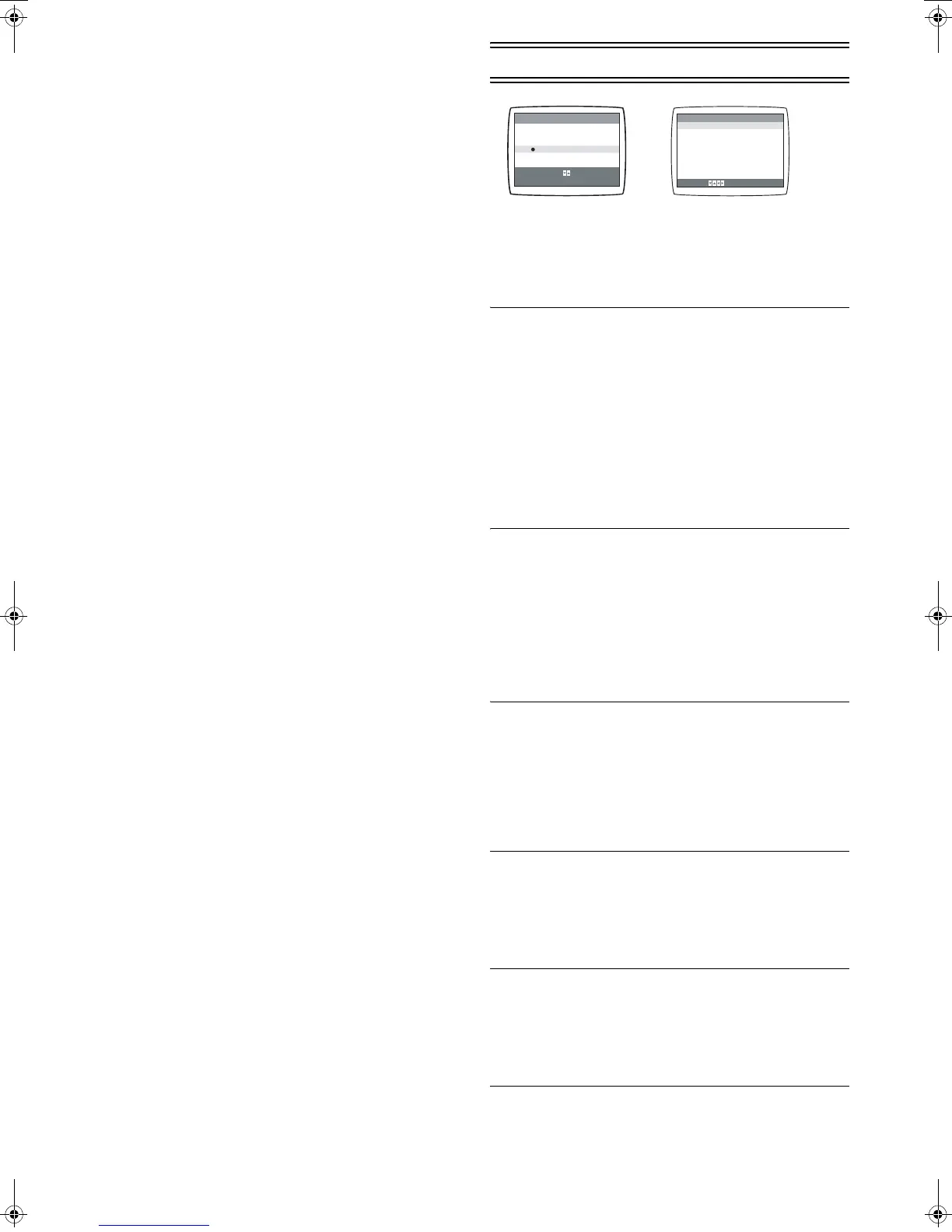
Option Setting
1 Press [MENU] (9) to display the Main menu on the TV
screen.
2 Press [43] (28) to select [OPTION] then press
[ENTER] (26).
3 Press [43] (28) to select the desired field.
TAPE SELECT: To select the corresponding video
cassette tape length to display the
approximate remaining tape time.
•Press [21] (28) to select the corresponding video
cassette tape length.
AUTO:The VCR automatically distinguishes E30, -60,
-90, -120, -180 and -240 tapes.
E195: For E195 tape
E260: For E260 tape
E300: For E300 tape
• The remaining tape time may not be displayed correctly
depending on the tape used.
NTSC INPUT SELECT:To select the colour TV system
used to record NTSC signals.
•Press [21] (28) to select [AUTO]. Allows NTSC [4.43]
or [3.58] signals to be distinguished automatically.
• If the tape has not recorded correctly, select 4.43 or 3.58.
4.43: When recording NTSC 4.43 signals.
3.58: When recording NTSC 3.58 signals.
• Some programmes on NTSC 3.58 system cannot be
recorded correctly by selecting [3.58].
NTSC PB SELECT: To select the colour TV system of
the TV used to play back a tape
recording NTSC signals.
•Press [21] (28) to select the desired position according
to the colour TV system of the TV.
on PAL TV:For TVs that can receive PAL signals.
4.43: For TVs that can receive NTSC 4.43 signals.
3.58: For TVs that can receive NTSC 3.58 signals.
JET NAVIGATOR: To set the conditions for the Jet
Navigator Function.
•Press [21] (28) to select [ON] or [OFF].
OFF: Initially set at this position.
ON: Jet Navigator function works. If you select [ON],
[OSD REC] is set to [OFF] automatically.
DELETE NAVIDATA: To delete all the Jet Navigator data
stored in the VCR memory.
•Press [21] (28) to select [ENTER] then press [ENTER]
(26) to do the deletion.
NO: Initially set at this position.
ENTER: It is done to delete all the Jet Navigator data.
MENU
SELECT
END
: , ENTER
: MENU
CLOCK SET
TUNER PRESET
SYSTEM
OPTION
TAPE REFRESH
NAVI MEMORY 0PROG.
END: MENU
TAPE SELECT [AUTO]
NTSC INPUT SELECT [AUTO]
NTSC PB SELECT [onPALTV]
JET NAVIGATOR [OFF]
DELETE NAVIDATA [NO]
OSD REC [OFF]
OSD [AUTO]
SELECT :
OPTION
NV-MV21GN.book 8 ページ 2004年2月23日 月曜日 午前9時19分




 To Next Page