4
VCR Operation
• Set [VCR/TV] switch (22) to [VCR].
(1) [VCR-ON/OFF]
(2) [Numeric]
To select the programme positions (1-99).
• Example:
To enter numbers for various settings.
(3) [AV]
(4) [NAVI]
(5) [PROG PLAY]
(6) No function
(7) [MENU]
(8) [Rewind]
(9) [Stop]
(10) [ON]
(11) [CH]
(12) [DATE]
(13) [GUIDE]
(14) [PROG/CHECK]
(15) [CANCEL]
(16) [DISPLAY]
(17) [RESET]
To reset the tape counter (elapsed time) to [0:00.00].
• The tape counter is automatically reset to [0:00.00] when a
video cassette is inserted.
(18) [AUDIO]
This button does not operate on this VCR.
(19) [TIMER (REC)]
(20) [SPEED]
(21) [OFF]
(22) [VCR/TV] switch
(23) [OK]
(24) [Fast Forward]
(25) [Play]
(26) [JET REW]
(27) [REC]
(28) [Pause/Slow]
(29) [PICTURE MODE]
(30) [INDEX]
(31) [VOLUME]
(32) [Channel]/[TRACKING/V-LOCK]
(33) [INPUT SELECT]
(34) [REPEAT]
(35) [OSD]
(36) Infra-red transmitter
(37) [Cursor]
(38) [TAPE REFRESH]
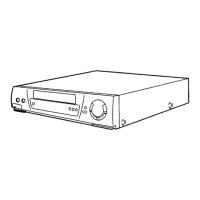
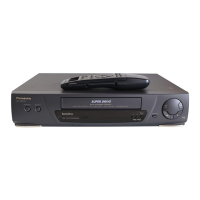
(39) Cassette compartment
(40) [EJECT]
(41) [REC/OTR]
(42) VCR display
(43) Infra-red Remote Control Receiver window
(44) [TIMER CHECK]
(45) [PROG GUIDE]
(46) AUDIO IN socket (AV 2)
(47) VIDEO IN socket (AV 2)
(48) AC Input socket
(49) VIDEO IN socket (AV 1)
(50) VIDEO OUT socket
(51) RF IN socket
(52) RF OUT socket
(53) AUDIO OUT socket
(54) AUDIO IN socket (AV 1)
TV Operation using the remote control
• Set [VCR/TV] switch (22) to [TV].
You can use [TV-ON/OFF] (1)
*1
, [Numeric] (2)
*2
, [AV] (3)
*3
,
[VOLUME] (31)
*4
and [Channel] (32)
*5
on the remote control
for your TV operation.
(See page 5.)
*1
To switch the TV on from standby mode (OFF) or vice
versa.
On some TVs it is only possible to switch the TV to standby
mode (OFF) with this button, but not on. In this case, try to
turn the TV on with one of the following buttons:
[Numeric] (2)
[AV] (3)
[Channel] (32)
*2
To select the programme positions (1-99) on the TV.
*3
To select desired AV input on the TV.
*4
To adjust the volume of the TV.
*5
To select the desired programme position (TV station) on
the TV.
1
9
9
9:
19:
NV‑MV40GL.book4ページ2003年2月26日 水曜日 午後5時11分





 To Next Page