EasyManua.ls Logo

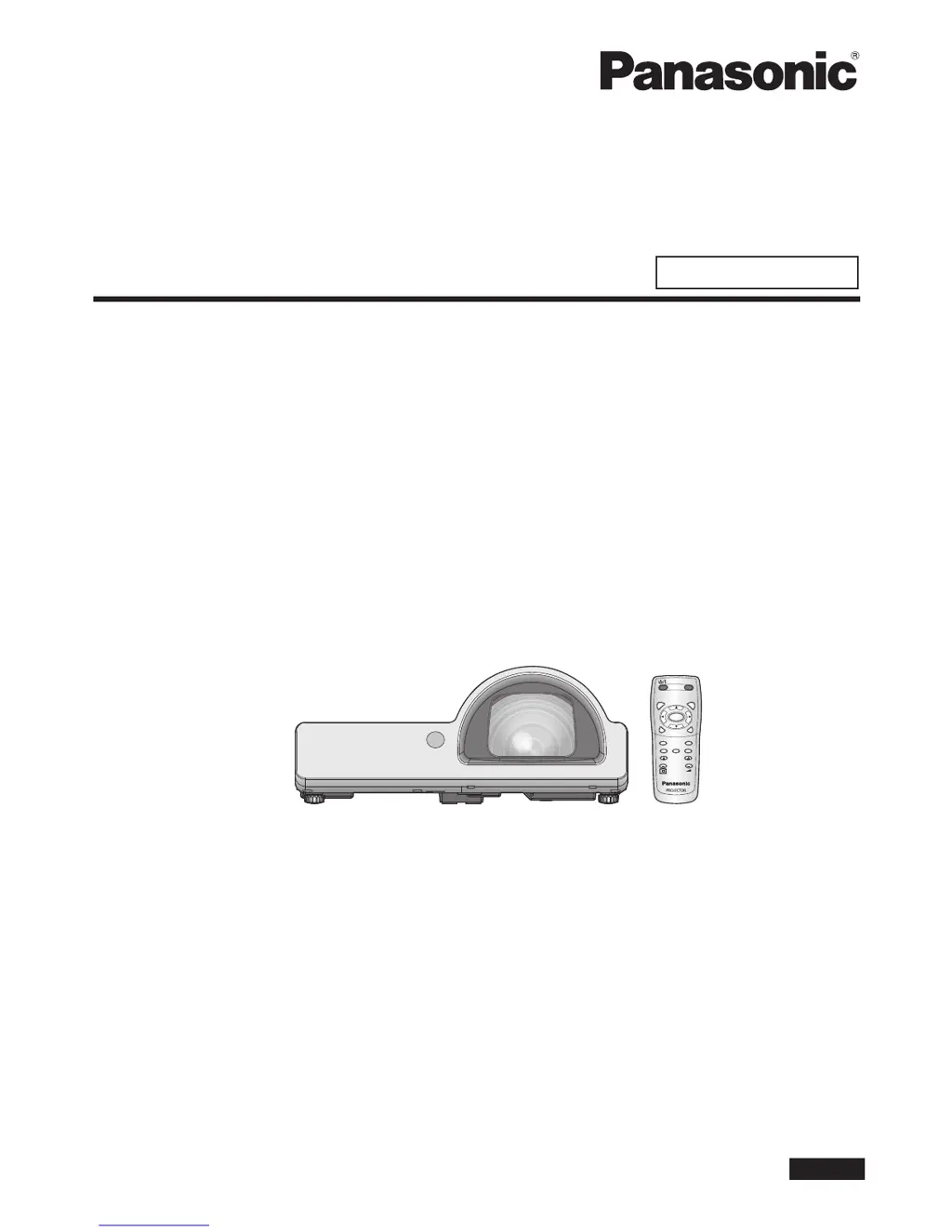
Panasonic PT-ST10U - User Manual

Panasonic PT-ST10U
67 pages
Print Icon
To Next Page IconTo Next Page
Loading...
PT-ST10U
Thank you for purchasing a Panasonic Projector.
Before operating this product, please read the instructions carefully, and save this manual
for future use.
Before using your projector, be sure to read “ Precautions with regard to safety”
(pages 5 to 9).
For network operation, please read the Network Operation Manual.
ENGLISH
TQBJ0332
AUTO
SETUP
MENU
RETURN
ENTER
FREEZE
AV
MUTE
COMPUTER
VIDEO
DEFAULT
FUNCTION
WIN.
INDEX-
DIGITAL ZOOM
VOLUME
Operating Instructions
Basic Manual
LCD Projector
Commercial Use
Model No.

Table of Contents

Other manuals for Panasonic PT-ST10U

Questions and Answers

Summary

Important Safety Notice

General Safety Precautions

Covers essential safety warnings, power supply, and grounding information for safe operation.

Precautions with regard to safety

Power and Installation Safety

Outlines critical safety measures for power handling, installation environment, and component protection.

Usage, Accessories, and Lamp Safety

Covers safe usage, handling of accessories like batteries, and precautions for the high-pressure lamp unit.

Installation, Transport, and Lens Focus

Provides guidelines for safe transport, installation conditions, and lens focus adjustment.

Basic operations

Turning the Projector ON;OFF (Power Cord)

Covers securing the power cord and using direct power functions for turning the projector on and off.

Projector ON Procedure and Lens Cap

Details the steps to turn the projector on, including lens cap removal and power connection.

Projector OFF Procedure

Describes the correct procedure for turning the projector off, including confirmation and power disconnect.

Projecting an Image

Guides on selecting input signals, positioning the image, and adjusting focus for optimal projection.

Settings

Operating the On-Screen Menu

Explains how to navigate and use the projector's on-screen menu system for adjustments.

Security Menu Functions

Covers setting and changing passwords, text display options, and text content editing for security features.

Menu Lock and Password Management

Explains how to lock/unlock menu operations and manage menu lock passwords for enhanced security.

Maintenance

Lamp and Temperature Indicators

Explains the projector's lamp and temperature indicators and how to troubleshoot associated problems.

Lamp Unit Replacement and Timing

Provides guidance on replacing the lamp unit, including timing indicators and recommended procedures.

Lamp Replacement Procedure

Step-by-step instructions for safely removing and installing the projector's lamp unit.

References

Troubleshooting Common Issues

Lists common problems encountered with the projector and their potential causes and solutions.

Specifications

Summary

Important Safety Notice

General Safety Precautions

Covers essential safety warnings, power supply, and grounding information for safe operation.

Precautions with regard to safety

Power and Installation Safety

Outlines critical safety measures for power handling, installation environment, and component protection.

Usage, Accessories, and Lamp Safety

Covers safe usage, handling of accessories like batteries, and precautions for the high-pressure lamp unit.

Installation, Transport, and Lens Focus

Provides guidelines for safe transport, installation conditions, and lens focus adjustment.

Basic operations

Turning the Projector ON;OFF (Power Cord)

Covers securing the power cord and using direct power functions for turning the projector on and off.

Projector ON Procedure and Lens Cap

Details the steps to turn the projector on, including lens cap removal and power connection.

Projector OFF Procedure

Describes the correct procedure for turning the projector off, including confirmation and power disconnect.

Projecting an Image

Guides on selecting input signals, positioning the image, and adjusting focus for optimal projection.

Settings

Operating the On-Screen Menu

Explains how to navigate and use the projector's on-screen menu system for adjustments.

Security Menu Functions

Covers setting and changing passwords, text display options, and text content editing for security features.

Menu Lock and Password Management

Explains how to lock/unlock menu operations and manage menu lock passwords for enhanced security.

Maintenance

Lamp and Temperature Indicators

Explains the projector's lamp and temperature indicators and how to troubleshoot associated problems.

Lamp Unit Replacement and Timing

Provides guidance on replacing the lamp unit, including timing indicators and recommended procedures.

Lamp Replacement Procedure

Step-by-step instructions for safely removing and installing the projector's lamp unit.

References

Troubleshooting Common Issues

Lists common problems encountered with the projector and their potential causes and solutions.

Specifications

Panasonic PT-ST10U Specifications

General IconGeneral
BrandPanasonic
ModelPT-ST10U
CategoryProjector
LanguageEnglish

Related product manuals