EasyManua.ls Logo

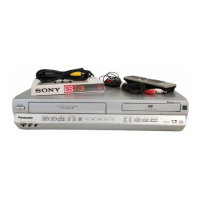
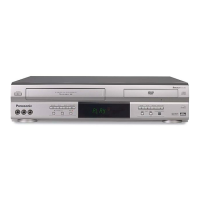
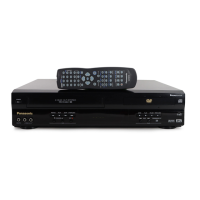
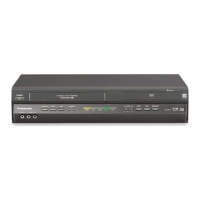
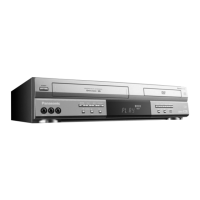
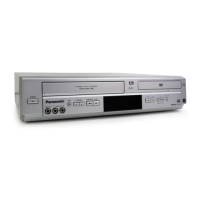
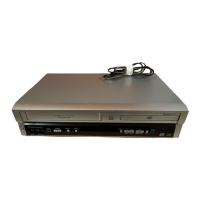
Panasonic PV-D744S - User Manual

Panasonic PV-D744S
68 pages
Print Icon
To Next Page IconTo Next Page
Loading...
DVD/VCR DECK
Operating Instructions
Model No.
PV-D734S
PV-D744S
For assistance, please call : 1-800-211-PANA(7262) or send e-mail to : consumerproducts@panasonic.com
Please read these instructions carefully before attempting to connect, operate, or adjust this product.
Please save this manual.
Spanish Quick Use Guide is included.
(Guía para rápida consulta en español está incluida.)
TV/CATV MODE SELECTION
When shipped from the factory, the TV/CATV menu option is set to the “CATV” (Cable Television)
mode. If not using CATV, set this menu option to the “TV” position.
As an ENERGY STAR
®
Partner, Matsushita Electric Corporation
of America has determined that this product or product model
meets the ENERGY STAR
®
guidelines for energy efficiency.
*Ability to play back may depend on recording conditions.
2C51801A Cover 19/08/2003, 10:361

Questions and Answers

  • I
    istevensAug 20, 2025
    What to do if my Panasonic PV-D744S does not operate?
    • I
      igarzaAug 20, 2025
      If your Panasonic DVD VCR Combo is not operating, ensure the power cord is properly plugged in. If it is, try a different AC outlet. Also, verify the fuse or circuit breaker, and try unplugging the unit and plugging it back in. Finally, make sure you've selected either DVD or VCR mode before attempting to use it.
  • Z
    Zachary PayneAug 22, 2025
    Why is my Panasonic PV-D744S remote control not working?
    • N
      Natalie MurphyAug 22, 2025
      If the remote control for your Panasonic DVD VCR Combo isn't working, aim the remote directly at the remote sensor on the unit. Ensure you are within approximately 5 meters of the unit and that there are no obstructions blocking the beam. Weak batteries can also cause issues, so replace them, making sure they are inserted correctly.
  • M
    Matthew Perez MDAug 25, 2025
    Why is there no picture on my Panasonic PV-D744S DVD VCR Combo?
    • A
      alison19Aug 25, 2025
      If you're not getting a picture on your Panasonic DVD VCR Combo, check that the antenna connection is correct and the antenna cable is securely connected. Ensure the video channel is correctly positioned and that your TV is set to video channel 3 or 4. Also, verify that the unit is connected correctly and the video input selector on your TV is set to VIDEO (or the equivalent). Lastly, make sure the channel is not set to external mode.
  • D
    Dawn LesterAug 26, 2025
    Why is there no sound coming from my Panasonic DVD VCR Combo?
    • J
      Joshua AyalaAug 26, 2025
      If you're experiencing no sound with your Panasonic DVD VCR Combo, first, check that the unit is connected correctly. Also, ensure that the input selector on your amplifier is set properly. Note that the unit may be in a special playback mode which affects audio output.
  • D
    Daniel HarveyAug 28, 2025
    What to do if TV recording does not work on my Panasonic PV-D744S DVD VCR Combo?
    • M
      Monica SmithAug 28, 2025
      If TV recording is not working on your Panasonic DVD VCR Combo, check if the erase prevention tab on the video cassette is broken off. Also, verify that the unit is not in the external input mode.
  • W
    Wyatt ZimmermanAug 30, 2025
    How to fix no CATV reception on Panasonic PV-D744S DVD VCR Combo?
    • B
      Barry RobinsonAug 30, 2025
      If you're not getting CATV reception on your Panasonic DVD VCR Combo, first, check all CATV connections to ensure they are secure. If the connections are good, the issue might be with the station or CATV system itself; try tuning to another station to see if the problem persists.
  • L
    Lisa CraigSep 1, 2025
    Why is timer recording not working on my Panasonic PV-D744S?
    • R
      Rachael HortonSep 1, 2025
      If timer recording isn't working on your Panasonic DVD VCR Combo, make sure the time is set correctly. Also, verify that the recording start and end times are programmed correctly. Finally, ensure that the PROG TIMER button has been pressed so that it is lit.
  • J
    Jessica GonzalezSep 3, 2025
    What to do if the keys on my Panasonic DVD VCR Combo are not functioning?
    • J
      Jennifer RodriguezSep 3, 2025
      If the unit or remote operation keys on your Panasonic DVD VCR Combo are not functioning, turn off the unit, unplug the AC power cord for several minutes, and then plug it back in.
  • B
    Brian ThomasSep 5, 2025
    Why is there no picture or a blurred screen on my Panasonic PV-D744S DVD VCR Combo?
    • L
      Luis JonesSep 5, 2025
      If you're experiencing no picture, or if the screen is blurred or divided into two parts on your Panasonic DVD VCR Combo, verify that the S-VIDEO/COMPONENT selector is set correctly. Additionally, check if the progressive scanning mode is active while the unit is connected to a TV via the VIDEO OUT jack.
  • M
    Mrs. Veronica YoungSep 7, 2025
    What to do if playback does not start when the title is selected on Panasonic PV-D744S?
    • E
      emilyjohnsonSep 7, 2025
      If playback doesn't start when you select a title on your Panasonic DVD VCR Combo, check the Parental setup to ensure it's not restricting playback.

Summary

IMPORTANT SAFEGUARDS

Parts and Functions

Front Panel

Identifies and describes the front panel controls and indicators of the DVD/VCR.

Rear Panel

Identifies and describes the rear panel connections and inputs/outputs.

Display

Remote Control

Power Source

Basic Connections

Antenna to DVD;VCR Connection

Details how to connect an antenna system to the DVD/VCR for signal input.

DVD;VCR to TV Connection

Explains how to connect the DVD/VCR output to a TV for viewing.

CATV (Cable TV) Connections

Playback Connections

Connect to TV with Audio;Video Output

Describes connecting the DVD/VCR to a TV using standard audio/video cables.

Connect to TV with S-Video Output (for DVD)

Explains using an S-Video cable for improved picture quality during DVD playback.

Connect to TV with Component Video Output (for DVD)

Details using component video cables for high-quality DVD playback.

Auto Clock Setting

Time Zone Setting

How to manually set the DVD/VCR's time zone for accurate clock display.

Daylight Saving Time Setting

Manual Clock Setting

Setting Video Channel

Setting On-Screen Display Language

Tuner Setting

Cassette Tape Playback

Special Playback (VCR)

Zero Search Function

Video Index Search System

Recording a TV Program

One-Touch Timer Recording (OTR)

Timer Recording

Timer Recording (Continued)

Stereo Recording and Playback

Setting Setup Language

Progressive Scan Mode

Playback Procedure

Special Playback (DVD)

Zooming

Locating Desired Scene

Repeat Playback

Changing Soundtrack Language

MP3;JPEG Playback

MP3 CD Playback

Playing back discs containing MP3 audio files.

JPEG Playback

Parental Control Setting

Unlock Parental Control

Temporary Rating Level Disabling

Setting Menu Language

Setting Subtitle Language

Setting Audio Soundtrack Language

Setting TV Screen Aspect Ratio

Problems and Troubleshooting

Spanish Quick Use Guide

Automatic Clock Setting (Spanish)

Spanish guide for the automatic clock setting feature.

Manual Clock Setting (Spanish)

Spanish instructions for manually setting the clock and date.

TV Program Recording (Spanish)

One-Touch Timer Recording (OTR) (Spanish)

Timer Recording (Spanish)

Language Selection (Spanish)

Playback Procedure (Spanish)

Panasonic PV-D744S Specifications

General IconGeneral
BrandPanasonic
ModelPV-D744S
CategoryDVD VCR Combo
LanguageEnglish

Related product manuals