14
For assistance, please call : 1-800-211-PANA(7262) or send e-mail to : consumerproducts@panasonic.com
Setting the Clock
Before you begin...
• Connect Camcorder to power source.
• Set POWER to CAMERA or VCR.
Set the following items in order: Time
Zone, Daylight Saving Time, Date,
and Time.
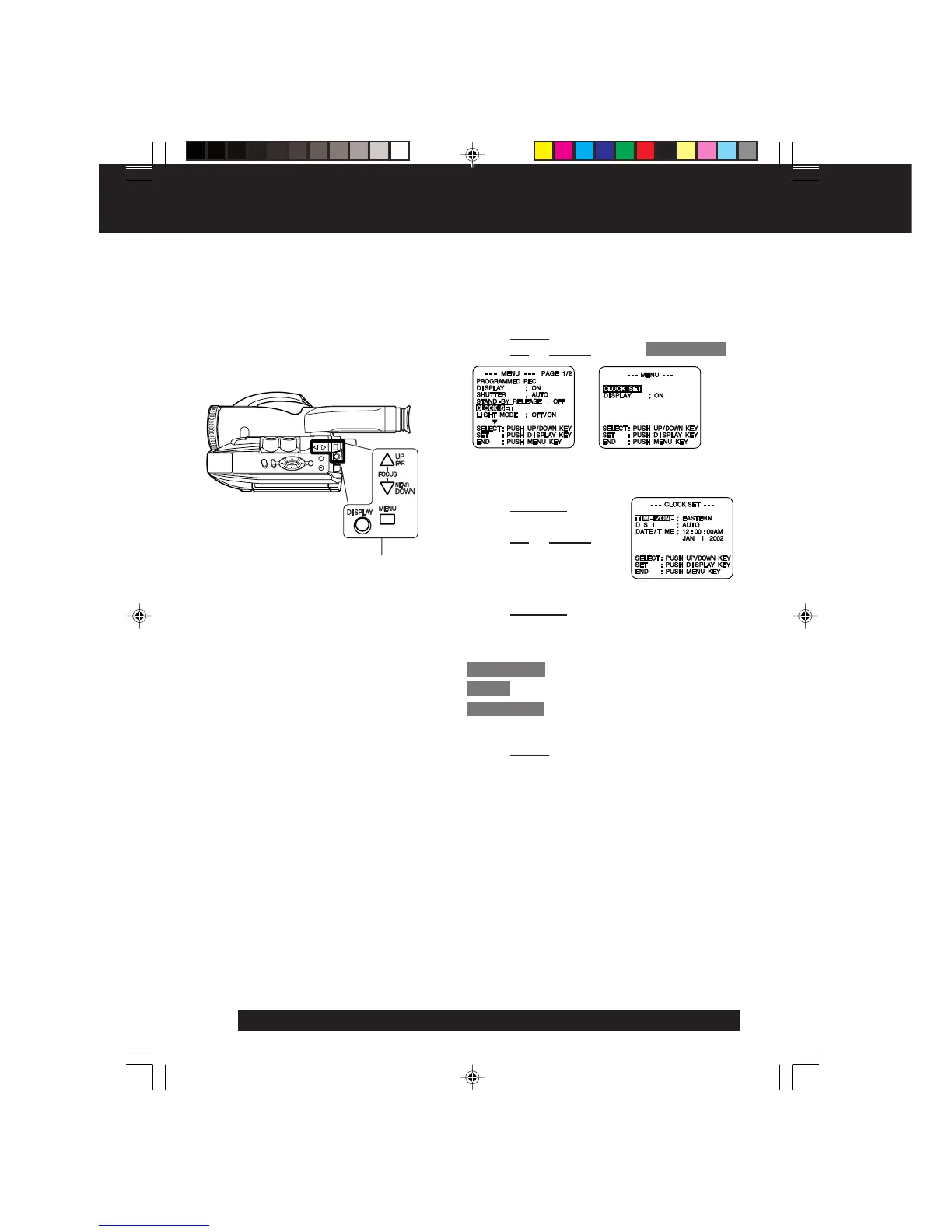
1 Press MENU for MENU mode.
Press UP or DOWN to select CLOCK SET .
2 Press DISPLAY for
CLOCK SET menu.
Press UP or DOWN to
select TIME ZONE, DST,
or DATE/TIME.
3 Press DISPLAY for menu of item selected in
step 2.
To change the setting:
TIME ZONE ➔ Go to step 3a on page 15.
D.S.T. ➔ Go to step 3b on page 15.
DATE/TIME ➔ Go to step 3c on page 15.
4 Press MENU twice to exit.
[ VCR MODE ][ CAMERA MODE ]
1, 2, 3, 4
02.L352 Getting p09-16 01.12.10, 4:22 PM14




 To Next Page