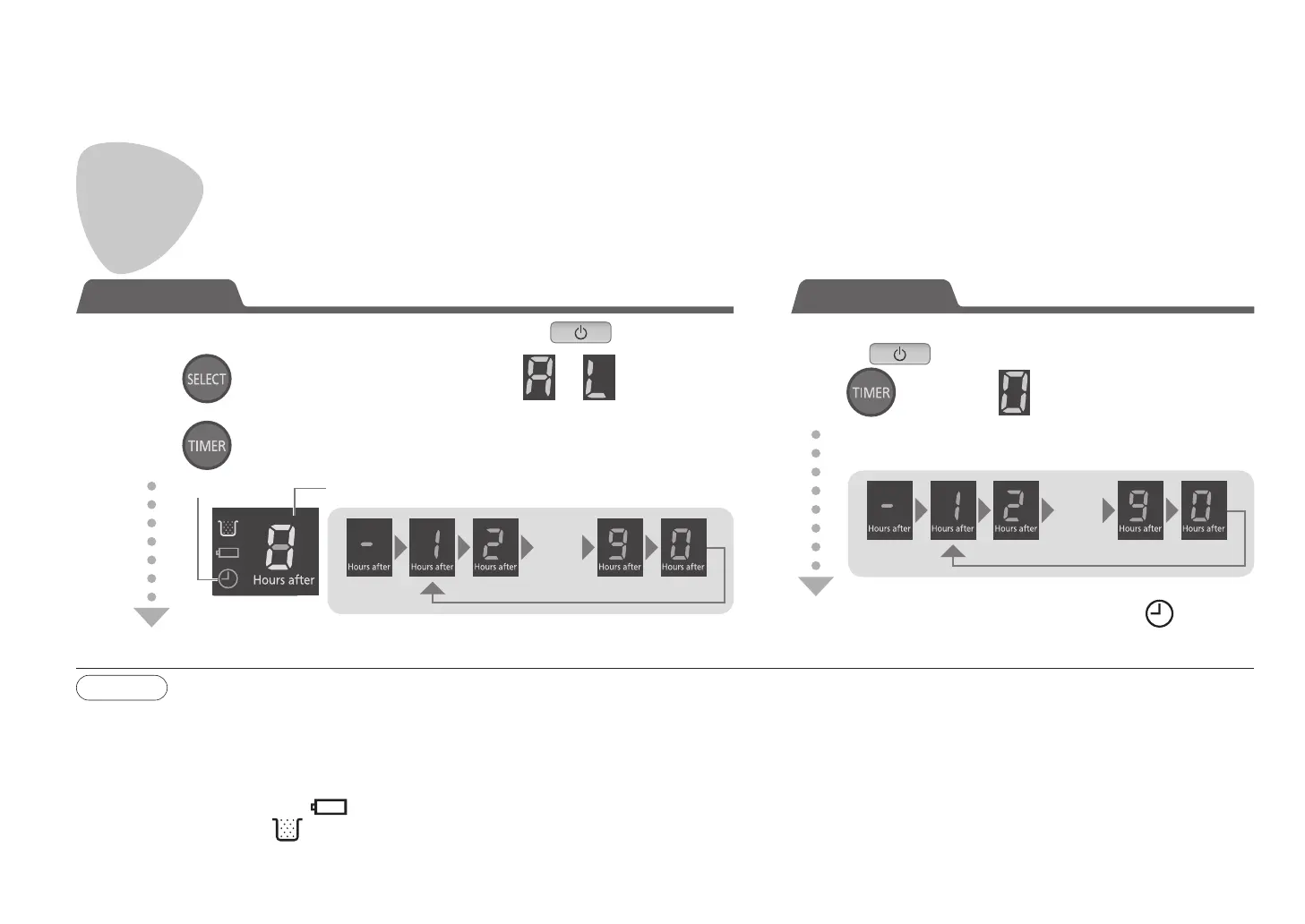
Schedule a timer cleaning! (AUTO mode/LOW mode)
● You can set the timer to start cleaning in 1 to 9 hours from the current time.
Use the timer function
Toggles each time the button is pressed
The timer is canceled after 2 seconds, and goes off
1
Press and select the operation mode ( or )
Note
●Switching off the main unit will cancel the timer reservation.
● The timer operation will fail to start in the following cases:
• If the main unit is cleaning at the timer start time
• If the main unit is switched off
• If the battery is almost flat (
is flashing)
• If the dust box is full (
is lit)
2
Press and select the start time
The timer is confirmed after 2 seconds (Reservation time is displayed for 30 seconds)
Solid on Flashing (Toggles each time the button is pressed)
Press and select (Canceled)
●
If the main unit is in sleep mode, switch it to standby mode by
pressing
( P. E N 9 )
●
If the main unit is in sleep mode, switch it to standby mode by pressing ( P. E N 9 )
Set the timer Cancel the timer
(Not set)
...
(Canceled)
(No change)
...
(Canceled)
●
The timer cleaning is unavailable for the SPOT mode. If you set a timer cleaning with
the SPOT mode, the previously selected operation mode (other than the SPOT mode)
will be used instead.
● You can use the main unit while a timer reservation is active. If you change the
operation mode after setting a timer cleaning, the timer cleaning will start in the newly
selected mode (other than the SPOT mode).
EN16


 To Next Page