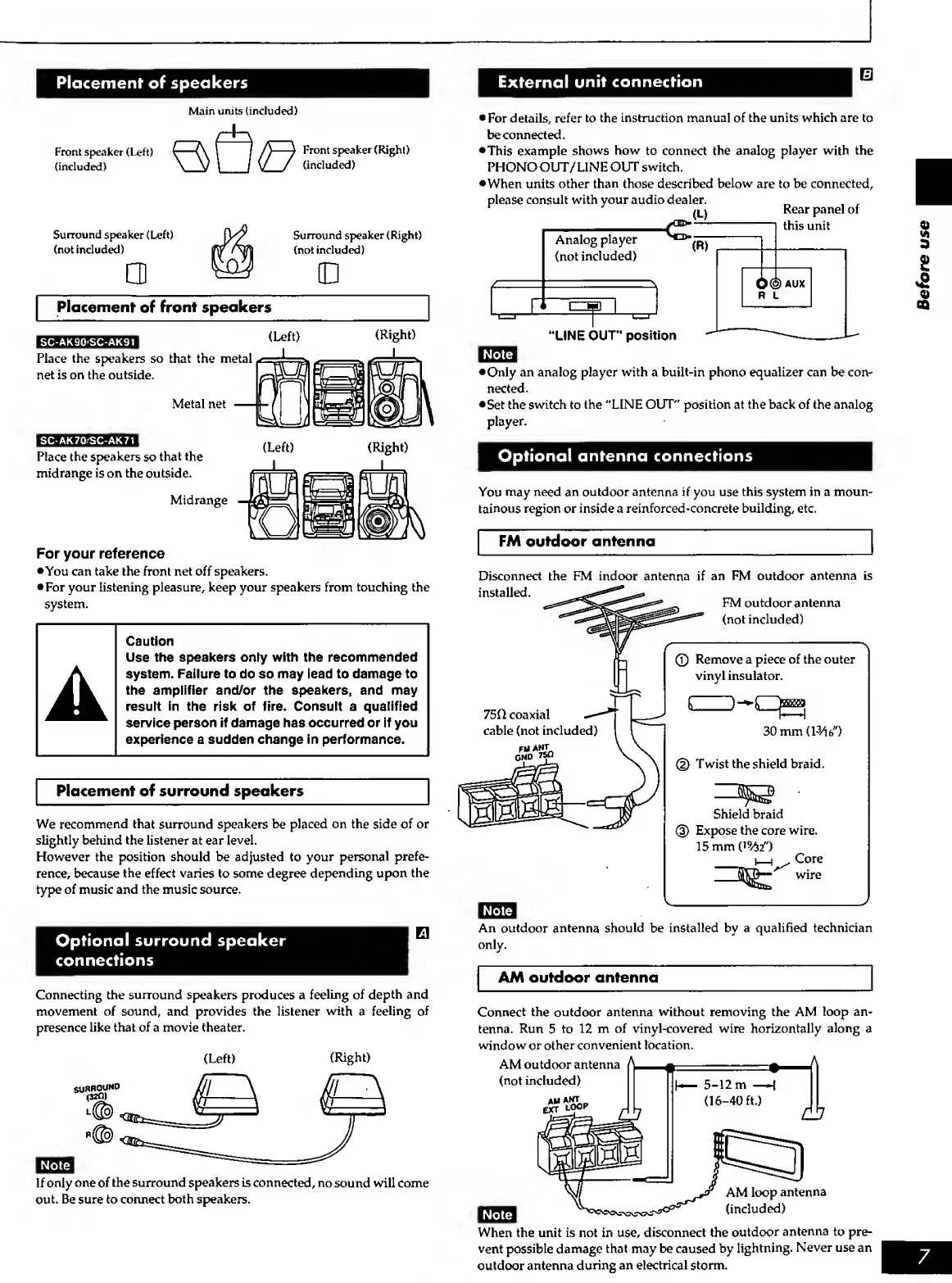
Placement
of
speakers
External
unit connection
m
Front speaker (Left)
(included)
Main
units
(included)
Surround
speaker
(Left)
(not included)
Front
speaker
(Right)
(included)
Surround speaker (Right)
(not included)
Placement
of
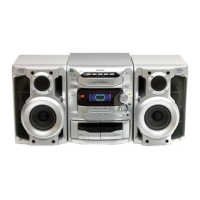
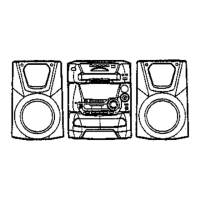
front speakers
SC-AK90'SC-AK91
Place the speakers so that the metal
net is on
the
outside.
Metal net
SC-AK70'SC-AK71
Place
the speakers
so
that the
midrange is on the
outside.
Midrange
For your reference
•You can
take the front net off speakers.
•
For your listening pleasure, keep your speakers from touching the
system.
Caution
Use ttie speakers only with tlie
recommended
system. Failure to do so may lead to damage to
the amplifier and/or the speakers, and may
result in the risk of fire. Consult a qualified
service person If damage has occurred or if you
experience a sudden change in performance.
Placement of surround speak^^
We
recommend
that surround speakers be
placed on
the side of or
slightly behind the
listener at ear level.
However the position should be adjusted to
your personal
prefe-
rence, because the effect varies to some degree
depending upon
the
type of music and the music source.
Optional surround speaker
connections
Connecting the
surround
Sfieakers
produces a
feeling of depth
and
movement of sound, and provides the listener
with
a
feeling of
presence
like that of a movie theater.
(Right)
If
only
one of
the surround speakers is
connected,
no sound will
come
out. Be sure
to connect both speakers.
•
For details,
refer
to
the instruction manual of the units which are to
be connected.
•This example
shows
how
to connect the
analog player with the
PHONO OUT/UNE
OUT switch.
•When units other
than
those described
below
are to be
connected,
please
consult with your audio dealer.
(L)
Analog
player
(not
included)
^
M
1
B1
1
Rear
panel of
this
unit
0@
AUX
R L
XINE
our*
position
•Only an analog
player with a built-in phono
equalizer can
be con-
nected.
•Set the
switch
to
the "LINE OUT" position at the back of the analog
player.
Optional
antenna connections
You may
need
an
outdoor antenna if you use this system in a moun-
tainous
region
or
inside a reinforced-concrete building, etc.
FM
outdoor
antenna
Disconnect the FM indoor
antenna if an
FM outdoor
antenna
is
installed.
FM
outdoor antenna
(not
included)
75CI coaxial
cable (not included)
GND
75Q
©
Remove a piece of
the outer
vinyl insulator.
30 mm
(1^6")
(2)
Twist the shield braid.
Shield braid
Expose the core wire.
15mm(i%r)
I—I .
Core
wire
An outdoor
antenna
should
be
installed by
a
qualified technician
only.
AM outdoor antenna
Connect
the
outdoor
antenna without removing the AM
loop an^
tenna. Run
5
to
12 m of vinyl-covered wire horizontally
along
a
window
or
other
convenient
location.
AM outdoor
antenna
^ A
(not
included)
AH
AKrr
EXT
LOOP
AM loop
antenna
(included)
When the unit is not in use,
disconnect
the
outdoor
antenna
to pre-
vent possible damage
that may be caused by
lightning.
Never use an
outdoor antenna
during an electrical storm.
3


 To Next Page