EasyManua.ls Logo

Panasonic SC-CH72 - Recording from Compact Discs (One-Touch Editing); One-Touch Tape Editing

Panasonic SC-CH72
89 pages
Print Icon
To Next Page IconTo Next Page
To Previous Page IconTo Previous Page
Loading...
Recording
from
Compact
Discs Grabacion de
discos compactos
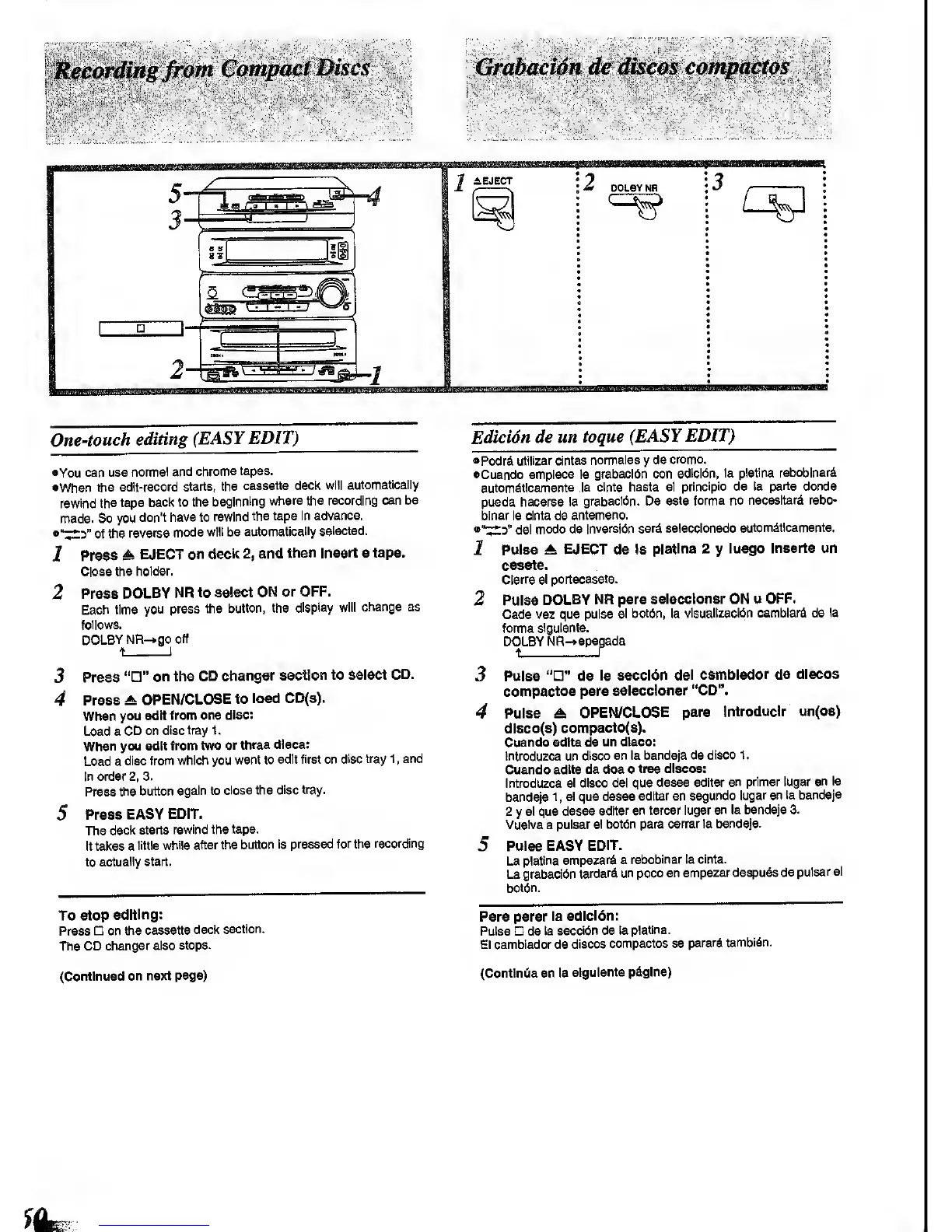
One-touch
editing
(EASY
EDIT)
•You
can us©
normal and
chrome tapes.
•When
the
edit-record
starts, the
cassette deck
will automatically
rewind
the tape
back to
the beginning
where the recording
can be
made.
So you
don't
have to
rewind
the tape
In advance.
•"^3"
of
the
reverse mode
will be
automatically
selected.
Press
A
EJECT
on
deck
2,
and
then
Insert
a
tape.
Close the
holder.
1
2
3
4
Press
DOLBY
NR to
select
ON or OFF.
Each time
you press
the
button, the
display
follows.
DOLBY
NR-»go
off
change as
Press
""
on the
CD changer
section to select
CD.
Press
A
OPEN/CLOSE
to
load
CD(s).
When
you edit
from one
disc:
Load a
CD on
disc tray 1
.
When you edit
from two
or
three discs:
Load a
disc
from which you
want to
edit first on
disc tray
1
,
and
In order
2,
3.
Press
the button
again to
close the
disc tray.
Press
EASY
EDIT.
The
deci<
starts rewind the
tape.
It takes a
little
while after the
button Is
pressed for the
recording
to
actually start,
To stop
editing:
Press
on the
cassette
deck
section.
The CD
changer also
stops.
Edicion de un
toque
(EASY EDIT)
•Podr^i
utillzar clntas
normales
y
de
cromo.
•Cuando
emplece la
grabaci6n con
edlcl6n, la
platina reboblnar^
autom^tlcamente
la
cinta hasta el
princlpio de la
parte donde
pueda
hacerse
la grabacl<5n. De esta
forma no
necesltar^ rebo-
blnar la cInta de
antemano.
del
modo de
Inversidn serd
selecclonado
automdtlcamente.
Pulse
± EJECT de la
plattna 2
y
luego Inserte un
casete.
Clerre el
portacasete.
Pulse
DOLBY NH para
selecclonar ON u
OFF.
Cada vez
que pulse el bot6n, la
vlsuallzacl6n camblard de
la
forma
sigulente.
DOLBY
NR-*apagada
I
2
3
4
Puiss
""
ds
la seccldn
del camblador de discos
compactos para
selecclonar
"CD".
Pulse A
OPEN/CLOSE para
Introduclr
un(os)
dlsco(3)
compacto(s).
Cuando edite de
un dtsco:
Introduzca un
disco en la bandeja
de disco 1
.
Cuando
edtte de
dos
o
tree discos:
Introduzca
el
disco del que
desee
editar
en primer lugar
en la
bandeja
1
, el que desee
editar en
segundo
lugar en la
bandeja
2
y
el que
desee
editar en tercer lugar
en la bandeja
3.
Vuelva a pulsar
el botbn para
cerrar la bandeja.
Pulse EASY
EDIT.
La
platina
empezarS a
rebobinar la cinta.
La grabacidn
tardar^i
un poco en
empezar despuds
de
pulsar el
bot6n.
Para parar
la
edicion:
Pulse de
la
seccldn de la
platina.
El camblador de
discos
compactos se
parari tambldn.
(Continued
on next
page)
(Contlniiia en la
sigulente pdglna)

Other manuals for Panasonic SC-CH72

Related product manuals