Using
the Play
Timer
Utilizacion del
temporizador
de
reproduccidn
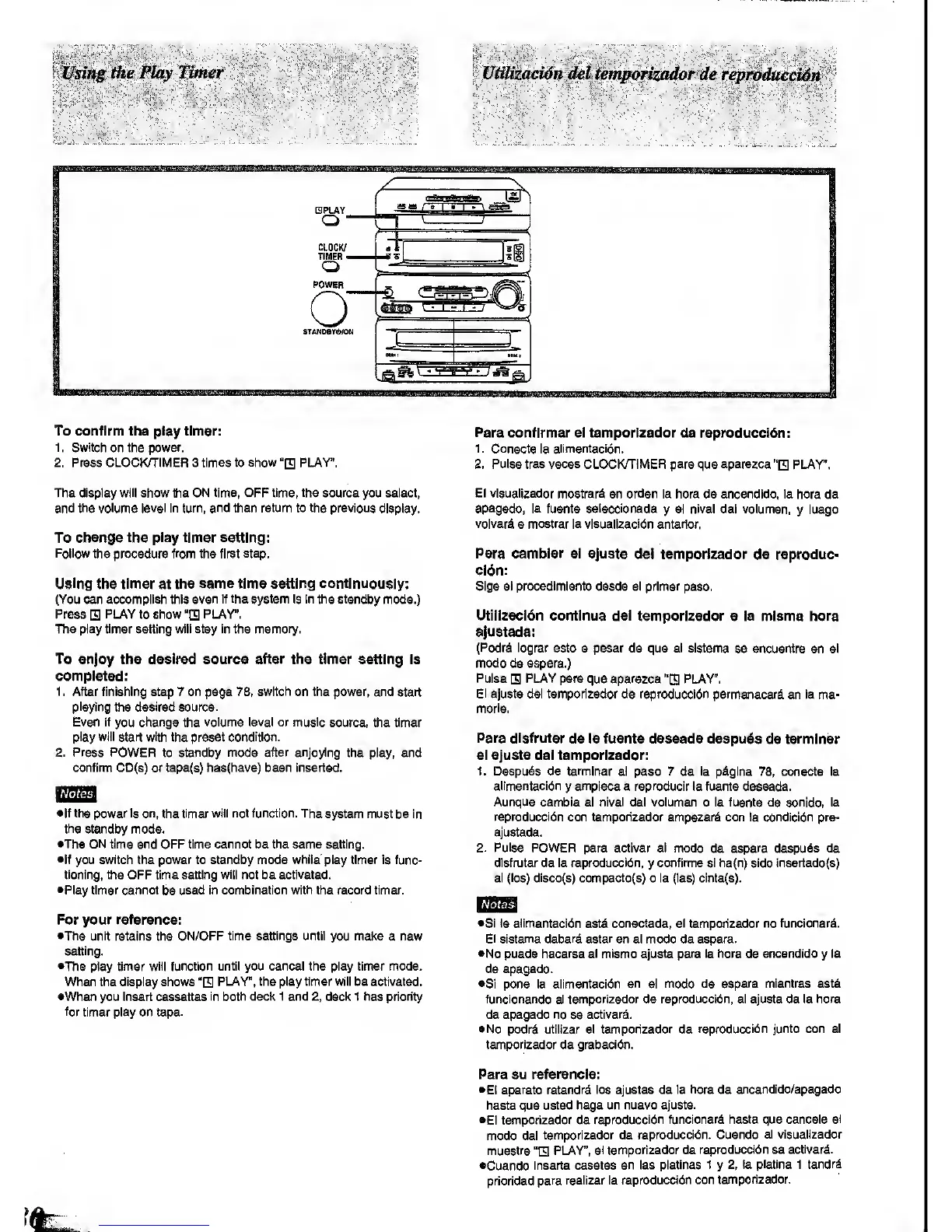
To confirm the play timer:
1 . Switch on the power.
2. Press CLOCKyTIMER 3
times
(o
show
"0
PLAY".
The diapiay
will
show the ON
time, OFF time, the source
you select,
and
the volume level in turn, and then return to the previous
display.
To change the play timer eettlng:
Follow the procedure from the first step.
Using
the
timer
at
the same time setting continuously:
(You can accomplish this
even if the system is In the standby
mode.)
Press PLAY to show
"E
PUY".
The play timer setting will stay
in the
memory.
To enjoy
the desired
source after the
timer setting Is
completed:
1 , After finishing step 7 on page 78,
switch
on the power, and start
playing
the desired source.
Even If
you
change
the
volume level or music
source, the timer
piay will start with
the preset
condition.
2. Press POWER
to standby
mode after enjoying
the play, and
confinn CD(6) or tape(s) ha8(have) been inserted.
.'Notes
•If the power is on,
the
timer will not function. The
system must be In
the
standby mode.
•The ON time and OFF time cannot be the same setting.
•If you switch the power to standby mode
while'
play timer is func-
tioning, the OFF time setting will not be
activated.
•Play timer cannot
be
used In combination
with
the record timer.
For your reference:
•The unit
retains the
ON/OFF time settings until
you
make
a new
setting.
•The
play
timer wlii function until you cancel the play timer mode.
When the display shows
"E
PLAY", the play timer will be activated.
•When you insert cassettes
In both decl< 1 and
2, deck
1 has priority
for
timer piay on tape.
Para
conflrmar el temporizador de reproduccidn:
1.
Conscte la
alimentacion.
2. Pulse tres veces CLOCK/TiMER
para
que aparezca
"H
PLAY".
El visualizador
mostrar^ en orden la hora
de
encendido, ia
hora de
apagado, la fuente selecclonada
y
el nivel del volumen,
y
luego
volverd
a mostrar la visualizacidn anterior.
Para camblar el ajuste
del temporizador ds
reproduc-
cidn:
SIga el procedlmlento desde ei primer
peso.
Utillzscldn continue del
temporizador a la misma hora
ajustada:
(Podrd iograr
esto a pesar de que el sistema
se encuentre en el
modo de espera.)
Pulse
H
PLAY para
que
aparezca
"El
PLAY".
El
ajuste del temporizador de reproduccidn permanecer^
en la me-
morla.
Para dlsfrutar
de la fuente deseada despuds
de
terminer
el ajuste del temporizador:
1. Despuds de temnlnar
el peso 7 de la p^glna
78,
conecte la
alimentacion
y
emplece
a
reproducir
la fuente deseada.
Aunque
cambie el
nlvel
del volumen o la fuente de sonldo, la
reproduccidn
con temporizador empezard con la condlcldn pre-
ajustada.
2. Pulse
POWER para activar el modo
de
espera despu^s de
dlsfrutar de la reproduccidn,
y
confirme si ha{n) side insertadofs)
el
(los) disco(s)
compacto(s) o la (las) cinta{8).
Notas]
•SI la ailmentacldn
est&
conectada, el temporizador no funcionard.
El sistema deberd estar
en el modo de espera.
•No puede
hacerse el mismo ajuste para la hora
de
encendido
y
la
de apagado.
•Si pone la aiimentacibn
en
el
modo de espera mientras estd
funcionando el temporizador de reproduccidn, el ajuste de la hora
de apagado no
se
activar^.
•No podrd utilizar el temporizador de
reproduccidn junto con el
temporizador de grabacidn.
Para su referenda:
•Ei aparato
retendrd los ajustes de ia
hora
de
encendido/apagado
hasta que
usted haga un nuevo ajuste.
•Ei
temporizador de
reproduccidn funcionard hasta que cancele
ei
modo del
temporizador de
reproduccidn. Cuando
el visualizador
muestre
"H
P1_AY",
ei temporizador de
reproduccidn se
activar^.
•Cuando
inserte casetes
en las platinas
1
y
2,
la
platina
1
tendrd
prioridad
para realizar la
reproduccidn con
temporizador.


 To Next Page
 Loading...






