Enjoying the
Microphone
Mixing
For
areas except Australia and New
Zealand
This function mutes
the vocal track
but
leaves the accompaniment
allowing you to enjoy KARAOKE (singing with an
accompaniment),
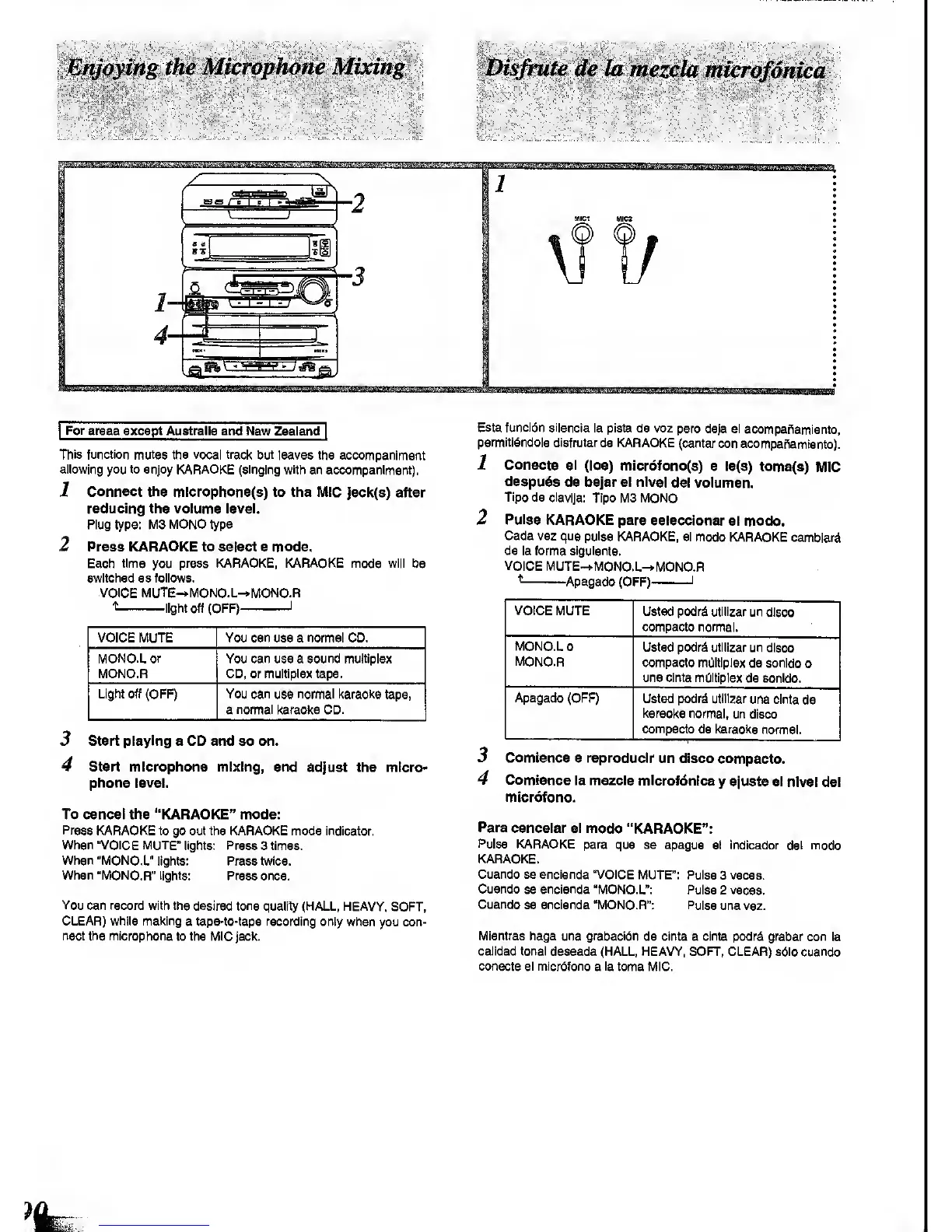
1
Connect the
mlcrophone(8)
to the MIC
]8Ck(8) after
reducing the volume
level.
Plug
type:
M3 MONO type
2 Press KARAOKE to select a mode.
Each
time
you
press KARAOKE, KARAOKE mode will
be
switched as follows.
VOICE MUTE-»MONO.L-»MONO.R
t
light off (OFF)
1
VOICE MUTE You can use a normal CD.
MONO.L
or
MONO.R
You can use a sound multiplex
CD, or multiplex tape.
Light off (OFF) You can
use
normal Itaraolte
tape,
a
normal
l<araoke CD.
3 Start playing a CD and
so
on.
4 Start microphone mixing, end
adjust the micro-
phone level.
To cancel the "KARAOKE" mode:
Press
KARAOKE to go out the KARAOKE mods Indicator,
When "VOICE MUTE"
lights: Press 3 times.
When "MONO.L"
lights: Press twice.
When "MONO.R" lights:
Press once.
You
can record with the desired tone
quality (HALL, HEAVY,
SOFT,
CLEAR) while making
a tape-to-tape recording only when
you con-
nect the microphone
to the MIC
Jack.
Esta funcldn sllencia
la
pista
de voz pero
deja el
acompaf^amlento,
permitidndole disfrutarde
KARAOKE
(cantar con
acompaftamiento).
1
Conecte el
(los)
micr6fono(s}
a la(s)
toma(8)
MIC
despu^s
de bajar
el nfvel
del volumsn.
Tlpo de clavija:
Tipo
MS MONO
2
Pulse
KARAOKE para
selecelonar
el modo.
Cada vez que pulse
KARAOKE, si modo
KARAOKE
cambiari
de la forma siguiente.
VOICE
MUTE-*MONO.L-»MONO.R
^
Apagado (OFF)
1
VOICE
MUTE
Ustsd podr^ utiilzar
un disco
compacto normal.
MONO.L
0
MONO.R
Usted podr^ utiltzar un disco
compacto mOltlplex
de scnido
o
una cinta multiplex
de sonldo.
Apagado
(OFF)
Usted podrd utiilzar
una cinta
de
karaoke
normal, un
disco
compacto
de karaoke
nomnai.
Comtence a reproduclr
un disco compacto.
3
4
Comtence
la mezela
microfdnica
y
ajuete el
nivel del
micr6fono.
Para
cancelar el modo
"KARAOKE":
Pulse
KARAOKE
para que se apague
el indicador del modo
KARAOKE.
Cuando se encienda "VOICE
MUTE": Pulse
3 veces.
Cuando
se
encienda "MOIMO.L":
Pulse 2 veces.
Cuando
se encienda "MONO.R": Pulse
una vez.
Mientras haga
una
grabaciOn
de cinta a cinta podrd grabar con
la
calldad tonal
deseada (HALL, HEAVY, SOFT, CLEAR) sdio cuando
conscte el micrdfono
a
la
toma MIC.









 To Next Page