[]
CINEMA
bu_ons
You can better enjoy pictures by changing the picture quality.
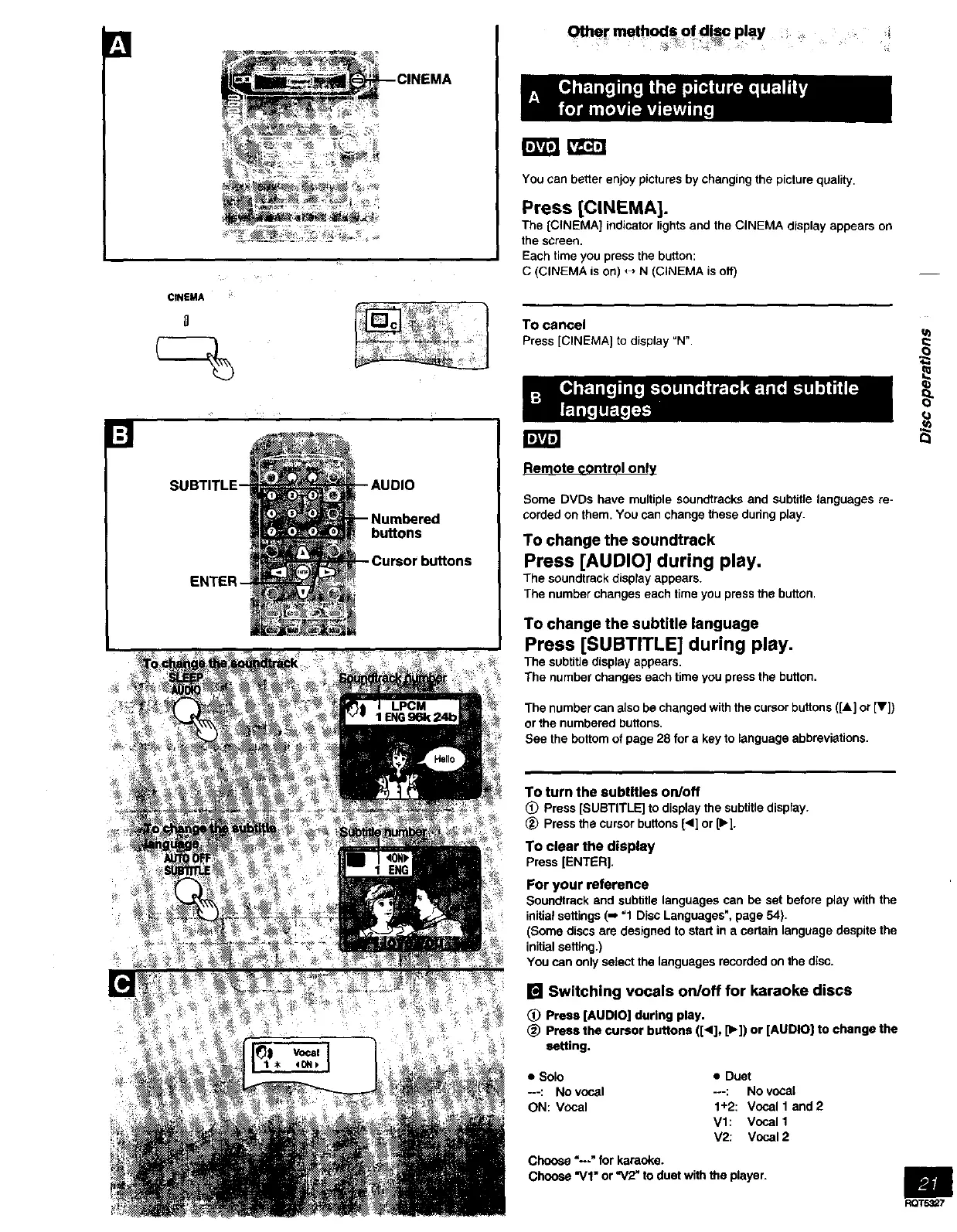
Press [CINEMA].
The [CINEMA] indicator lights and the CINEMA display appears on
the screen.
Each time you press the button:
C (CINEMA is on) _ N (CINEMA is off)
TO cancel
Press [CINEMA[ to display _N".
Remote control only
Some DVDs have multiple soundtraeks and subtitle languages re-
corded on them. You can change these dudng play.
To change the soundtrack
Press [AUDIO] during play.
The soundtrack display appears.
The number changes each time you press the button.
To change the subtitle language
Press [SUBTITLE] during play.
The subtitle display appears.
The number changes each time you press the button.
The number can also be changed with the cursor buttons ([A] or [V])
or the numbered buttons.
See the bottom of page 28 for a key to language abbreviations.
To turn the subtitles on/off
_) Press[SUBTITLE]to displaythesubtitledisplay.
Pressthecursorbuttons[4] or [b-].
To clear the display
Press[ENTER].
For your reference
Soundtrack and subtitle languages can be set before play with the
initial settings (-, "1 Disc Languages", page 54).
(Some discs are designed to start in a certain language despite the
initial setting.)
You can only select the languages recorded on the disc.
[] Switching vocals on/off for karaoke discs
(_) Press [AUDIO] during play.
(_) Press the cursor buttons ([<], [1_])or [AUDIO] to change the
setting.
• Solo • Duet
---: No vocal -o-: No vocal
ON: Vocal 1+2: Vocal 1 and2
Vl: Vocal 1
V2: Vocal 2
Choose"--" forkarsoke.
Choose "VI" or"V2" to duetwiththeplayer.
m
RQT53_7



 To Next Page