_I_i_j e.._
I
Remote control only
This feature a;Iows you to mark up to 5 points on a disc so you can
return to them easily at a later time.
L To mark a position I
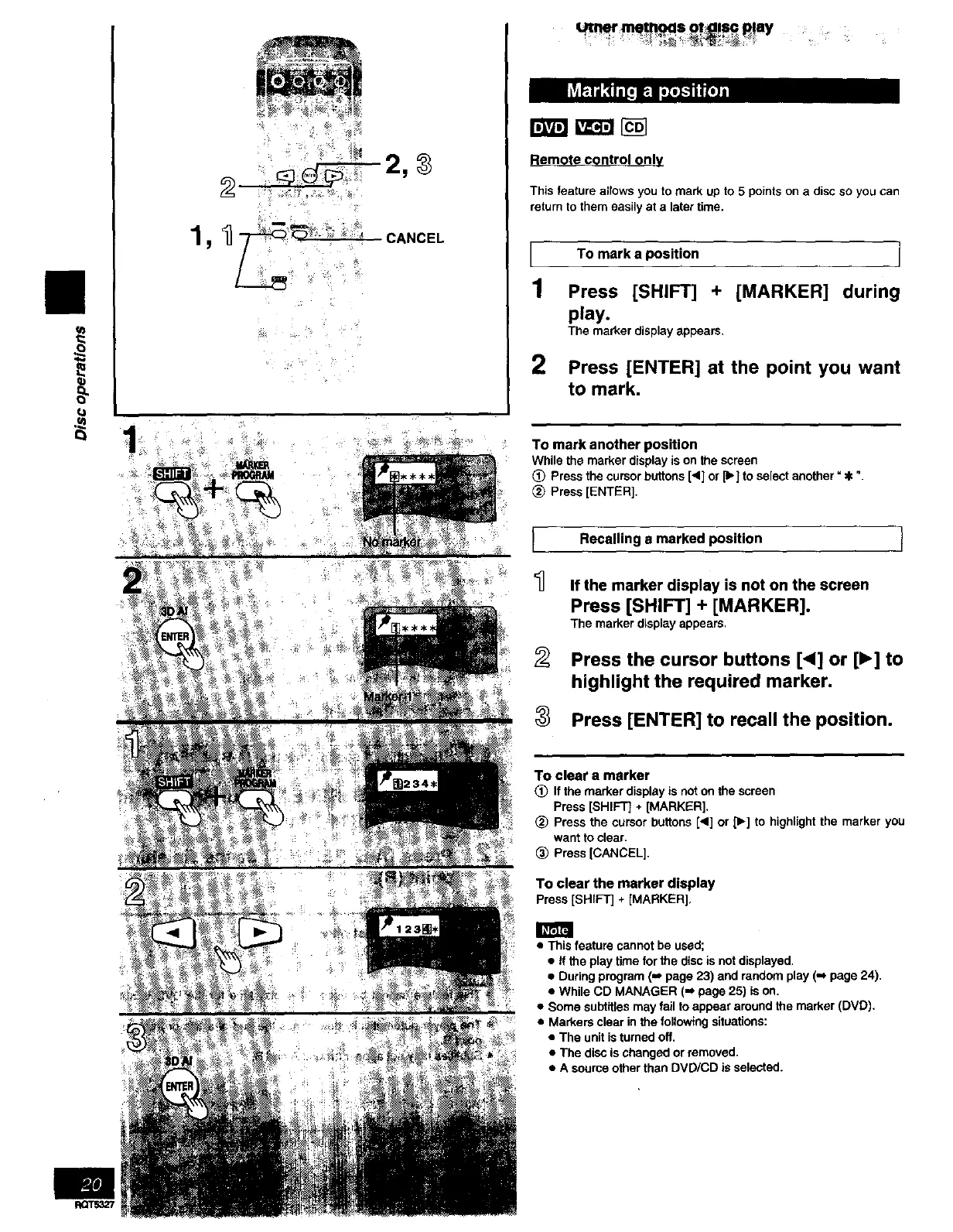
1 Press [SHIFT] + [MARKER] during
play.
The marker display appears.
2
Press [ENTER] at the point you want
to mark,
To mark another position
While the marker display is on the screen
(_ Press the cursor buttons [<] or [1_]to select another =€ ".
_) Press [ENTER].
Recalling a marked position 1I
If the marker display is not on the screen
Press [SHIFT] + [MARKER].
The marker display appears,
Press the cursor buttons [<] or [1_]to
highlight the required marker.
Press [ENTER] to recall the position.
To clear a marker
(_ If the marker display is not on the screen
Press [SHIFT] + [MARKER],
(_ Press the cursor buttons [<] or p.] to highlight the marker you
want to clear.
_) Press [CANCEL].
To clear the marker display
Press[SHIFT] + [MARKER],
• This feature cannot be used;
• If the play time for the disc is not displayed.
• During program (,_ page 23) and random play (,,_page 24).
• While CD MANAGER (m page 25) is on.
• Some subtitles may fail to appear around the marker (DVD).
• Markers clear in the following situations:
• The unit is turned off.
• The disc is changed or removed.
• A source other than DVD/CD is selected.



 To Next Page