_; |il[17Rtt_
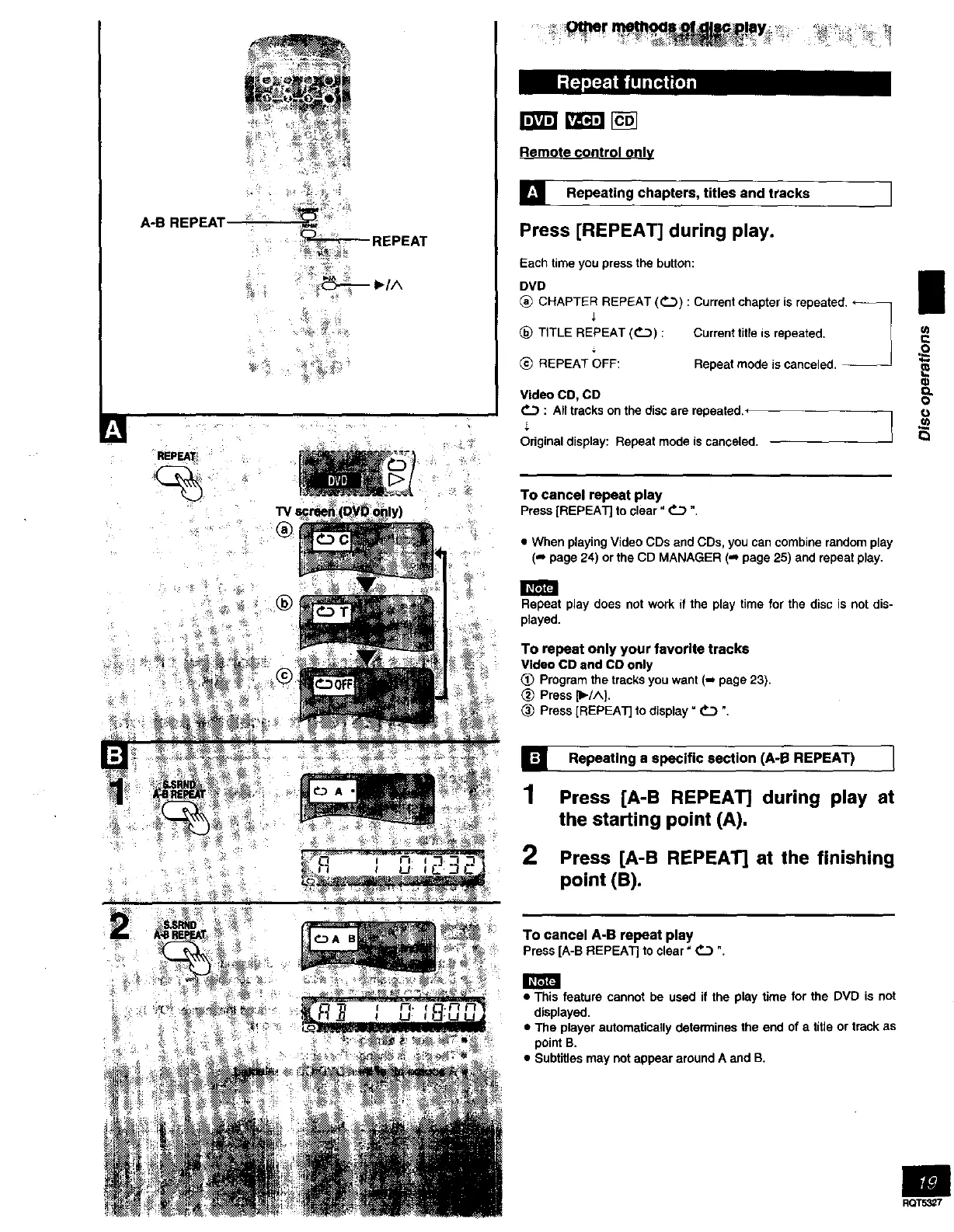
A-B REPEAT
M
REPEAT
TVs
®
®
' _r __-:_!aY_....... *' _÷;_
Remote c_ontrol only
[] Repeating chapters, titles and tracks I
Press [REPEAT] during play.
Each time you press the button:
DVD I
CHAPTER REPEAT (P,_...3): Current chapter is repeated. ,_ _
_) TITLE REPEAT (_.3_) : Current title is repeated. _
J
.=o
REPEAT OFF: Repeat mode is canceled. -- ;_
Video CO, CD O_
: All tracks on the disc are repeated._
Original display: Repeat mode is canceled.
To cancel repeat play
Press[REPEAT] toclear" _ ",
• When playing Video CDs and CDs, you can combine random play
(,- page 24) or the CD MANAGER (_ page 25) and repeat play.
Repeat play does not work if the play time for the disc is not dis-
played.
To repeat only your favorite tracks
Video CD and CO only
Program the tracks you want (-_ page 23).
2_ Press _1,_/^].
Press [REPEAT] to display" _ ".
[]
1
2
Repeating a specific section (A-B REPEAT) I
Press [A-B REPEAT] during play at
the starting point (A),
Press [A-B REPEAT] at the finishing
point (B).
To cancel A-B repeat play
Press[A-BREPEATJto clear" _ ".
• This feature cannot be used if the play time for the DVD is not
displayed.
• The player automatically determines the end of a title or track as
point B.
• Subtitles may not appear around A and B.
im
RQT53_7



 To Next Page