i?
1
2
DVD/CD
1<1_1/,,4<
I=,,!_/]HH
4
Remote control only
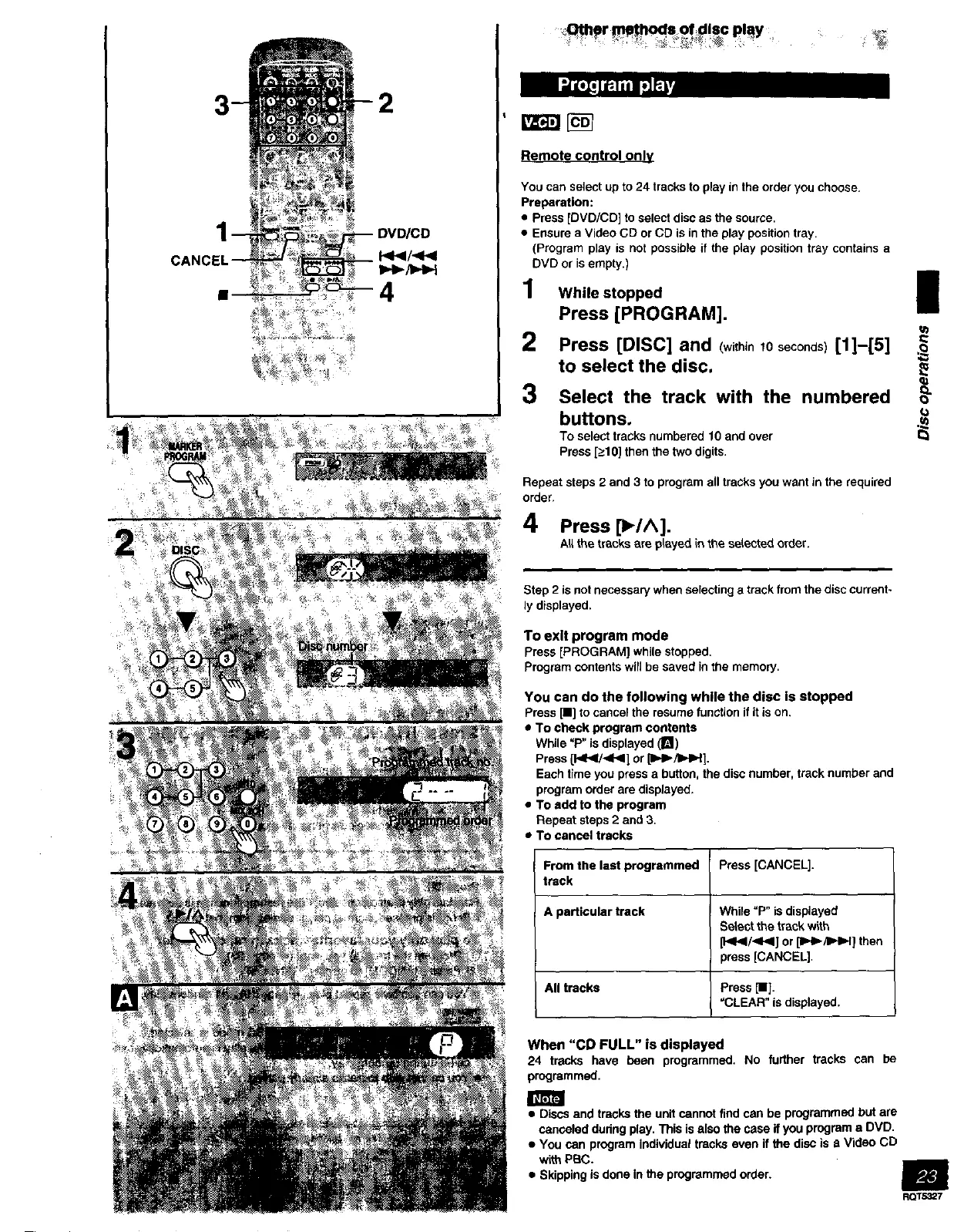
You can select up to 24 tracks to play in the order you choose.
Preparation:
• Press [DVD/CD] to select disc as the source.
• Ensure a Video CD or CD is in the play position tray.
(Program play is not possible if the play position tray contains a
DVD or is empty.)
1 While stopped I
Press [PROGRAM],
2
3
Press [DISC] and (within10seconds)[1]--[5]
to select the disc.
Select the track with the numbered oo"
buttons. ._
To select tracks numbered 10 and over
Press [_>10]then the two digits,
Repeat steps 2 and 3 to program all tracks you want in the required
order.
4 Press [_/A].
All the tracks are played in the sstected order.
Step 2 is not necessary when selecting a track from the disc current-
ly displayed.
To exit program mode
Press [PROGRAM] while stopped.
Program contents wtN be saved in the memory.
YOU can do the following while the disc is stopped
Press [11]to cancel the resume function if it is on.
• To check program contents
While =P" is displayed (B)
Press [1_11_/_11<1]or [IlH_/IIHH].
Each time you press a button, the disc number, track number and
program order are displayed.
• To add to the program
Repeat steps 2 and 3.
• To cancel tracks
From the last programmed Press [CANCEL].
track
A particular track While =P° is displayed
Sstect the track with
[1<1_/<1_1] or [I_I_/tI_I=H] then
press [CANCEL]•
All tracks Press [11].
"CLEAR" is displayed.
When "CD FULL" is displayed
24 tracks have been programmed. No furthar tracks can be
programmed.
• Discs and tracks the unit cannot find can be programmed but are
canceled during play. This is also the case if you program a DVD.
• You can program individual tracks even if the disc is a Video CD
with PBC.
• Skipping isdone in the programmed order.
m
RQT5327



 To Next Page