13
DISC
%
T
Remote control only
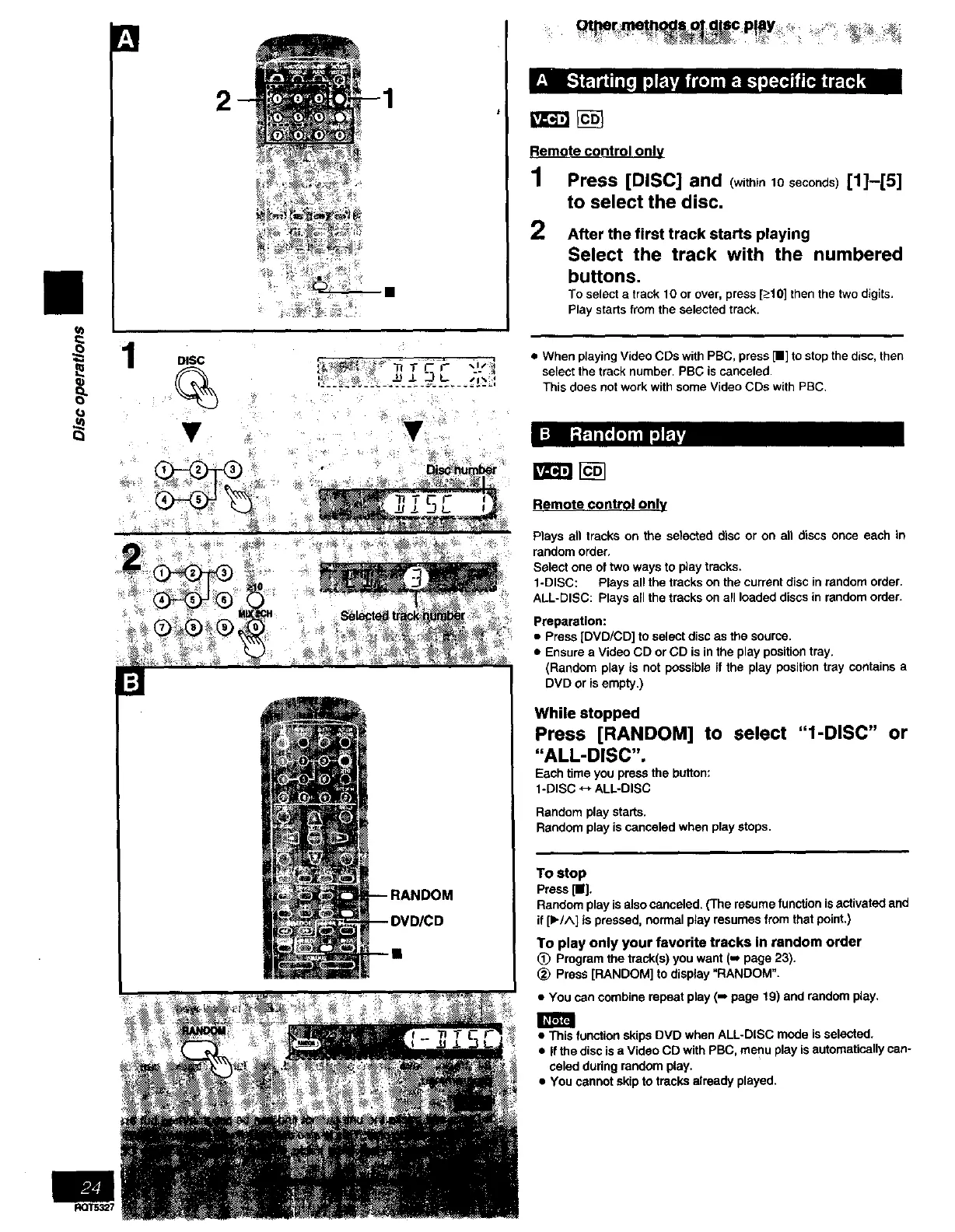
I Press [DISC] and (withinto seconds)[I]--[5]
to select the disc.
2 After the first track starts playing
Select the track with the numbered
buttons.
To select a track 10 or over, press [_>10]then the two digits.
Play starts from the selected track.
• When playing Video CDs with PBC, press [11]to stop the disc, then
select the track number. PBG is canceled.
This does not work with some Video CDs with PBC.
Ft=ra
Remote control only
Plays all tracks on the selected disc or on all discs once each in
random order,
Select one of two ways to play tracks.
1-DISC: Plays all the tracks on the current disc in random order.
ALL-DISC: Plays all the tracks on all loaded discs in random order.
Preparation:
• Press [DVD/CD] to select disc as the source.
• Ensure a Video CD or CD is in the play position tray.
(Random play is not possible if the play position tray contains a
DVD or isempty.)
While stopped
Press [RANDOM] to select "l-DISC" or
"ALL-DISC".
Each time you press the button:
1-DISC <-+ALL-DISC
Random play starts,
Random play is canceled when play stops.
To stop
Press [11].
Randomplayisalsocanceled.(Theresumefunctionisactivatedand
if[1_/^] ispressed,normalplayresumesfrom thatpoint,)
To play only your favorite tracks In random order
(!) Program the track(s) you want (-, page 23).
_) Press [RANDOM] to display "RANDOM".
• You can combine repeat play (-* page 19) and random play.
• This function skips DVD when ALL-DISC mode is selected.
• If the disc isa Video CD with PBC. menu play is automatically can-
celed during random play.
• You cannot skip to tracks already played.
RQT5327



 To Next Page