I_irh"I_ [o]_]I_f_I_.tl_I;l
Use this function to select specific discs and tracks to play.
There are 3 modes
1-track mode: Plays one selected track on the current disc.
1-disc mode: Plays the current disc.
All-disc mode: Plays all loaded discs in succession from the
current disc to the _nal disc _.
These modes make recording CDs easier (= page 43).
Preparation:
• Press [DVD/CD] to select disc as the source.
• Ensure a Video CD or CD is in the play position tray.
(You cannot use CD MANAGER if the play position tray contains a
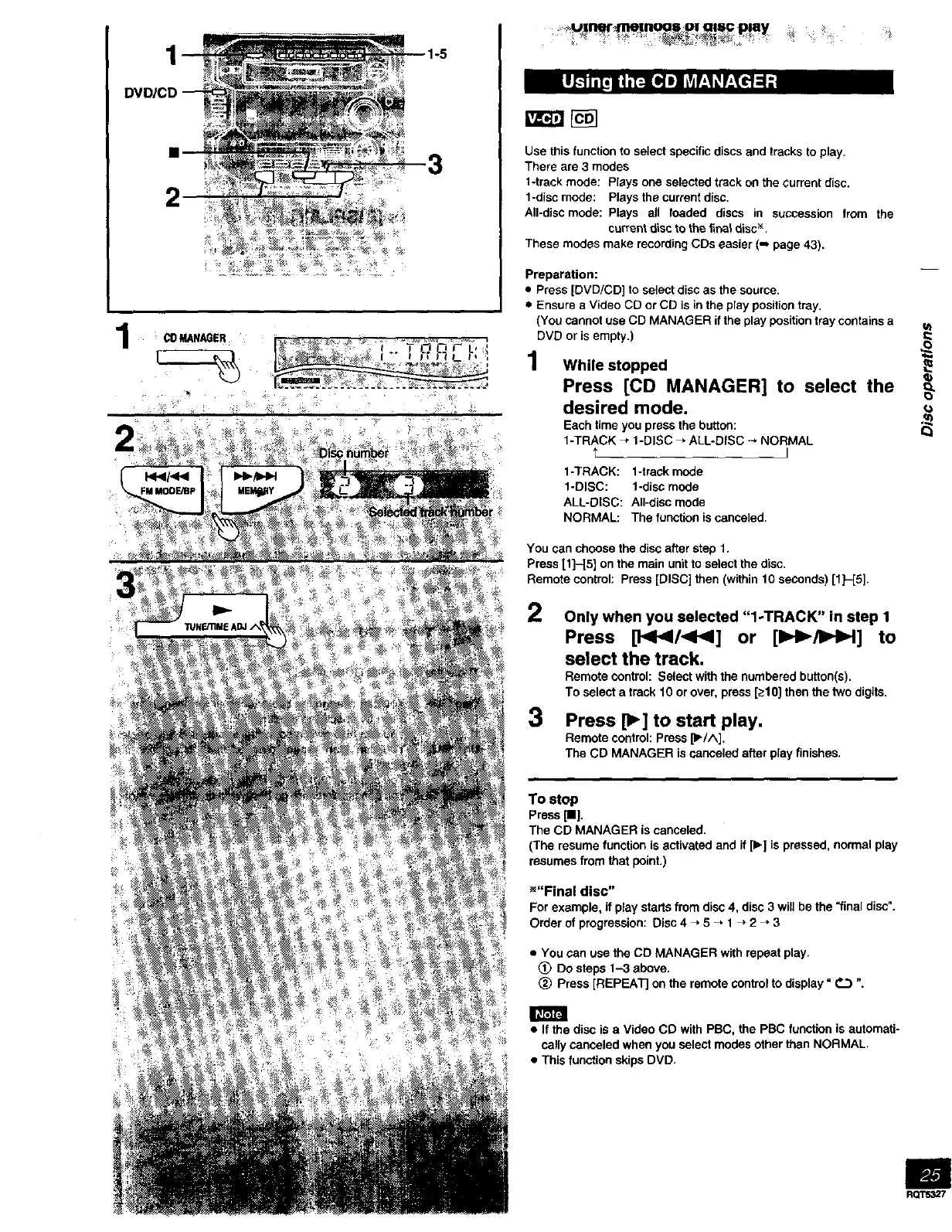
1 _ _ _.... _ ,_. DVD or is empty.)'" '."-'-"-" 1 While stopped
. , Press [CD MANAGER] to select the o_
_" .... .... _ desired mode.
, Each time you press the button:
1-TRACK _" 1-DISC _. ALL-DISC --, NORMAL
t J
1-TRACK: 1-track mode
1-DISC: 1-disc mode
ALL-DISC: All-disc mode
NORMAL: The function is canceled.
You can choose the disc after step 1.
Press [1]-[5] on the main unit to select the disc.
Remote control: Press [DISC] then (within 10 seconds) [1H5].
2
3
Only when you selected "l-TRACK" in step 1
Press [},q141/<t<l] or [llH_/ll.,b_] to
select the track.
Remote control: Select with the numbered button(s).
To select a track 10 or over, press [_10] then the two digits.
Press [_] to start play.
Remote control: Press [1_/^].
The CD MANAGER is canceled after play finishes.
To stop
Press [I].
The CD MANAGER is canceled.
(The resume function is activated and if [1_]is pressed, normal play
resumes from that point.)
_"Final disc"
For example, if play starts from disc 4, disc 3 will be the =final disc".
Order of progression: Disc 4 _ 5 -, 1 _ 2 _ 3
• You can use the CD MANAGER with repeat play.
(_ Do steps 1--3 above.
(_ Press [REPEAT] on the remote control to display" _ ".
• If the disc is a Video CD with PBC, the PBC function is automati-
cally canceled when you select modes other than NORMAL.
• This function skips DVD.
m
RQTS,_7



 To Next Page