1
1
2
2
3
REV MODE
• _. _!@:_ !_i_¸_!_,_ _ , _ ....
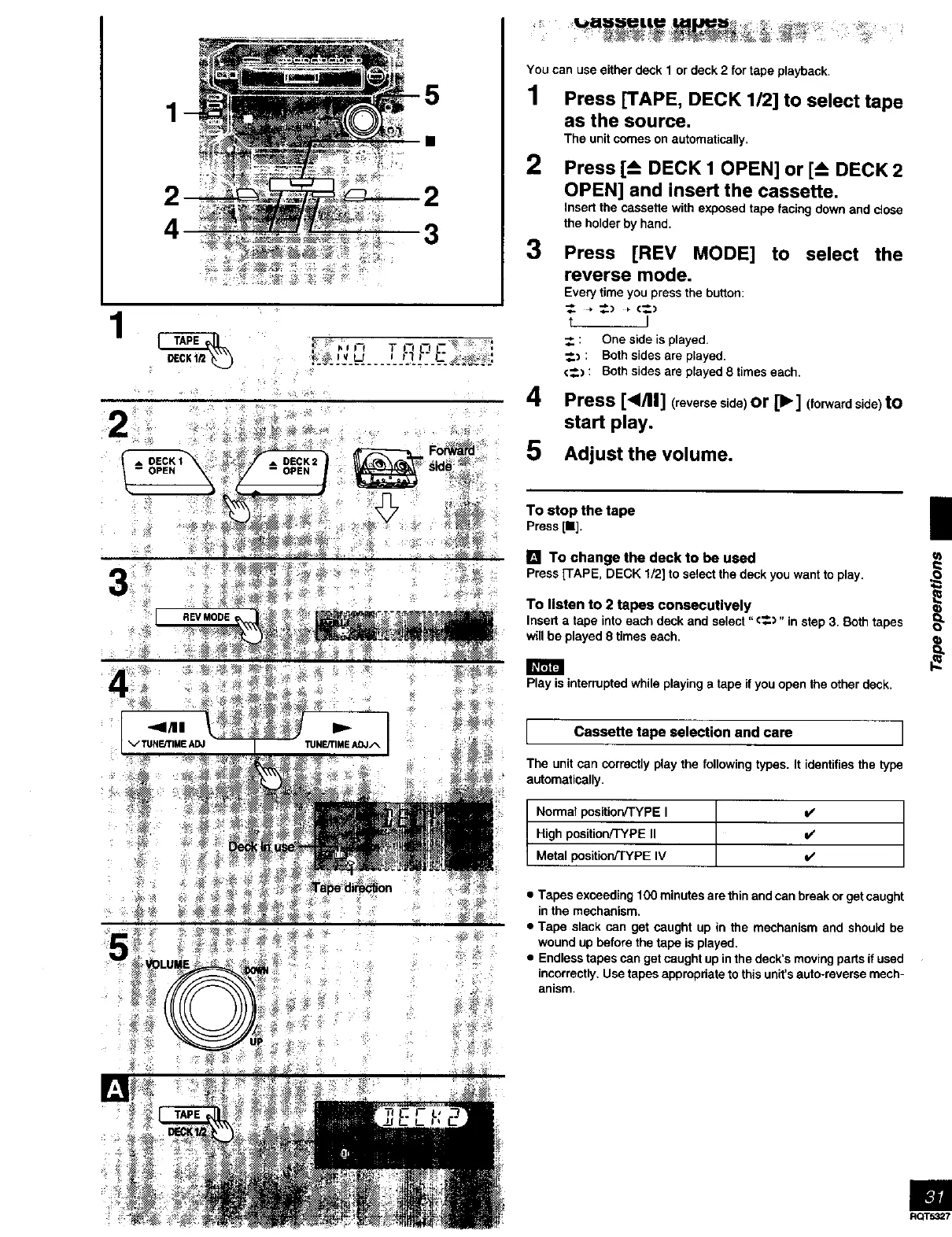
You can use either deck 1 or deck 2 for tape playback.
1 Press [TAPE, DECK 1/2] to select tape
as the source.
The unit comes on automatically.
2
3
4
5
Press [-_ DECK 1 OPEN] or [-_ DECK 2
OPEN] and insert the cassette.
Insert the cassette with exposed tape facing down and close
the holder by hand.
Press [REV MODE] to select the
reverse mode.
Every time you press the button:
t J
_. : One side is played,
_.) : Both sides are played.
€_) : Both sides are played 8 times each.
Press [</11] (reverseside)or [1_] (forwardside)to
start play.
Adjust the volume.
To stop thetape
Press[11].
[] To change the deck to be used
Press[TAPE, DECK 1/2]to selectthedeckyou wantto play,
To listen to 2 tapes consecutively
Insert a tape into each deck and select "€_.)" in step 3. Both tapes
will be played 8 times each,
Play is interrupted while playing a tape if you open the other deck.
I Cassette tape selection and care I
The unit can correctly play the following typos. It identifies the type
automatically.
Normal position/TYPE I v'
High position/TYPE II v'
Metal position/TYPE IV V'
• Tapes exceeding 1O0 minutes are thin and can break or get caught
in the mechanism,
• Tape slack can get caught up in the mechanism and should be
wound up before the tape is played.
• Endless tapes can get caught up in the deck's moving parts if used
incorrectly. Use tapes appropriate to this unit's auto-reverse mech-
anism.
m
RQT.5_7



 To Next Page