1:
bu_ons
There are two methods of presetting stations.
Automatic presetting: The stations the tuner can receive are
preset.
Manual presetting: You can select the stations to preset and
the order they are preset in.
Up to 12 stations can each be set in the FM and AM bands.
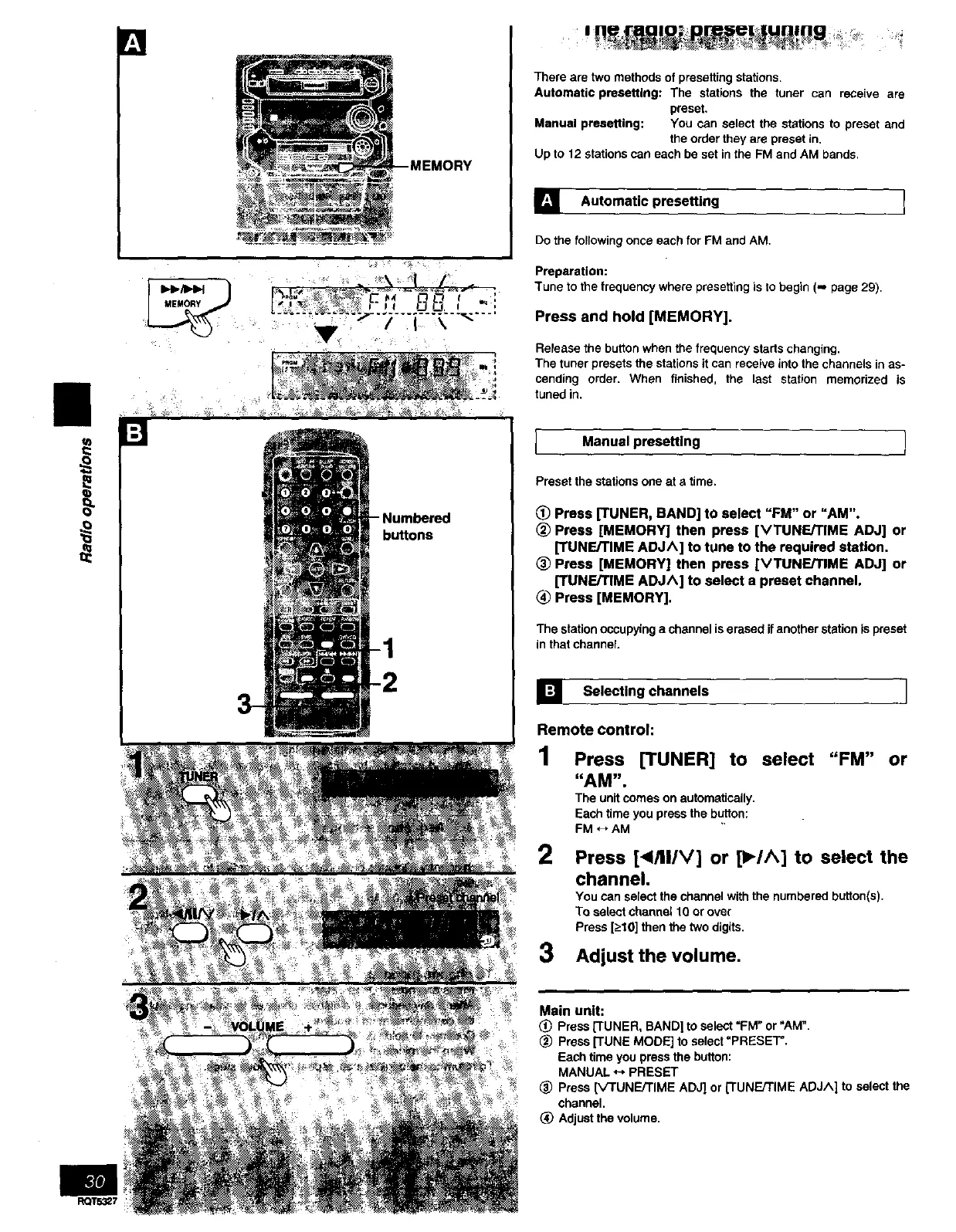
_utomatic presetting 1
Do the following once each for FM and AM.
Preparation:
Tune to the frequency where presetting is to begin (,-, page 29).
Press and hold [MEMORY].
Release the button when the frequency starts changing.
The tuner presets the stations it can receive into the channels inas-
cending order. When finished, the last station memorized is
tuned in.
Manual presetting !
Preset the stations one at a time.
_) Press [TUNER, BAND] to select "FM" or "AM".
(_ Press [MEMORY] then press [VTUNErrlME ADJ] or
[TUNF.JTIME ADJ^] to tune to the required station.
_) Press [MEMORY] then press [VTUNE/TIME ADJ] or
[TUNE/TIME ADJ^] to select a preset channel.
Press [MEMORY].
The station occupying a channel is erased ifanother station is preset
in that channel.
] Selecting channels I
Remote control:
1 Press [TUNER] to select "FM" or
"AM".
The unit comes on automatically.
Each time you press the button:
FM _, AM
2 Press [_I/II/V] or [_,-/A] to select the
channel.
You can select the channel with the numbered button(s),
To select channel 10 or over
Press [->10]then the two digits.
3 Adjust the volume.
Main unit:
(_) Press [TUNER, BAND] to select "FM" or "AM".
_) Press [TUNE MODE] to select =PRESET".
Each time you press the button:
MANUAL _ PRESET
_) Press ['v'TUNEFFIME ADJ] or [TUNEFFIME ADJA] to select the
channel.
Adjust the volume.



 To Next Page