[]
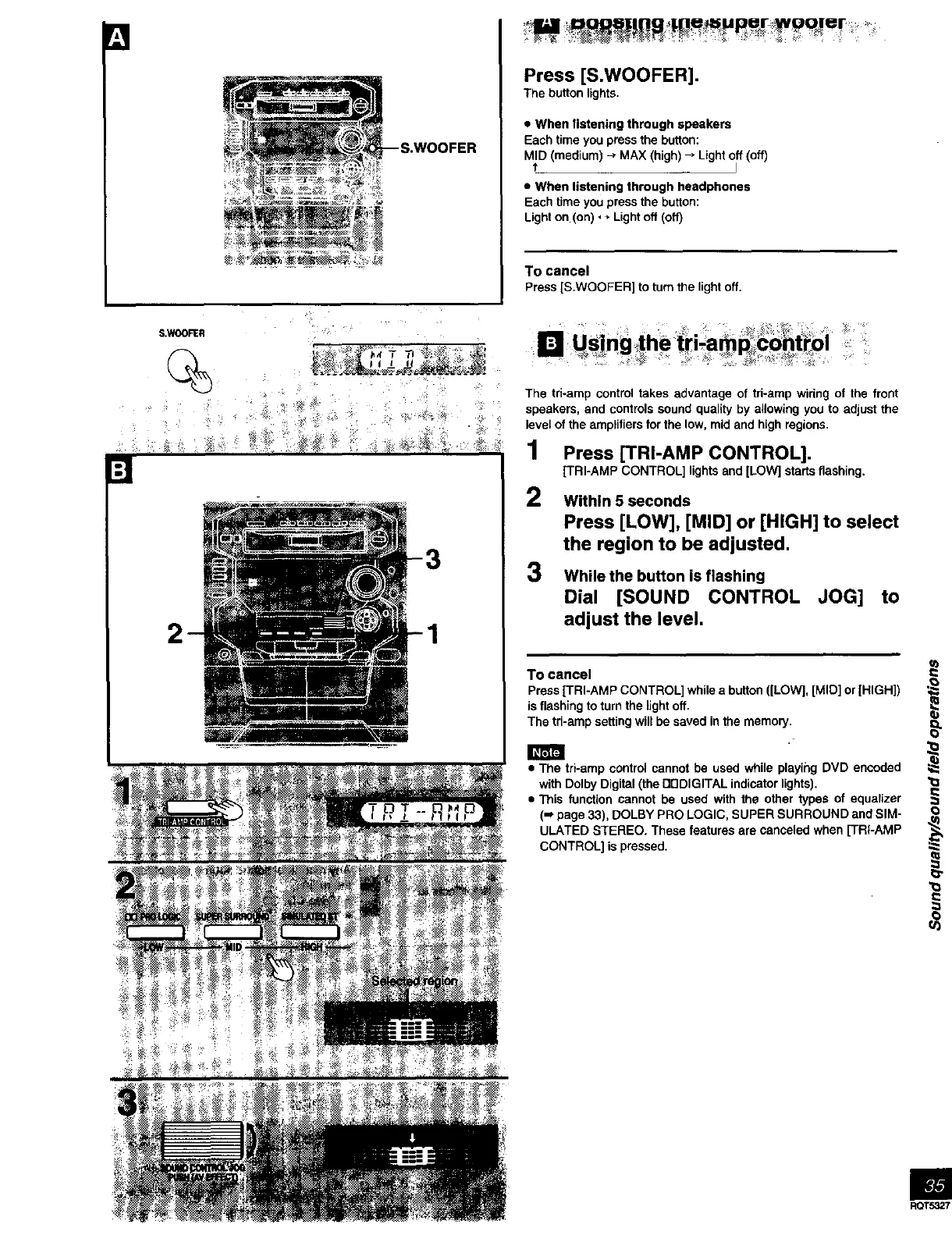
Press [S.WOOFER].
The button lights•
• When listening through speakers
Each timeyou pressthe button:
MID (medium)-, MAX(high)_ Light off(off)
t J
• When listening through headphones
Eachtime youpressthe button:
Lighton (on), + Lightoff (off)
To cancel
Press[S.WOOFER] to turn the lightoff.
S.WOOFER
%
[]
1
-: f .
[] Us|nglhe tr=-a ?cohttpl
The tri-amp control takes advantage of tri-amp wiring of the front
speakers, and controls sound quality by allowing you to adjust the
level of the amplifiers for the low, mid and high regions.
1 Press ['rRI-AMP CONTROL].
[TRI-AMP CONTROL] lights and [LOW] starts flashing.
2
3
Within 5 seconds
Press [LOW], [MID] or [HIGH] to select
the region to be adjusted,
While the button is flashing
Dial [SOUND CONTROL JOG] to
adjust the level.
To cancel
Press ['FRI-AMP CONTROL] while a button ([LOW], [MID] or [HIGH])
is flashing to turn the light off•
The tri-amp setting will be saved in the memory.
• The tri-amp control cannot be used while playing DVD encoded
with Dolby Digital (the Dr]DIGITAL indicator lights).
• This function cannot he used with the other types of equalizer
(m page 33), DOLBY PRO LOGIC, SUPER SURROUND and SIM-
ULATED STEREO• These features are canceled when [TRI-AMP
CONTROL] is pressed.
=
O
m



 To Next Page