See page 41 for operation.
C
(-
Additional effects
_) Virtual rear surround
_) Multi rear surround
(_) Center focus
_) 3D enhanced surround
_) Seat position
r
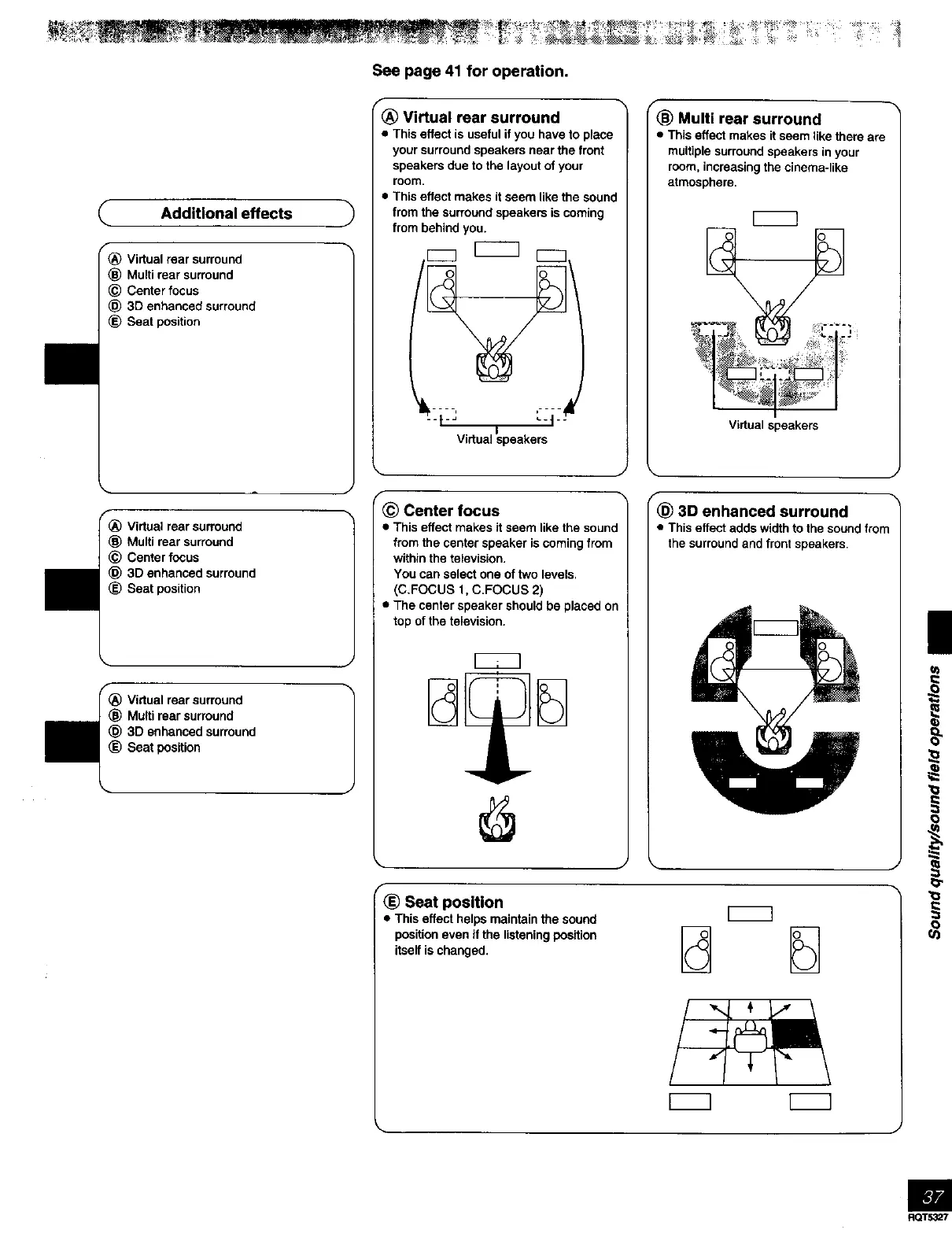
Virtual rear surround
• This effect is useful if you have to piece
your surround speakers near the front
speakers due to the layout of your
room.
• This effect makes it seem like the sound
from the surround speakers is coming
from behind you.
i *
V rtua speakers
f
_) Multi rear surround
• This effect makes it seem like there are
multiple surround speakers in your
room, increasing the cinema-like
atmosphere.
Virtual speakers
Virtual rear surround
_) Multi rear surround
_) Center focus
_) 3D enhanced surround
(_ Seat position
Virtual roar surround
Multi roar surround
3D enhanced surround
Seat position
J
_ Center focus
• This effect makes it seem like the sound
from the center speaker is coming from
within the television.
You can select one of two levels.
(C.FOCUS 1, C.FOCUS 2)
• The center speaker should be placed on
top of the television.
FLO_3D enhanced surround
• This effect adds width to the sound from
the surround and front speakers.
J •
f
Seat position
• This effect helps maintain the sound
position even if the listening position
itself is changed.
RQT5327



 To Next Page