KAP_
%
Adding effects to your karaoke
(KARAOKE EFFECT)
1
2
3
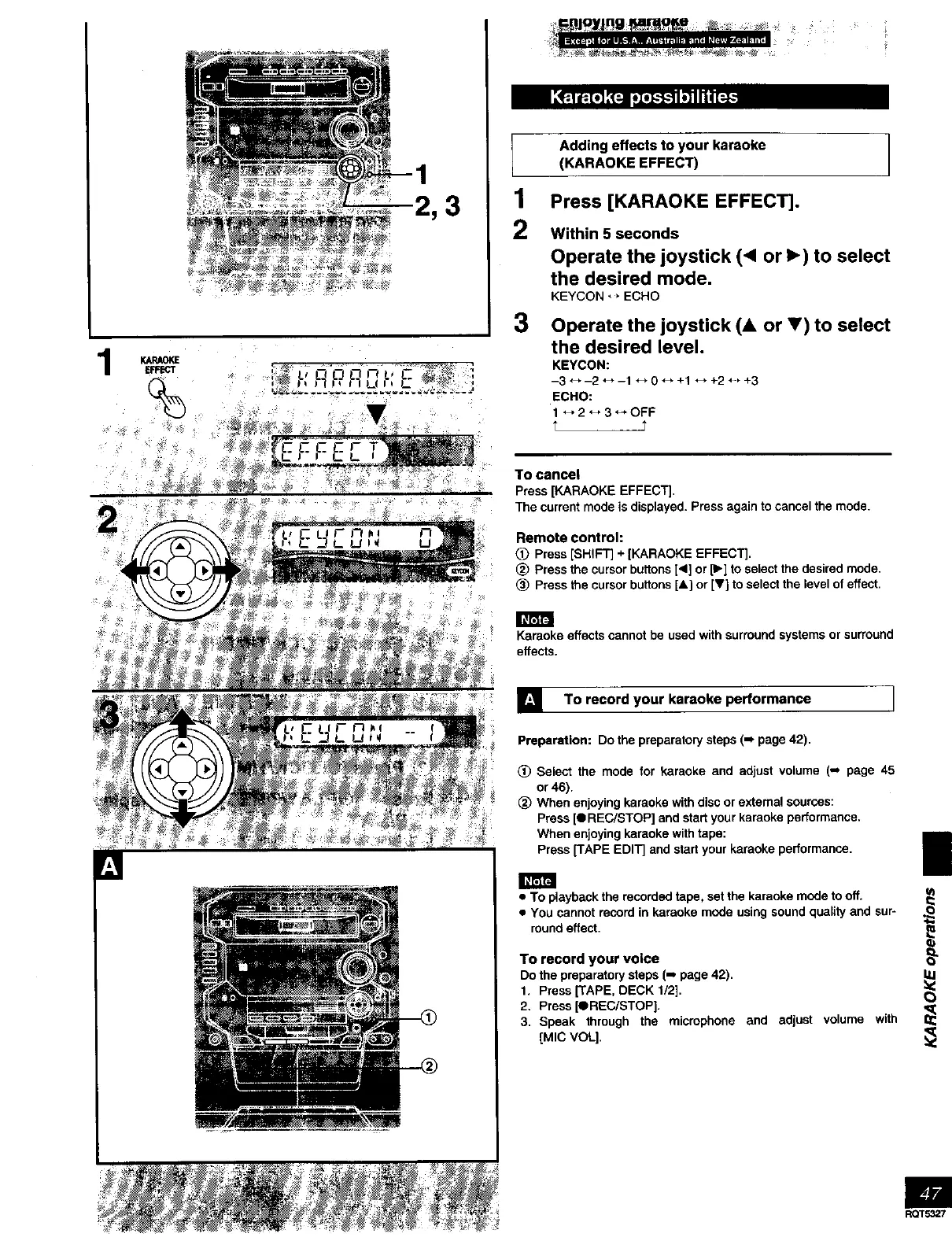
Press [KARAOKE EFFECT].
Within 5 seconds
Operate the joystick (< or _) to select
the desired mode.
KEYCON _, ECHO
Operate the joystick (& or 5') to select
the desired level.
KEYCON:
-3 _,-2 _,-1 ._ 0 _, +1 *_ +2 _-, +3
ECHO:
1 _" 2'_ 3 _* OFF
t t
To cancel
Press [KARAOKE EFFECT].
The current mode is displayed. Press again to cancel the mode.
Remote control:
Press [SHIFT] + [KARAOKE EFFECT].
(_ Press the cursor buttons [<1]or [1_]to select the desired mode.
(_ Press the cursor buttons [A] or [V] to select the level of effect.
Karaoke effects cannot be used with surround systems or surround
effects.
] To record your karaoke performance I
Preparation: Do the preparatory steps (-, page 42).
(_ Select the mode for karaoke and adjust volume (,_ page 45
or 46).
(_) When enjoying karaoke with disc or external sources:
Press [t REC/STOP] and start your karaoke performance.
When enjoying karaoke with tape:
Press ['rAPE EDIT] and start your karaoke performance.
1
• To playback the recorded tape, set the karaoke mode to off. _
• You cannot record in karaoke mode using sound quality and sur- O
round effect.
E
To record your voice
Do the preparatory steps (-, page 42).
1. Press [TAPE, DECK 1/2].
2. Press [OREC/STOP].
3. Speak through the microphone and adjust volume with
[MIC VOL].
RQT5327



 To Next Page