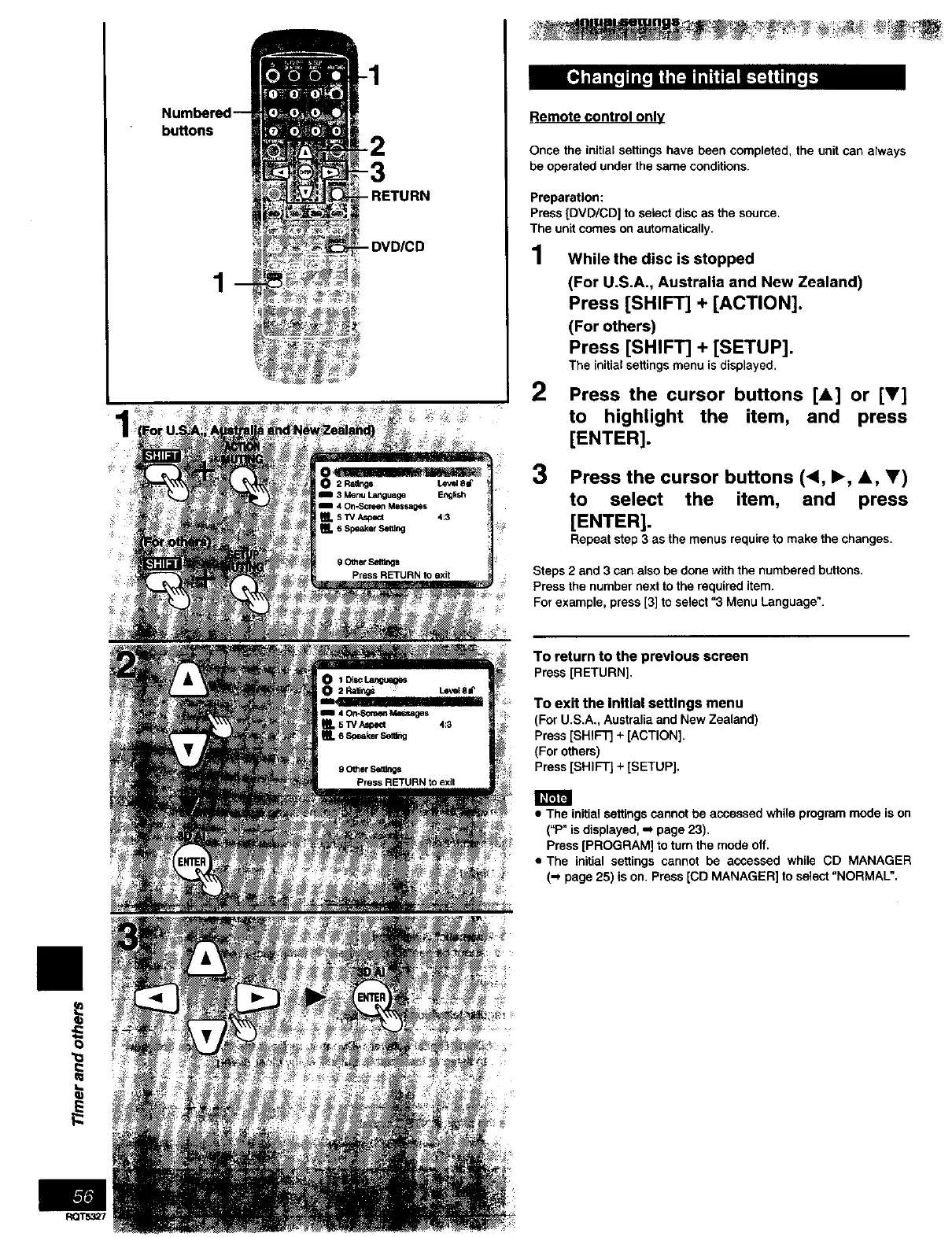
buttons
1
- DVD/CD
o
Remote control only
Once the initial settings have been completed, the unit can always
be operated under the same conditions.
Preparation:
Press [DVD/CD] to setect disc as the source.
The unit comes on automatically.
1 While the disc is stopped
(For U.S.A., Australia and New Zealand)
Press [SHIFT] + [ACTION].
(For others)
Press [SHIFT] + [SETUP].
The initial settings menu is displayed.
2 Press the cursor buttons [,L] or [V]
to highlight the item, and press
[ENTER].
3
Press the cursor buttons (<, I_, A, _')
to select the item, and press
[ENTER].
Repeat step 3 as the menus require to make the changes,
Steps 2 and 3 can also be done with the numbered buttons.
Press the number next to the required item.
For example, press [3] to select "3 Menu Language".
To return to the previous screen
Press[RETURN].
To exit the Initial settings menu
(For U.S.A., Australiaand New Zealand)
Press[SHIFT]+ [ACTION].
(For others)
Press[SHIFT]+ [SETUP].
• The initial settings cannot be accessed while program mode is on
("P" is displayed, -_ page 23).
Press [PROGRAM] to turn the mode off.
• The initial settings cannot be accessed while CD MANAGER
(-_ page 25) is on. press [CD MANAGER] to select "NORMAL".
II
ROT5327



 To Next Page