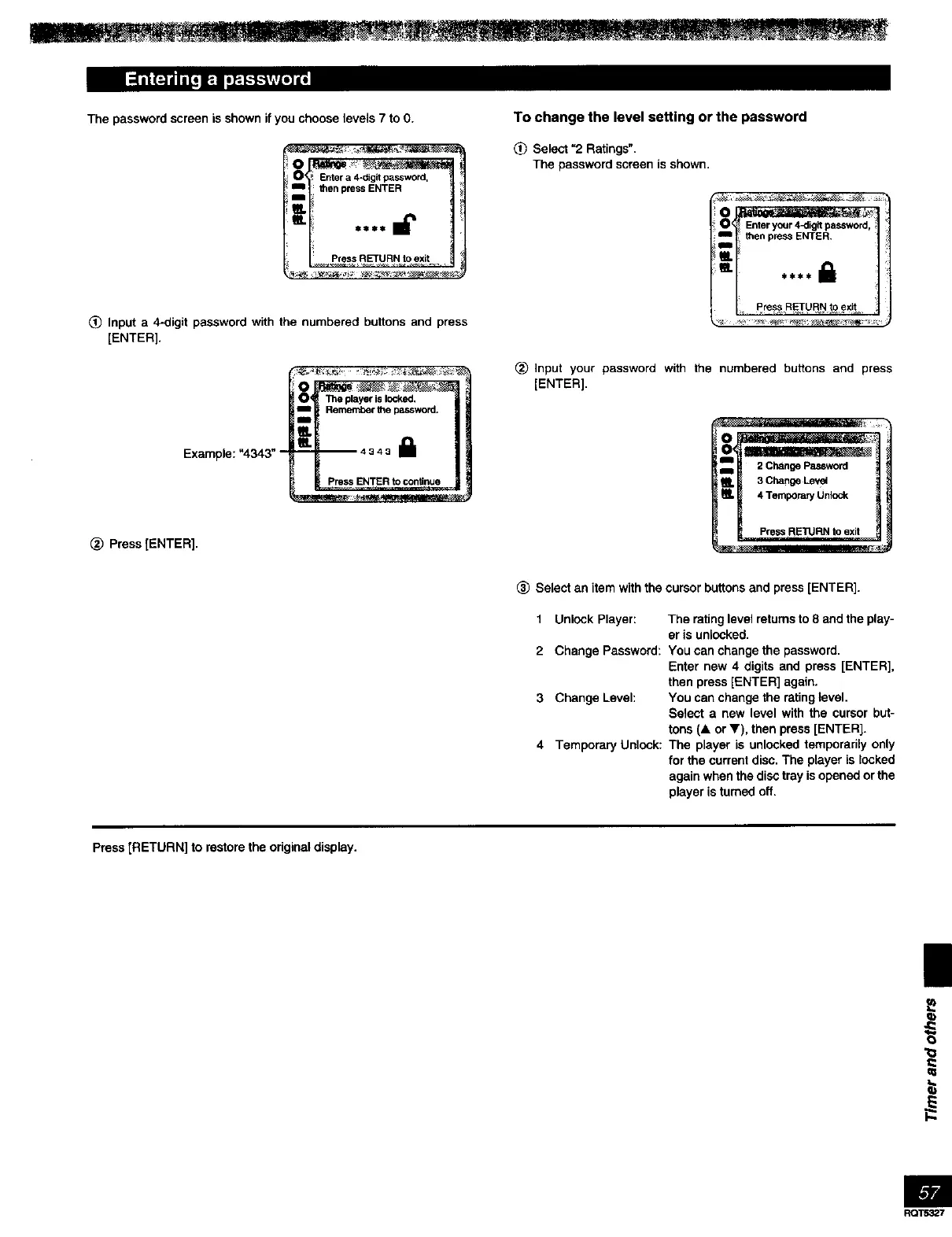
The password screen is shown if you choose levels 7 to O.
_! Entera 4-digitpassword,
=m_ thenpressENTER
i
(_ Input a 4-digit password with the numbered buttons and press
[ENTER].
Example: "4343" -
O_ _ :_
O_ _ player is locked,
Rememberthe password.
_ss ENTERtocontinue
(_) Press [ENTER].
To change the level setting or the password
(_) Select "2 Ratings".
The password screen is shown,
i Enteryour4-digitpassword_
: thenpressENTER.
Press RETURN to exit
(_ Input your password with the numbered buttons and press
[ENTER].
(_) Select an item with the cursor buttons and press [ENTER].
1 Unlock Player:
2 Change Password:
3 Change Level:
4 Temporary Unlock:
The rating level returns to 8 and the play-
er is unlocked.
You can change the password.
Enter new 4 digits and press [ENTER],
then press [ENTER] again.
You can change the rating level.
Select a new level with the cursor but-
tons (& or V), then press [ENTER].
The player is unlocked temporarily only
for the current disc. The player is locked
again when the disc tray isopened or the
player is turned off.
Press [RETURN] to restore the odginal display.
_b
O
RQT5327



 To Next Page