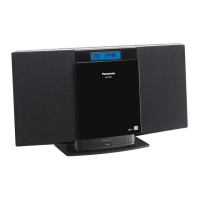
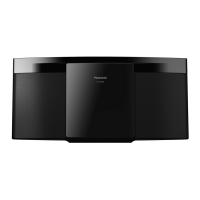
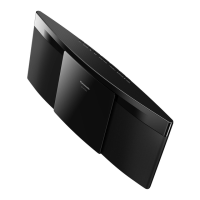
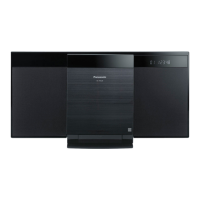
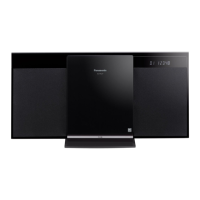
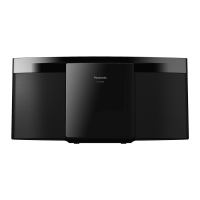
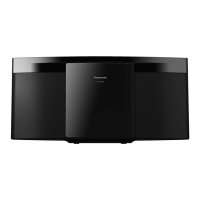
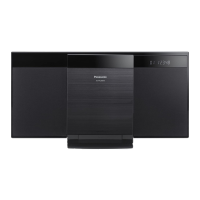
This document describes the Panasonic Compact Stereo System, Model No. SC-HC20DB, a digital audio broadcasting (DAB) enabled compact stereo system designed for use in moderate climates.
Function Description
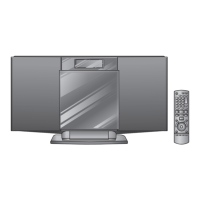
The SC-HC20DB is a versatile compact stereo system offering multiple audio sources and sound adjustments. Its primary functions include CD playback, DAB and FM radio reception, and external unit connectivity, including iPod/iPhone docking. The system features a sliding door for disc insertion and removal, and a display panel for showing track information, radio frequencies, and time.
CD Operations:
The unit supports playback of CD-Audio (CD-DA), CD-R/RW (CD-DA, MP3), and MP3 discs. Users can perform basic play functions like stop, pause, skip track, and search within a track. For MP3 discs, it also supports skipping albums. Direct access to tracks or albums is possible using numeric buttons or directional controls. The system offers program play, allowing users to program up to 24 tracks. Play modes include 1-track, 1-album (MP3), random (RND), and 1-album random (MP3). The program memory is cleared when the sliding door is opened.
Radio Operations (FM and DAB):
The system can receive both FM and DAB radio broadcasts. For FM, it supports manual tuning, automatic presetting of up to 30 channels, and manual presetting. A "MONO" mode is available to improve FM sound quality in areas with weak signals. For DAB, the unit performs an "Auto scan" to find and memorise receivable stations when DAB is selected for the first time. It supports "Station tune" for selecting stations in alphanumeric order and "Presetting channel" for storing up to 20 favourite DAB channels. The system also allows listening to secondary services if broadcast. The display can show dynamic labels (information about the broadcast), PTY (program type), ensemble labels (name of the ensemble), frequency, and time. Users can adjust the "Auto scan frequency range" to include "ALL BAND III" frequencies beyond the UK-specific factory setting. An "Automatic clock adjustment" function uses DAB broadcasting to set and adjust the time. Signal quality can be monitored to aid antenna adjustment for better reception.
External Unit (iPod/iPhone):
The unit features an iPod/iPhone dock, allowing users to enjoy audio from their Apple devices. It supports various iPod and iPhone models, with compatibility depending on the software version. Basic playback controls like play, pause, skip track, and search are available. Users can also navigate the iPod/iPhone menu using the remote control. The dock charges the connected iPod/iPhone, with "IPOD CHARGING" displayed during standby.
Timer Functions:
The system includes a 24-hour clock and offers three optional play timers. Users can set a start and finish time for each timer, select the music source (disc, radio, iPod/iPhone, or AUX), and adjust the volume. The timer starts with a gradually increasing volume. A sleep timer is also available, allowing the unit to turn off after 30, 60, 90, or 120 minutes. The sleep timer takes priority over the play timer if settings overlap.
Sound Adjustment:
Several sound adjustment features are available:
- Preset EQ: Selectable modes include "HEAVY", "SOFT", "CLEAR", "VOCAL", or "FLAT".
- Bass/Treble: Allows adjustment of bass and treble levels from -4 to +4.
- Surround Sound: "ON SURROUND" or "OFF SURROUND" modes. Can be turned off to reduce interference in FM stereo reception.
- D.Bass: "ON D.BASS" or "OFF D.BASS" modes.
- Re-master (MP3): "ON RE-MASTER" or "OFF RE-MASTER" modes, likely for enhancing compressed audio.
- AUX Input Level: When using an external portable audio equipment via AUX, the input level can be set to "HIGH" or "NORMAL" to prevent distortion.
Important Technical Specifications
Amplifier Section:
- RMS Output Power Stereo mode (Front Ch, both ch driven): 5 W per channel (6 Ω), 1 kHz, 10% THD.
- Phone jack (Terminal): Stereo, 3.5 mm jack.
- Output level (CD, 1 kHz, -20 dB): max. 0.385 mW + 0.385 mW, 32 Ω.
- Aux (Rear) Sensitivity (Normal level): 504 mV, 12.4 kΩ.
- Aux (Rear) Sensitivity (High level): 100 mV, 12.4 kΩ.
- Aux (Rear) Terminal: Stereo, 3.5 mm jack.
Tuner Section:
- Preset Memory (FM): 30 stations.
- Frequency Modulation (FM) Frequency range: 87.50 MHz to 108.00 MHz (50 kHz step).
- Antenna terminals: 75 Ω (unbalanced).
DAB Section:
- DAB memories: 20 channels.
- Frequency Band (Wavelength) Band III (UK Only): 10B to 12D (211.648 MHz to 229.072 MHz).
- Frequency Band (Wavelength) Band III (Europe): 5A to 13F (174.928 MHz to 239.200 MHz).
- Intermediate Frequency: 2.048 MHz.
- Sensitivity (BER 4x10⁻⁴): 0 dBm.
- Max input power: -98 dBm.
- Min requirement: F - Connector (75 Ω).
- DAB External Antenna Terminal: F - Connector (75 Ω).
Disc Section:
- Disc played: 8 cm or 12 cm (CD-Audio, CD-R/RW, MP3).
- MP3: MPEG-1 Layer 3, MPEG-2 Layer 3.
- Pick up Wavelength: 785 nm.
- Laser power: CLASS 1.
- Audio Output (Disc) Number of channels: FL, FR, 2 channel.
Speaker Section:
- Type: 1 way, 1 speaker system (Bass reflex).
- Speaker unit(s): Full range 8 cm Cone type.
- Impedance: 6 Ω.
- Output sound pressure: 83 dB/W (1.0 m).
- Frequency range: 60 Hz to 25 kHz (-16 dB), 90 Hz to 22 kHz (-10 dB).
General:
- Power supply: AC 220 to 240 V, 50 Hz.
- Power consumption: 18 W.
- Dimensions (W x H x D): 384 mm x 214 mm x 112 mm (D = 69 mm minimum), (D = 147 mm tray open).
- Mass: Approx. 2.1 kg.
- Operating temperature range: 0 °C to +35 °C.
- Operating humidity range: 35% to 80% RH (no condensation).
- Power consumption in standby mode: 0.3 W (approx.).
Usage Features
- Remote Control: The unit is primarily operated via a remote control, with corresponding controls on the main unit. The remote control requires two AA batteries.
- Display Dimmer: The display panel brightness can be dimmed using the [DIMMER] button on the remote.
- Auto Off: A function that turns the unit off (except in radio mode) after approximately 30 minutes of inactivity.
- Remote Control Mode: The unit and remote control are factory-set to "REMOTE 1" mode. If interference with other equipment occurs, users can switch to "REMOTE 2" mode.
- DAB Antenna: A DAB antenna is supplied for FM radio and DAB reception. An optional outdoor DAB antenna can be used for better reception.
- iPod/iPhone Dock: Features a push-open mechanism for inserting and removing iPod/iPhone devices. Users must use a suitable dock adapter.
- Safety Precautions: Emphasises proper placement away from direct sunlight, high temperatures, humidity, and vibration. Warns against using high voltage or DC power sources. Provides instructions for AC mains lead protection and handling. Advises against letting foreign matter or liquids enter the unit.
- Troubleshooting Guide: Comprehensive guide for common problems, display messages, and issues related to DAB, iPod/iPhone, and remote control.
- Memory Reset (Initialization): Allows users to reset the unit's memory to factory presets, useful for resolving unresponsiveness or clearing all settings.
Maintenance Features
- Cleaning: Before maintenance, disconnect the power plug. Wipe the unit with a soft, dry cloth. For heavy dirt, use a cloth moistened with water and then wipe dry. Avoid solvents like benzine, thinner, alcohol, or detergent, as they can deform the outer case coating. Follow precautions when using chemical cloths.
- CD Lens Care: Clean the CD lens regularly to prevent malfunctions. Use a blower to remove dust or a cotton swab for stubborn dirt. Do not use CD-type lens cleaners.
- Battery Care: For the remote control, use manganese or alkaline dry batteries. Insert batteries with correct polarity. Remove batteries if the remote control will not be used for a long time. Store batteries in a cool, dark place and avoid heat or flame. Do not mix old and new batteries, use different types, take apart, short-circuit, or attempt to recharge alkaline/manganese batteries.
- Long-term Storage: To extend operating life, disconnect the unit from the AC mains if it will not be used for a long time.

 Need help?
 General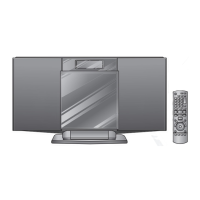




 To Next Page